

Corporate event planners in Florida know this scenario too well: a video project kicks off with a confident estimate, then scope creep, last-minute talent changes, and unplanned revision rounds quietly drain the budget before the final cut is delivered. Solid video project budget planning is the difference between a brand-elevating production and a costly lesson. This guide walks you through every phase of the process, from understanding cost components to verifying spend in real time, so your next corporate video lands on brand, on time, and on budget.
Table of Contents
- Understanding key cost components in video project budgets
- Preparing your video project budget: essential prerequisites and tools
- Executing the budget plan: estimation, allocation, and monitoring
- Verifying and adjusting your video project budget to prevent overruns
- Why transparent, real-time video budget tracking transforms corporate event success
- Partner with Bonomotion for expert corporate video production in Florida
- Frequently asked questions
Key Takeaways
| Point | Details |
|---|---|
| Understand cost phases | Video budgets consist of pre-production, production, and post-production costs that must be planned separately. |
| Use budgeting tools | Employ dedicated software or templates to organize and track video project budgets effectively. |
| Allocate funds precisely | Break down the budget into detailed line items including crew, equipment, editing, and contingencies. |
| Monitor costs continually | Real-time budget tracking prevents surprises by showing actual expenses versus estimates. |
| Partner with experts | Working with experienced video production services can help manage budget and enhance your video’s impact. |
Understanding key cost components in video project budgets
To budget effectively, you first need to understand what costs to expect. Corporate video production budgets break into three phases: pre-production, production, and post-production. Each phase carries distinct line items, and underestimating any one of them is where most overruns begin.
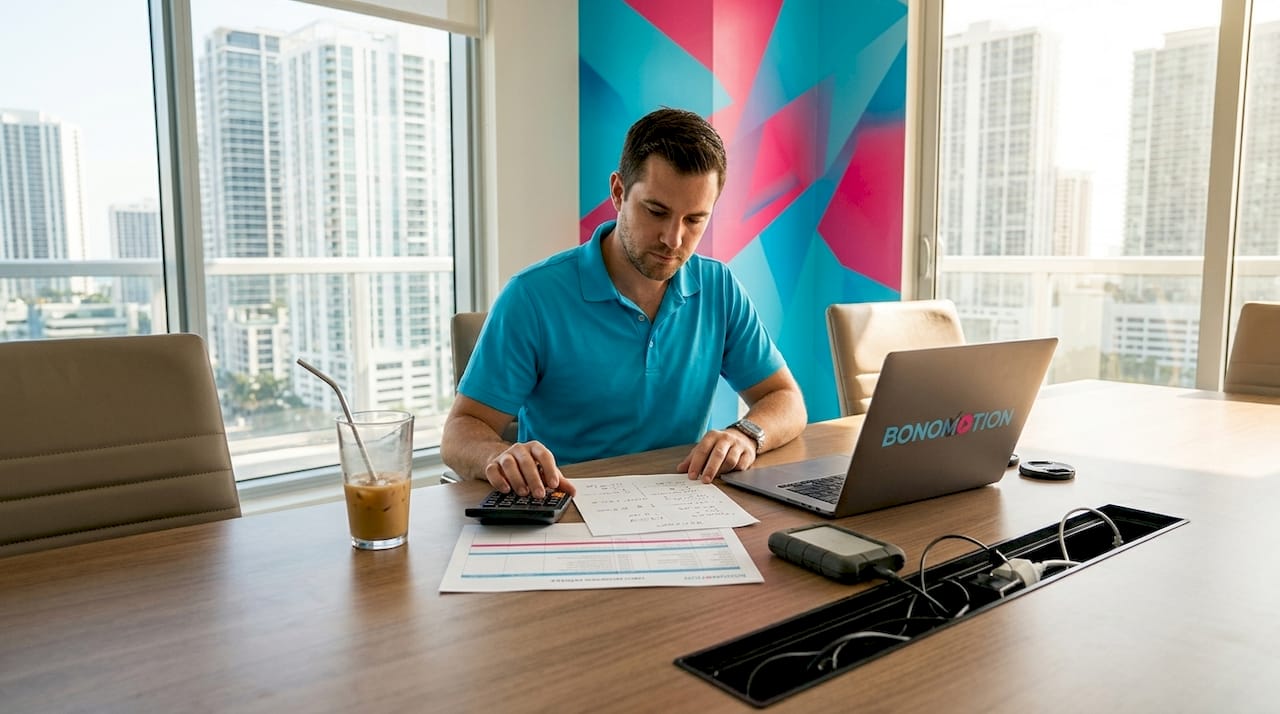
Pre-production covers scriptwriting, storyboarding, location scouting, casting, and project management. These costs are often treated as minimal, but for a multi-day conference video or a branded campaign with multiple deliverables, pre-production can represent 15 to 20 percent of your total budget. Production is where the largest single-day expenditures hit. Crew and equipment costs for half-day shoots run $2,500 to $10,000, and full-day shoots climb to $5,000 to $20,000, with equipment rentals adding $500 to $5,000 per day and talent ranging from $500 to $5,000 per person. Post-production includes editing, color grading, sound design, motion graphics, and revision rounds.
Here is a snapshot of typical cost ranges by category:
| Cost category | Low estimate | High estimate |
|---|---|---|
| Pre-production (script, planning) | $500 | $5,000 |
| Production crew (per day) | $5,000 | $20,000 |
| Equipment rental (per day) | $500 | $5,000 |
| Talent (per person) | $500 | $5,000 |
| Post-production (editing, graphics) | $2,000 | $15,000 |
| Location and permits | $200 | $3,000 |
Beyond the phases, several cost drivers tend to surprise planners most. Location fees in urban Florida markets like Miami or Orlando carry permit requirements and access charges. Revision rounds during post-production are one of the most common budget leaks, particularly when stakeholder feedback arrives late or in waves. Reviewing the video production pricing overview before entering vendor conversations gives you a sharper negotiating baseline.
- Crew day rates vary significantly by role: a director of photography commands more than a second camera operator.
- Equipment type matters. A gimbal and a drone shoot on the same day doubles your gear line.
- Revision rounds should be capped in contracts. Two rounds is a reasonable baseline; anything beyond that warrants a change order.
- Travel and per diem costs apply whenever your crew or talent is not local to your shoot location.
Pro Tip: When reviewing corporate video production costs with vendors, ask for a rate card that separates crew, equipment, and talent. Bundled quotes hide which line is driving the price, making it harder to negotiate or adjust scope.
Preparing your video project budget: essential prerequisites and tools
With a clear understanding of costs, you can now prepare a detailed budget plan. Before you open a spreadsheet or request a single quote, three foundational decisions shape everything that follows: project scope, target audience, and distribution format. A two-minute internal training video and a four-minute brand film destined for paid social require completely different crew sizes, shoot days, and post-production complexity.
Follow this preparation sequence:
- Define deliverables precisely. List every video asset you need, their lengths, and their intended platforms. A conference recap reel for LinkedIn has different resolution, pacing, and graphics requirements than a CEO keynote stream.
- Set your quality tier. Corporate video production operates across a broad quality spectrum. Knowing whether you need a crew of four or a crew of twelve before you collect quotes prevents apples-to-oranges comparisons.
- Identify your shoot days and locations. Each shoot day and location adds a multiplier to your production line. Two locations on one day costs more than two locations on two days because of logistics, load-in time, and crew overtime risk.
- Collect at least three vendor quotes. Estimating video production costs accurately requires market data, not guesswork. Florida vendors range widely in day rates, so quotes anchor your numbers to reality.
- Build in a contingency reserve. Industry practice is 10 to 15 percent of total budget held as contingency. Weather delays, talent cancellations, and equipment failures are not hypotheticals in Florida; they are regular occurrences.
Choosing the right budgeting tool matters more than most planners realize. Film budgeting software like Movie Magic Budgeting works well for scripted or multi-scene productions, Hot Budget fits commercial and short-form projects, and Google Sheets templates offer flexibility for teams that need custom categories without a software license.
| Tool | Best for | Cost |
|---|---|---|
| Movie Magic Budgeting | Scripted, multi-scene productions | Paid subscription |
| Hot Budget | Commercials and short-form content | Paid subscription |
| Google Sheets template | Custom categories, small teams | Free |
| Dedicated project management platforms | Large teams, real-time tracking | Varies |
Pro Tip: Align your video pre-production strategies with your budgeting prep. A well-developed pre-production plan reduces on-set surprises, which are always more expensive to solve than issues caught in the planning phase.
Executing the budget plan: estimation, allocation, and monitoring
Once your budget plan is in place, the next step is careful monitoring and verification. Estimation and allocation set the financial framework; monitoring keeps it from unraveling during production.
Break your budget into detailed line items before a single camera rolls. Vague categories like “crew” or “post-production” create ambiguity that vendors and internal teams both exploit, usually unintentionally. Effective video project cost management means every expense has a named category, a budgeted amount, and an owner.
- Assign budget owners by phase. Your production coordinator owns the production-day expenses. Your editor or post supervisor owns the post-production line. Distributed ownership creates accountability.
- Set spending thresholds that require approval. Any expense above a defined threshold, commonly $500 for smaller projects and $1,500 for larger ones, should require sign-off before it is incurred.
- Log change orders immediately. Every scope change, added location, extra revision round, or extended shoot day is a change order. Document it in real time and attach a cost.
- Track actuals weekly. Real-time cost visibility by phase, category, and team member is the only way to prevent overruns before they become irreversible.
Post-production is where budgets frequently drift in unexpected ways. Editing rates run $75 to $150 per hour, motion graphics cost $500 to $5,000 depending on complexity, and post-production as a whole typically represents 25 to 35 percent of the total project budget.
Key areas to monitor continuously:
- Labor hours against estimate. If your editor is 20 hours in and only halfway through a rough cut, your post-production budget is at risk.
- Equipment rental duration. Day rates extend when production runs long. One extra day on a camera package and lighting package adds up fast.
- Revision rounds used. Track them against the contracted number from day one.
- Travel and miscellaneous. These lines absorb cost that does not fit neatly elsewhere and frequently hide overruns.
Understanding video production cost factors in detail helps you spot which line items are elastic and which are fixed before the project begins. Knowing that your location fee is fixed while your labor hours are variable, for example, tells you exactly where to focus monitoring energy.
Pro Tip: Build your budget tracker so you can sort by phase and by cost category simultaneously. When a stakeholder asks why the budget is shifting, you want to answer in 30 seconds, not after a 20-minute reconciliation.
Verifying and adjusting your video project budget to prevent overruns
Effective verification and adjustment close the loop on your budgeting process, ensuring financial control from first shoot day to final delivery. This is the phase most corporate planners underinvest in, and the data reflects it.
43% of projects exceed their original budgets by an average of 27%, which means more than four in ten video projects deliver a financial surprise to someone at the stakeholder table. The question is whether you want that surprise to arrive during production, when it is fixable, or at invoice time, when it is not.
“Budget verification is not an administrative task — it is a production discipline. The teams that treat weekly cost reviews as non-negotiable are the ones that consistently bring projects in at or under budget.”
Verification practices that work in real corporate production environments:
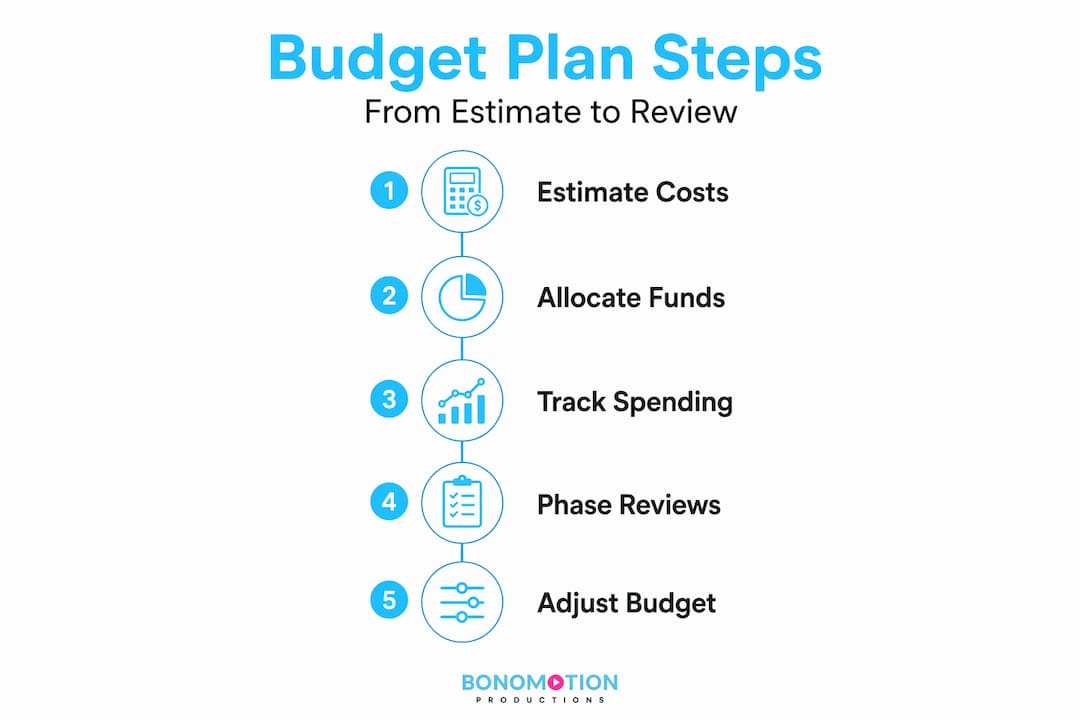
- Weekly budget-to-actual reviews. Compare every line item against its estimate at the end of each production week. Flag any variance above 10 percent for review.
- Phase-gate approvals. Before moving from pre-production to production, and from production to post-production, formally verify that the current phase came in within budget. If it did not, adjust the downstream allocation before the next phase begins.
- Variance categorization. Not all overruns are equal. A labor overrun has different implications than a location overrun. Categorizing variances helps you identify systemic issues, not just one-time events.
- Formal scope change documentation. Every verbal request for additional work is a future budget dispute waiting to happen. Put it in writing, price it before it is executed, and update the budget tracker.
Video production pricing strategies that include built-in phase reviews also make it easier to present adjustments to leadership when necessary. When you can show a variance report by category rather than a single “we went over” number, stakeholder conversations become more productive. You can also strengthen the case for future budget requests by referencing event video ROI insights that tie production quality to measurable business outcomes.
Pro Tip: Tie each budget review to a deliverable milestone. “We’ve completed the rough cut, here’s where we stand financially” is a natural check-in that does not feel bureaucratic to your production team.
Why transparent, real-time video budget tracking transforms corporate event success
Here is an uncomfortable truth about how most corporate video budgets are managed: the tools in use are the same ones organizations used a decade ago. Most AV firms still rely on spreadsheets and delayed reconciliation, which creates blind spots precisely when decisions need to happen fastest.
We have seen this dynamic play out repeatedly in Florida’s corporate event market. A marketing manager approves a video package, the production kicks off, and the first real look at actual-versus-budgeted costs arrives with the final invoice. By that point, the only option is to absorb the overrun or dispute the bill. Neither outcome protects the brand relationship or the production relationship.
The planners who sidestep this pattern treat budget visibility the way they treat their event run-of-show: as a live document, not a filed report. They use tools that update costs as they are incurred, not after the week is over. They know, on any given production day, how much of their contingency reserve has been consumed and what is left. That kind of financial clarity is not just about protecting margin; it is about making confident creative decisions. When you know you have budget headroom, you can say yes to the one additional setup that makes the conference highlight reel genuinely compelling. When you are flying blind, every creative ask feels like a financial risk.
Transparent video pricing at the agency level is equally important. The right production partner does not just deliver a final invoice; they give you visibility into where costs are accumulating throughout the project. That transparency is a differentiator worth asking about directly when evaluating vendors in the Florida market.
Partner with Bonomotion for expert corporate video production in Florida
Now that you understand how to plan and control your video budget, partnering with experts can bring your vision to life with confidence. At Bonomotion, we have spent over two decades guiding corporate event planners and marketing managers through every phase of video project budget planning, from initial cost estimation to final delivery.
Our producers work directly with your team to define scope, set realistic cost expectations, and track spending throughout production so you are never caught off guard. Whether you need commercial video production services for a branded campaign, corporate video production in Hollywood, Florida, or a full-scale conference package, our team delivers polished results that reflect your brand at its best. Explore our full range of business corporate video solutions and let’s build a production plan that fits your budget and exceeds your communication goals.
Frequently asked questions
What are the main phases to consider in video project budget planning?
The main phases are pre-production, production, and post-production, each carrying distinct costs such as scriptwriting, filming crew and equipment, and editing. Video production costs split across all three phases, and underestimating any one of them is the most common source of overruns.
How can I prevent my video project from going over budget?
Implement real-time budget tracking, review actuals against estimates weekly by category, and document every scope change as a formal change order before work begins. Budget tracking closes the gap between estimated and actual costs, protecting your margin at every phase.
What budgeting tools are recommended for corporate video projects?
Movie Magic Budgeting, Hot Budget, and Google Sheets templates are the most widely used options, each suited to different project types and team sizes. For most corporate event planners, a detailed Google Sheets template with phase-level categories provides enough structure without requiring a paid software license.
How much should I budget for crew and equipment in a typical corporate video?
Crew costs range from $2,500 to $10,000 for half-day shoots and $5,000 to $20,000 for full-day shoots, with equipment rentals typically adding $500 to $5,000 per day. Talent fees run $500 to $5,000 per person depending on role and usage rights.
Why is continuous budget verification important during video production?
43% of projects exceed original budgets by an average of 27%, which means ongoing verification is your primary tool for catching cost drift before it becomes an invoice dispute. Regular phase-level reviews also give you documented evidence to support scope change conversations with stakeholders.