

A single audio dropout during your CEO’s keynote. A frozen feed right when the product reveal lands. These are not hypotheticals—they are the real consequences of treating a corporate livestream as an afterthought. The stakes are high: a failed broadcast can erode executive credibility, frustrate remote employees, and waste significant production budget. This guide gives communications managers and event teams a structured, mistake-proof workflow covering every phase, from goal-setting and team assembly through technical setup, live execution, and post-event analytics. Follow these steps and your next livestream will run like the broadcast-quality production it deserves to be.
Table of Contents
- Establish foundational goals and assemble your team
- Technical checklist and platform selection
- Production, run-of-show, and rehearsal best practices
- Execution day: Monitoring, engagement, and common pitfalls
- Post-event review, analytics, and continuous improvement
- The overlooked truth about corporate livestream workflows
- Take your next livestream further with expert support
- Frequently asked questions
Key Takeaways
| Point | Details |
|---|---|
| Plan and define roles | Clear goals and assigned responsibilities minimize surprises and ensure livestream success. |
| Prioritize technical reliability | Redundant gear, backup internet, and secure platforms are non-negotiable for professional results. |
| Emphasize rehearsal and analytics | Run-of-show practice and studying viewer data help continually improve event outcomes. |
| Treat livestreams as premium events | Approaching them as true productions boosts engagement and amplifies your corporate message. |
Establish foundational goals and assemble your team
Every successful corporate livestream begins weeks before the camera turns on. Pre-production planning 4-8 weeks out defines your goals, target audience, KPIs, and technical requirements—and skipping this phase is where most event teams run into trouble.
Start by writing a one-page planning brief. It does not need to be long, but it must be specific. What is the event type—a town hall, product launch, investor briefing, or internal training? Who is the audience, and how large? What does success look like in measurable terms: viewer count, average watch time, live poll participation rate, or post-event survey scores? Getting these answers documented early aligns stakeholders and prevents expensive rework downstream.
Once goals are clear, build your team with defined roles. Key roles include producer, moderator, technical director, and virtual producer—and each carries specific responsibilities that, when left undefined, create gaps during live execution.
Here is how each role contributes:
- Producer: Owns the run-of-show, coordinates all departments, and makes real-time decisions during the broadcast.
- Moderator: Guides the on-screen experience, manages speaker transitions, and drives audience interaction.
- Technical director: Oversees all AV equipment, encoder settings, and internet connections.
- Virtual producer: Monitors the remote viewer experience, manages chat flow, and flags technical issues from the audience side.
Stakeholder alignment at this stage pays dividends. Brief your executives, IT security team, and marketing lead on the plan before production begins. One misaligned expectation about content or platform access can cause last-minute chaos.
“A livestream without a clear owner for each function is just an expensive video call waiting to fail.”
Pro Tip: Train your moderator to do more than facilitate Q&A. The best moderators actively seed questions during slow moments, call out audience comments by name, and keep energy levels consistent throughout the broadcast. Treat this role like a co-host, not a timekeeper. For more on setting up strong corporate event livestream tips, review our practical resources before your next event.
Technical checklist and platform selection
With your team set and goals defined, it is time to make sure your technical foundation can carry the load. A strong production concept means nothing if your stream buffers, drops audio, or locks out half your audience.
Multi-camera production with professional audio, lighting, and redundant internet at a minimum upload speed of 10 to 50 Mbps is the baseline for corporate-grade livestreaming. Hardware encoders outperform cloud-based solutions when reliability is non-negotiable—they process the signal locally and are less vulnerable to internet fluctuations.
Here is a summary of core technical requirements:
| Component | Requirement | Notes |
|---|---|---|
| Cameras | 2-4 professional cameras | PTZ or ENG style recommended |
| Audio | Lavalier + backup microphones | Test all inputs before show |
| Encoder | Hardware encoder preferred | Cloud encoder as backup |
| Internet | 10-50 Mbps upload, redundant | Bonded cellular as failover |
| Lighting | 3-point setup minimum | Control ambient light sources |
| Backup devices | Laptop + secondary encoder | Always have a fallback |
For transport protocol, choose SRT (Secure Reliable Transport) over RTMP when possible. SRT handles packet loss better, which matters significantly in venues with unpredictable network conditions. Review livestream reliability tips to understand how protocol selection directly affects your audience’s viewing experience.
Platform selection is equally critical. Enterprise platforms like Vimeo offer branded, private streaming with access controls that consumer tools simply cannot match. For internal broadcasts, security and GDPR compliance are not optional—they are legal requirements in many organizations. Avoid public platforms for sensitive corporate content.
Pro Tip: Always test your full technical chain, from camera through encoder to platform, at the actual venue at least 48 hours before the event. Network conditions in a hotel ballroom or conference center are rarely what the venue promises. Refer to our livestream event production planning resources to build a venue-tested technical protocol.
Production, run-of-show, and rehearsal best practices
Technical gear is only half the story. How you run the show on event day depends entirely on the preparation you do before it.
A detailed run-of-show document is your broadcast bible. It lists every segment, transition, speaker cue, graphic insertion, and engagement moment in chronological order, with time stamps. Without it, even experienced teams fall out of sync during live execution. Rehearsals and run-of-show scripting with a dedicated producer and moderator monitoring during execution are industry-standard practices for a reason.
Follow this production sequence to keep your event on track:
- Conduct a full tech check at least two hours before the event goes live.
- Lock the script and run-of-show 24 hours in advance—no last-minute rewrites.
- Rehearse all transitions, including speaker handoffs, lower-third graphics, and video playback segments.
- Mark engagement points in the script where polls, Q&A, or chat prompts should launch.
- Establish fallback plans for audio failure, speaker dropout, and internet loss.
“Treat your livestream as a major TV broadcast, not an upgraded video call.”
This mindset shift changes everything. Treating streams as first-class productions with compact agendas, built-in buffers, and a mandatory Plan B separates brands that consistently deliver polished events from those that scramble through technical chaos.
Here is how livestreams compare to standard webinars:
| Factor | Corporate livestream | Webinar |
|---|---|---|
| Production quality | Broadcast-grade, multi-camera | Single-camera or screen share |
| Audience scale | Hundreds to thousands | Typically under 500 |
| Interactivity | Moderated, structured | Open, less controlled |
| Technical complexity | High | Low to medium |
For a deeper look at live streaming rehearsal tips that apply to real corporate events, our production team has documented what works across hundreds of broadcasts.
Execution day: Monitoring, engagement, and common pitfalls
With your show planned, here is how to succeed on event day and what not to overlook.
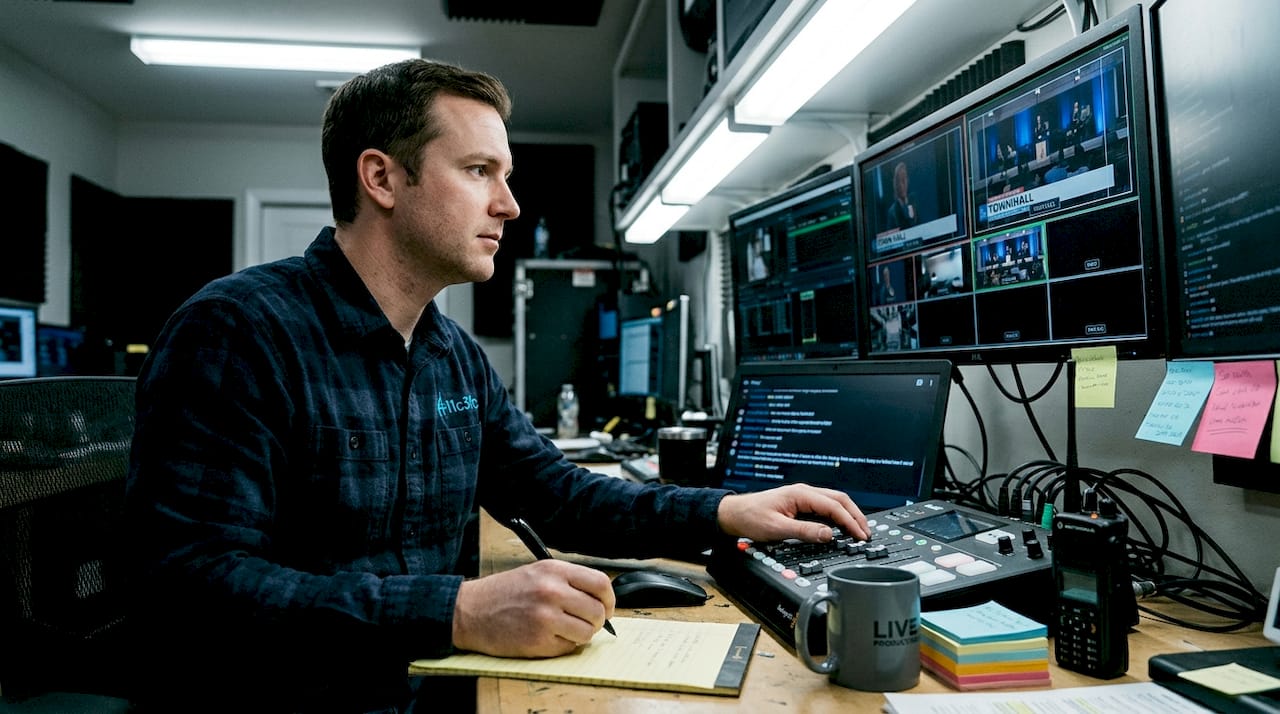
Active monitoring is not passive watching. Dedicated producer and moderator oversight during the broadcast—alongside security and GDPR compliance checks—is essential, not optional. Your technical director watches signal health. Your moderator watches audience energy. Your virtual producer watches the viewer experience.
Engagement is a live variable. Schedule polls at natural segment breaks. Prime your moderator with three to five prepared questions to seed the Q&A. Monitor live chat and surface strong audience questions for speakers in real time. These tactics keep watch time up and drop-off rates down.
Average engagement watch time for corporate livestreams sits between 8 and 40 minutes depending on content quality and interactivity. Social and in-platform engagement benchmarks average 1 to 5% of your total viewer count actively participating in comments or polls.
Note that hybrid events require separate return feeds for remote Q&A participants. Low latency settings increase the risk of buffering, so balance quality with delivery stability.
Common live-day failure points and how to recover:
- Audio dropout: Switch to backup microphone immediately, acknowledge the issue briefly on camera, and continue.
- Video freeze: Cut to a holding graphic or slides while the technical director resets the encoder.
- Internet failure: Switch to bonded cellular failover, pause for 60 to 90 seconds, and resume.
- Speaker no-show: The moderator fills with pre-planned content, audience Q&A, or a recorded segment.
- Platform access issues: Have a direct support line to your platform vendor open during the entire broadcast window.
Pro Tip: Assign one team member exclusively to monitor viewer-facing chat and platform health. This person reports directly to the producer and never splits attention between technical and audience tasks.
Post-event review, analytics, and continuous improvement
Once the event ends, effective analysis ensures you are ready to do better next time.
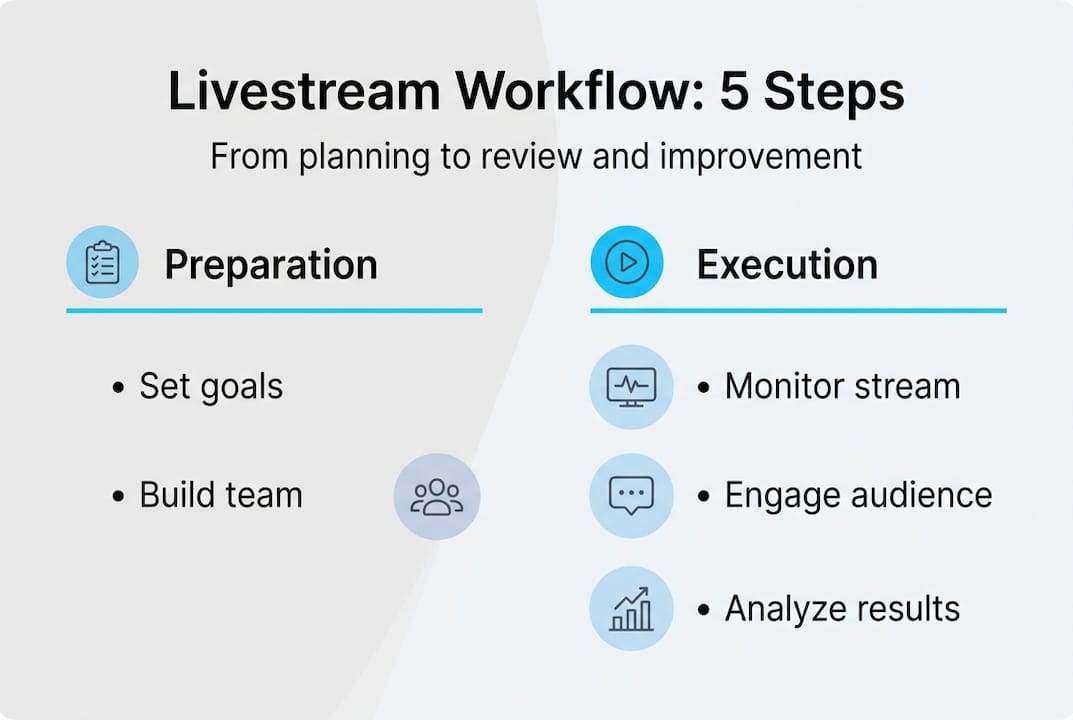
Archive your stream immediately for on-demand viewing. Many of your most important viewers—senior leaders, international employees, or key clients—will watch the replay. Make sure the archived version is clean, captioned, and accessible within 24 hours of the broadcast.
Then move to metrics that actually matter. Tracking rebuffering percentage, watch time per segment, and drop-off curves gives you content-level intelligence. A spike in drop-off at the 18-minute mark tells you something specific about that segment’s relevance or pacing.
Key post-event analytics to collect:
- Peak concurrent viewers and total unique viewers
- Average watch time and segment-level engagement
- Rebuffering rate and stream quality score
- Poll response rates and Q&A submission volume
- Drop-off curve with timestamps
- On-demand replay views within 7 days
Here is an example post-event reporting framework:
| Metric | Target benchmark | Result | Action |
|---|---|---|---|
| Average watch time | 20+ minutes | 14 minutes | Tighten agenda, add polls |
| Rebuffer rate | Under 1% | 2.3% | Upgrade encoder or bandwidth |
| Q&A participation | 5% of viewers | 3% | Prime moderator with more seeds |
| Replay views (7-day) | 30% of live viewers | 22% | Promote replay via email |
Budget benchmarks indicate internal broadcasts range from $2,000 to $5,000 for audiences of 25 to 200, while town halls scale to $5,000 to $12,000 for 200 to 500 viewers. Aligning your analytics data with budget allocation helps justify future investment to leadership.
Pro Tip: Use your drop-off curve data to restructure the next event’s run-of-show. If viewers consistently leave after a particular speaker or segment type, that is a signal worth acting on before your next broadcast. Explore cost-effective livestream solutions to optimize both quality and spend as you scale.
The overlooked truth about corporate livestream workflows
Here is something we have observed across two decades of broadcast production: most corporate livestream failures are not technical. They are organizational. The encoder works fine. The cameras are professional grade. What breaks down is the assumption that a well-run meeting with a camera pointed at it constitutes a broadcast.
The brands that consistently deliver standout livestreams treat every event the way a network treats a live news segment—with rehearsals, contingency scripts, and a clear chain of command. They also invest in post-event analysis, not just post-event relief.
Skipping rehearsals to save time costs more than it saves. Ignoring analytics because the event “felt” successful leaves real improvement on the table. And choosing a platform based on familiarity rather than security or scale creates vulnerabilities that legal and IT teams will flag too late.
Our perspective: invest in your workflow before you invest in new gear. The livestreaming best practices that separate broadcast-quality events from disappointing ones are process-driven, not technology-driven. The right process makes the technology perform.
Take your next livestream further with expert support
If you are planning a high-stakes town hall, investor event, or multi-site conference, the workflow in this guide gives you a strong foundation. But execution at scale demands experienced hands.

At Bonomotion, we have been producing broadcast-quality corporate livestreams since 2003, working with growing brands and Fortune 100 companies who cannot afford a mediocre event. Our producers embed with your team, build your run-of-show, and manage every technical detail so you can focus on your message. Explore our ultimate event streaming guide or review our full range of corporate video solutions to see how we approach every project. Ready to talk specifics? Our corporate video production experts are ready to help you plan your next event.
Frequently asked questions
What are the most important roles in a corporate livestream workflow?
Producer, moderator, technical director, and virtual producer are the four essential roles, each responsible for a distinct layer of the broadcast. Without clear ownership across all four functions, live execution becomes reactive instead of controlled.
How can I ensure our livestream doesn’t fail due to technical issues?
Always use redundant internet and backup devices with SRT protocol over RTMP for better packet loss recovery. Rehearse with all equipment in the actual venue at least 48 hours before the event.
What engagement metrics should I track from our corporate livestream?
Track rebuffering percentage, watch time, and drop-off curves alongside poll participation and Q&A volume. These metrics reveal both technical performance and content quality in ways that view counts alone cannot.
Are webinars and corporate livestreams the same?
No. Livestreams offer broadcast-quality, multi-camera production at a much larger scale, while webinars are simpler and more interactive but limited in production value and audience size. For high-stakes corporate communications, the two are not interchangeable.