

Selecting video equipment is the process of matching your production goals with the right balance of camera, audio, lighting, and support gear to deliver professional-quality content without overspending on the wrong priorities. For event professionals and small business owners producing corporate videos, livestreams, and marketing content, the decisions you make before you ever press record determine the outcome. Brands like Sony, Rode, and Aputure dominate the professional market for good reason. A balanced equipment budget allocates 40% to camera and lenses, 20% to audio, 20% to lighting, and 20% to support gear. That framework alone prevents the most common and costly mistake in video production: buying an expensive camera while neglecting audio and lighting.
How to select video equipment: start with your production needs
The most effective video equipment buying guide begins not with gear, but with a clear picture of what you are actually producing. Corporate event coverage, executive interview series, product launches, and livestreams each demand different tools, different mobility requirements, and different levels of redundancy.
Start by defining your content types and environments. A multi-day conference in a large ballroom requires different gear than a weekly CEO video recorded in a dedicated office studio. Consider these core questions before purchasing anything:
- What types of videos will you produce most often?
- Will you shoot in controlled indoor environments or unpredictable venues?
- Do you need to move freely during shoots, or will your camera stay fixed?
- What is your audience expecting in terms of visual and audio quality?
- Who on your team will operate the equipment?
Once you have answered those questions, set a realistic budget. Renting professional gear for special events costs $500 to $1,000 per engagement versus $15,000 or more to purchase equivalent equipment outright. That gap makes renting the smarter choice for teams that shoot large events only a few times per year. Purchasing makes sense when you produce content weekly or need consistent access to the same setup.
Pro Tip: Build your gear list around your three most common shoot scenarios, not your most ambitious one. Buying for the exception means overspending for the rule.
For corporate video planning, the rental-versus-purchase decision also affects your workflow. Renting forces you to test equipment before committing, which is one of the most underrated advantages in the industry.
What camera and lenses work best for corporate video?
Camera selection is where most buyers spend the most time and, frequently, the most money relative to the return they receive. The truth is that lens choice impacts image quality more than the camera body itself. A sharp, fast prime lens on a mid-range mirrorless body will outperform a kit lens on a flagship camera in nearly every corporate shooting scenario.
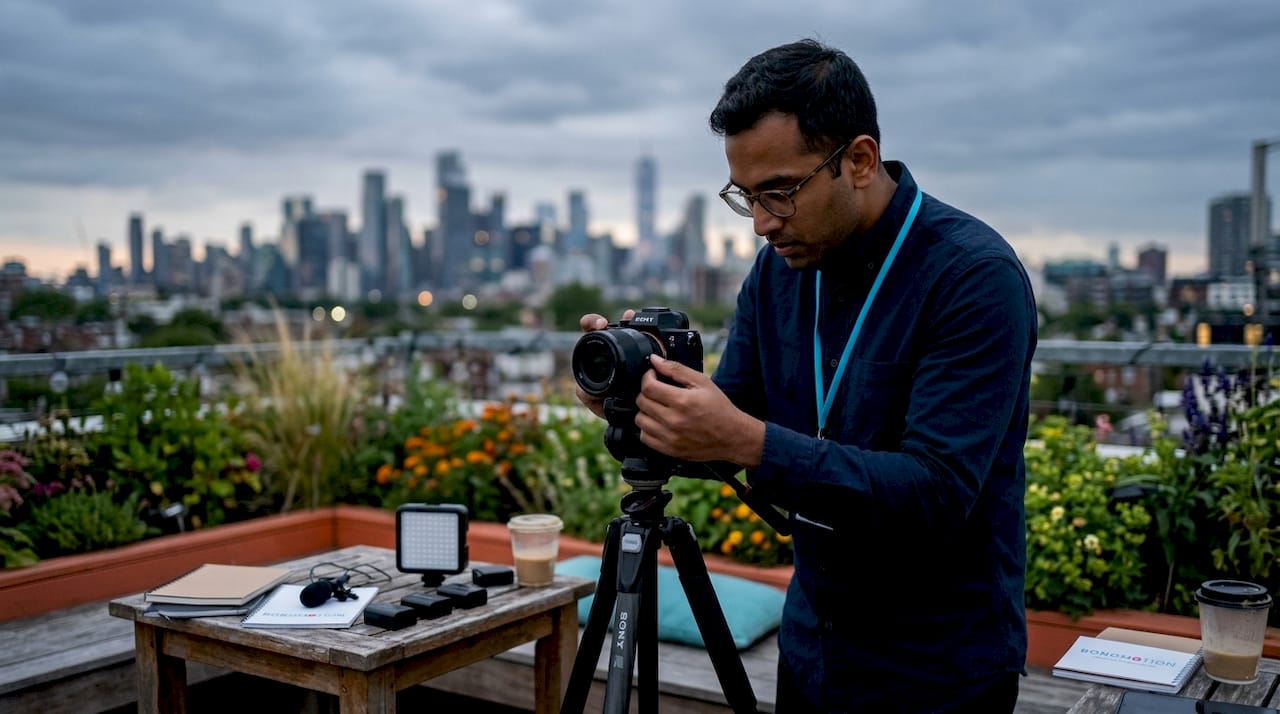
Mirrorless cameras are the current standard for event and corporate video because they balance image quality, portability, and autofocus performance. The Sony ZV-E10 II and Canon EOS R50 represent strong entry points for teams building their first dedicated video setup. Both offer 4K recording, reliable autofocus, and compact form factors that work well in conference rooms and on-location shoots.
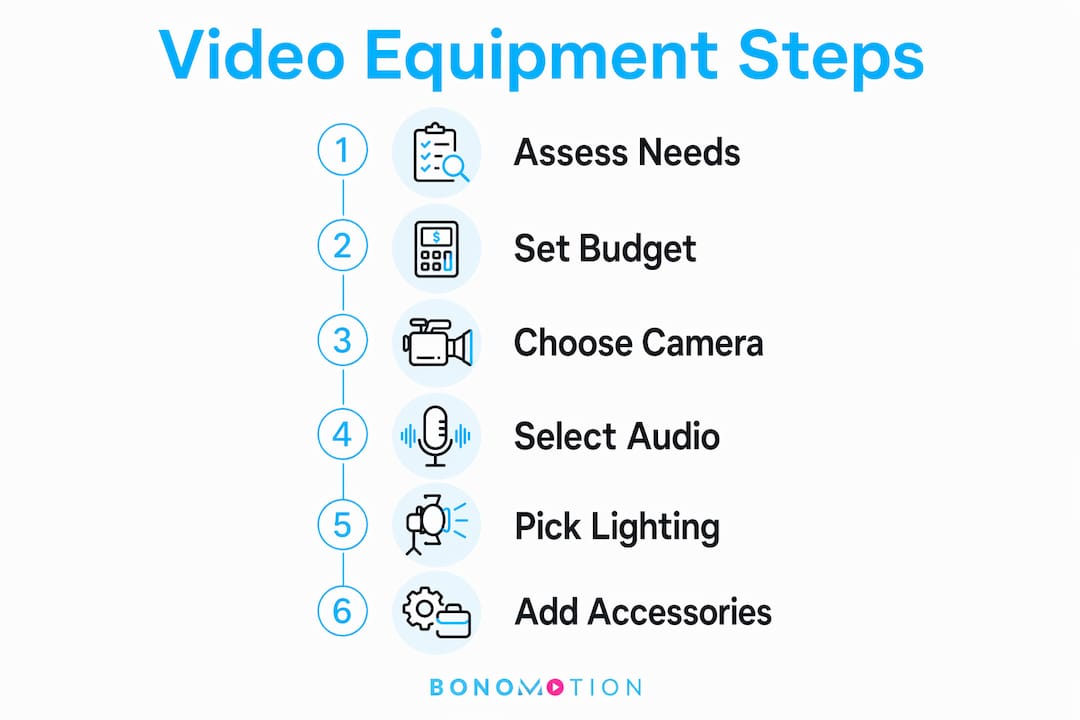
When comparing camera options, the following factors matter most for corporate and event use:
| Feature | Why it matters for corporate video |
|---|---|
| Autofocus reliability | Keeps speakers sharp without a dedicated camera operator |
| Overheating threshold | Critical for long conference sessions and livestreams |
| 4K vs. 1080p | 4K provides editing flexibility; 1080p reduces storage demands |
| Sensor size (APS-C vs. full-frame) | Full-frame excels in low light; APS-C is lighter and more affordable |
| Firmware update history | Indicates manufacturer support and long-term investment value |
Avoid cameras that show red flags like overheating during extended recording, limited continuous record times, or a history of discontinued firmware support. These issues surface during your most important shoots, not during testing.
Pro Tip: Rent the exact camera body and lens combination you are considering before purchasing. One real shoot reveals more than any spec sheet.
For teams building in-house corporate video capabilities, prioritize a 50mm or 35mm prime lens with an aperture of f/1.8 or wider. That single lens investment will serve executive interviews, product close-ups, and event coverage with consistent, professional results.
Why audio and lighting define your video’s professional quality
Audio quality is the single most critical factor in viewer retention. Viewers will tolerate slightly soft focus or imperfect color grading, but poor audio causes immediate drop-off. This is why the 20% audio budget allocation is not a suggestion. It is a production standard.
For corporate events and marketing videos, three microphone categories cover most scenarios:
- Wireless lavalier systems like the Rode Wireless Go II clip to a speaker’s lapel and transmit cleanly up to 200 meters, making them ideal for keynotes, panels, and executive interviews.
- Shotgun microphones mounted on camera or a boom pole capture directional audio in controlled environments and work well for run-and-gun event coverage.
- USB desk microphones serve well for studio-style recordings, CEO video series, and remote interview setups where the speaker is stationary.
Always monitor audio through headphones during recording. Catching a loose connection or background HVAC noise in real time saves hours of post-production damage control.
Lighting follows the same logic. Good lighting improves perceived video quality more than a camera upgrade alone. A $500 bi-color LED panel from Aputure or Godox will make a mid-range camera look like a cinema production. A $3,000 camera in flat, uncontrolled light looks amateurish.
For interviews and event coverage, apply three-point lighting in this order:
- Key light: Your primary light source, positioned at 45 degrees to the subject’s face.
- Fill light: A softer, lower-intensity light on the opposite side to reduce harsh shadows.
- Back light (or hair light): Positioned behind the subject to separate them from the background and add depth.
Bi-color LED panels from Aputure and Godox allow you to match the color temperature of any venue, which is a practical necessity when shooting in hotel ballrooms, conference centers, or mixed-light environments. Control echo and sound reflections in your recording space with acoustic panels or soft furnishings. The combination of controlled audio and deliberate lighting is what separates corporate video that builds brand credibility from footage that undermines it.
Camera support and accessories that protect your investment
Support gear is the category most buyers underestimate until they review shaky, unusable footage from their first major shoot. A fluid head tripod is not optional for corporate video. The Manfrotto 504X is the industry benchmark for smooth pans and tilts during presentations, panel discussions, and product demonstrations.
Beyond the tripod, a well-equipped corporate video kit includes:
- Gimbals for smooth handheld movement during event walk-throughs, venue reveals, or b-roll coverage where a tripod is impractical.
- Camera cages from manufacturers like SmallRig that protect the camera body and provide mounting points for monitors, microphones, and follow-focus systems.
- External monitors such as the Atomos Shinobi for accurate focus and exposure verification, particularly when shooting in bright outdoor environments or large venues where the camera’s built-in screen is difficult to read.
- Fast storage media including UHS-II SD cards or CFast cards with write speeds above 250 MB/s to handle 4K recording without dropped frames.
Testing and renting before purchasing big-ticket support items reduces risk significantly. A gimbal that works beautifully for a wedding videographer may be poorly balanced for a heavier corporate camera rig. Stage your support gear purchases based on the shoots you are actually booking, not the shoots you hope to book.
For teams covering corporate event videography, redundancy in storage and batteries is non-negotiable. Carry at least two fully charged batteries and two formatted cards for every camera on every shoot.
Starter kits and upgrade paths for event professionals
The most practical video equipment selection tip for small businesses and event teams is to start with less than you think you need. A functional starter kit costs under $300 using a smartphone, a basic tripod, a ring light, and a clip-on microphone. That setup is sufficient to publish your first 20 videos and develop a clear understanding of what your production actually requires.
The upgrade path from beginner to professional follows a logical sequence:
- Add a quality microphone and key light before upgrading your camera body.
- Move to a mirrorless camera with a prime lens once your content output justifies the investment.
- Expand your lighting setup with a second LED panel and a background light.
- Add a fluid head tripod and external monitor for more controlled, polished results.
- Invest in acoustic treatment and a dedicated recording space once your volume and quality standards demand it.
| Setup tier | Approximate cost | What it includes |
|---|---|---|
| Starter | Under $300 | Smartphone, tripod, ring light, clip-on mic |
| Intermediate | $500 to $1,500 | Mirrorless camera, prime lens, softbox, quality mic |
| Professional | $2,000 and above | Full-frame camera, multi-light setup, wireless audio, acoustic treatment |
| In-house studio | Around $5,000 | Full production kit with camera, lens, lavalier, lighting, tripod, teleprompter |
Producing 20 to 50 videos on basic gear before upgrading allows you to define your production style and avoid purchasing expensive equipment that does not fit your actual workflow. The professionals who waste the most money on gear are the ones who skip this step.
Pro Tip: Buy the tripod, key light, and microphone first. These three pillars improve production quality more than any camera upgrade at the same price point.
Key takeaways
Selecting video equipment for corporate and event production requires prioritizing audio and lighting before camera upgrades, because those two pillars determine whether your audience stays engaged.
| Point | Details |
|---|---|
| Budget allocation matters | Divide your budget 40% camera, 20% audio, 20% lighting, 20% support to avoid costly gaps. |
| Audio drives retention | Poor audio causes immediate viewer drop-off; invest in a Rode Wireless Go II or equivalent first. |
| Lighting beats camera upgrades | A quality Aputure or Godox LED panel improves perceived quality more than a camera body upgrade. |
| Rent before you buy | Renting gear for occasional large events saves thousands and helps refine your actual needs. |
| Start small, upgrade deliberately | Publish 20 to 50 videos on starter gear before committing to professional-level equipment. |
What 20 years of production taught me about choosing gear
After two decades producing corporate events, livestreams, and branded content at Bonomotion, the most consistent mistake I see from event professionals and small business owners is buying up on camera bodies while treating audio and lighting as afterthoughts. The gear hype cycle is real, and manufacturers are skilled at making the latest mirrorless body feel like a necessity. It rarely is.
The clients whose in-house video programs succeed fastest are the ones who rent for their first three or four large events. They come back with a precise understanding of what they actually needed on set, which is almost always better audio monitoring and more flexible lighting control, not a higher-resolution sensor.
Lighting is the single most transformative investment in corporate video, and it is consistently undervalued. I have seen a $400 Godox bi-color panel make footage from a three-year-old Sony mirrorless look more polished than footage from a $4,000 cinema camera shot under a hotel ballroom’s fluorescent grid. The physics are unambiguous.
My honest advice: treat your equipment selection as a living process, not a one-time purchase decision. Your production needs will evolve as your event calendar grows and your content strategy matures. Build in flexibility, buy quality in the pillars that matter most, and resist the pull of gear that solves problems you do not yet have.
— Bernard
How Bonomotion supports your video production goals
When your event calendar demands production quality that exceeds your in-house gear or team capacity, Bonomotion delivers.
We at Bonomotion have been producing high-impact corporate events, livestreams, and branded content since 2003, working with startups, growing brands, and Fortune 100 companies across Miami, Hollywood, and nationwide. Every project is guided by an experienced producer who manages gear, talent, and logistics so your team can focus on the event itself. Whether you need corporate video production in Hollywood or full-service commercial video production in Miami, Bonomotion operates as a true extension of your organization, delivering polished results without the overhead of managing a full production kit yourself.
FAQ
What is the most important piece of video equipment to buy first?
A quality microphone and key light deliver more production value than a camera upgrade at the same price point. Buy these pillars first before investing in a more expensive camera body.
How much should I budget for a corporate video setup?
A functional in-house production kit costs approximately $5,000 and covers a mirrorless camera, prime lens, wireless lavalier, LED lighting, and a fluid head tripod. Starter setups are available for under $300 using a smartphone and basic accessories.
Should I rent or buy video equipment for corporate events?
Renting is the smarter choice for teams that shoot large events only a few times per year, with rental costs running $500 to $1,000 per engagement versus $15,000 or more to purchase equivalent gear outright.
How do I evaluate a camera before purchasing it for event use?
Test for overheating during extended recording, check the manufacturer’s firmware update history, and verify continuous record time limits. Cameras with these red flags create reliability problems during your most critical shoots.
What video equipment do I need for a corporate livestream?
A reliable mirrorless camera with clean HDMI output, a wireless lavalier microphone, a bi-color LED panel, and a capture card connected to streaming software like OBS Studio covers the core requirements for a professional corporate livestream setup.