

Video team coordination is defined as the deliberate alignment of roles, communication channels, and production workflows to deliver a finished video project on time and within scope. For producers and team leaders managing corporate and event productions, poor coordination is the single most common cause of missed deadlines, costly reshoots, and stakeholder frustration. Knowing how to coordinate video teams means building structure before the camera rolls, not after problems surface. This guide covers the prerequisites, role assignments, step-by-step workflows, and common pitfalls that define professional production management at the level Bonomotion Agency applies across every corporate and event project.
Key Takeaways
- Define roles before production: use a RACI matrix to assign decision authority and prevent duplicated work.
- Brief with reference videos: share 2–3 reference videos to align creative expectations faster than written briefs alone.
- Control versions from day one: date-stamp every file version and never overwrite, to avoid costly post-production errors.
- Centralize all feedback: use one review platform with timecoded comments to reduce editor turnaround time.
- Set revision limits upfront: agree on 2–3 review rounds in the project brief to prevent scope creep.
How to coordinate video teams: prerequisites and tools
Effective coordination starts before pre-production, not during it. The first requirement is role clarity. Every team member must know exactly what decisions they own and which ones require approval from someone else. Without this, tasks get duplicated, deadlines slip, and accountability disappears.
Distributed video production requires explicit role definitions and accountability matrices to prevent duplicated or missed work. A RACI chart (Responsible, Accountable, Consulted, Informed) is the standard tool for mapping this. It takes less than an hour to build and prevents weeks of confusion on a multi-day shoot.

The second prerequisite is a centralized communication platform. Email threads fragment feedback and bury decisions. Project tracking systems provide real-time visibility into each stage, helping producers manage workloads and deadlines across the full team. Platforms that support automated notifications reduce the need for manual check-ins.
The third prerequisite is a complete documentation package before filming begins. This includes a written brief, a shot list, reference videos, and a version control protocol. Each document serves a different function, and skipping any one of them creates a gap that shows up on shoot day.
Pro Tip: Build your documentation package as a shared folder with a locked naming convention from day one. Every file should include the project code, version number, and date. This prevents the single most common disaster in post-production: overwritten files.
The table below compares the core coordination tools by function:
| Tool type | Primary function | Best use case |
|---|---|---|
| Project tracker | Task assignment and deadline visibility | Multi-phase productions |
| Video review platform | Timecoded feedback and approval tracking | Post-production review cycles |
| Shared cloud storage | File access and version management | Distributed teams |
| Shot list template | Pre-shoot alignment and coverage planning | All production sizes |
| RACI matrix | Role and decision authority mapping | Teams with 4+ members |
How do you organize and assign roles for maximum efficiency?
Role assignment in video production follows a clear split between creative direction and logistical execution. The director owns the creative vision: shot composition, performance, and tone. The producer owns the logistics: schedule, budget, crew communication, and approvals. Mixing these two functions in one person works on small shoots but breaks down fast on corporate events with multiple stakeholders.

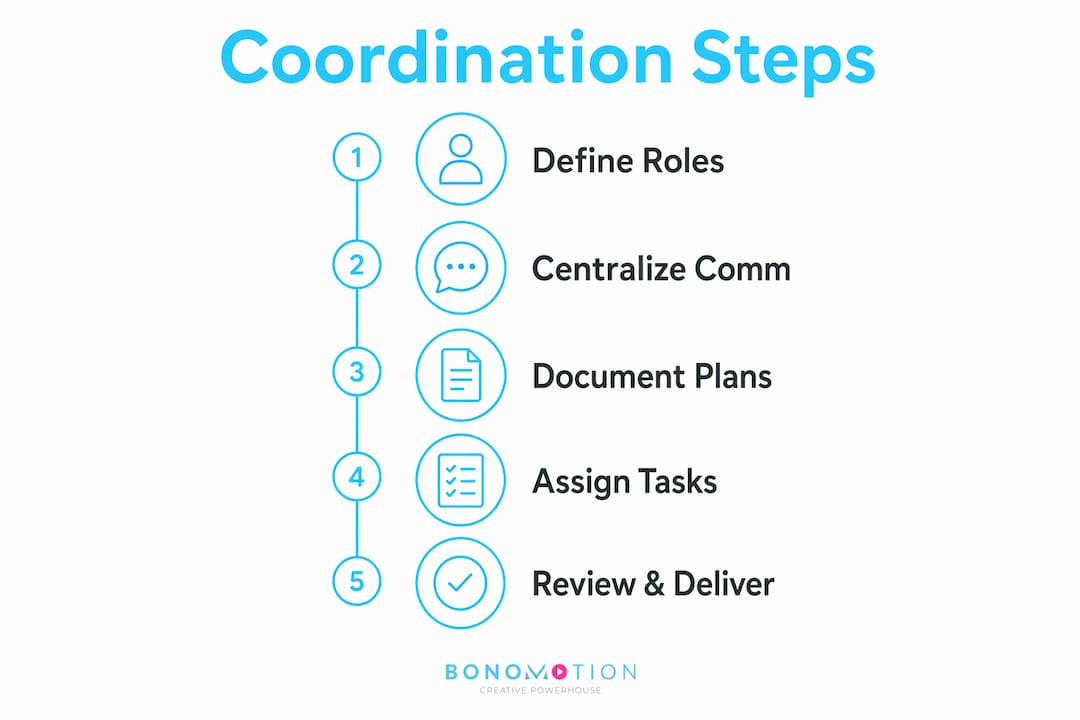
The most overlooked role in corporate video production is the feedback consolidator. Someone must own the process of gathering notes from all stakeholders, removing contradictions, and delivering a single, unified revision request to the editor. Without this role, editors receive conflicting instructions and waste hours on changes that get reversed.
Using RACI charts clarifies decision authority and approval chains across locations, which matters especially when clients, executives, and legal teams all have input on the final cut. The chart makes it explicit who can approve a version and who only gets to comment.
Common production roles and their primary responsibilities:
- Executive producer: Budget authority, client relationship, final approval sign-off
- Producer: Schedule management, crew coordination, logistics, and stakeholder communication
- Director: Creative decisions, shot selection, on-set performance guidance
- Director of photography: Camera, lighting, and technical image quality
- Editor: Post-production assembly, color, and audio
- Feedback consolidator: Collects and reconciles all stakeholder notes before sending to editor
- Project coordinator: File management, version tracking, and delivery logistics
Pro Tip: On corporate shoots with multiple executives as on-camera subjects, assign a dedicated producer to talent logistics only. That person handles green room, timing, and wardrobe. It keeps the director focused on performance and prevents the shoot from running long.
What step-by-step process ensures smooth coordination through delivery?
A repeatable workflow is the difference between a team that delivers consistently and one that reinvents the process on every project. The workflow below applies to corporate and event productions of any scale.

- Brief with reference videos. Send 2–3 reference videos to align style and tone before writing a single word of script. Reference videos reduce ambiguity more effectively than lengthy written briefs. They give every team member a shared visual target.
- Run a 10-minute planning session. A brief planning meeting and a one-page shot list align the crew without adding overhead. Cover location logistics, shot priorities, and contingency plans for weather or schedule changes.
- Build a date-stamped shot list. The shot list is the crew’s contract with itself. Every shot that matters gets listed. Anything not on the list is a bonus, not a requirement. This prevents scope creep on set.
- Implement version control from the first export. Never overwrite files. Save each cut as a new version with a date-stamped unique identifier. A naming convention like “ProjectCode_v01_2026-03-15” takes seconds to apply and prevents catastrophic file confusion.
- Centralize all feedback in one platform. Timecoded feedback consolidated in a single review platform reduces editor turnaround time and eliminates the problem of conflicting notes from different stakeholders.
- Set revision limits before editing begins. Bonomotion’s standard workflow includes 2–3 review rounds for most corporate video projects. Define this limit in the project brief and get client sign-off before post-production starts.
- Lock approvals in writing. Once a version is approved, document it with a timestamped confirmation. This prevents stakeholders from reopening decisions after the project has moved forward.
Pro Tip: Create a production schedule template that includes built-in buffer time between the final review round and the delivery deadline. Clients almost always use every available revision round, and the buffer protects your delivery date.
How can you overcome common challenges in coordinating video teams?
The most frequent coordination failure is communication breakdown. When feedback arrives through email, text, phone calls, and verbal notes simultaneously, the editor has no reliable source of truth. Centralizing all communication in one platform solves this before it starts.
Version confusion is the second most damaging problem in post-production. Maintaining dated, discrete file versions prevents costly rework and the nightmare scenario of delivering an outdated cut to a client. This requires discipline from every team member, not just the editor.
Coordinating teams across locations adds another layer of complexity. Remote teams benefit from clear handoff protocols that turn time zone differences into workflow advantages. Scheduled overlap hours and follow-the-sun production models keep projects moving around the clock without requiring anyone to work unreasonable hours. For corporate events with remote crew, a remote production workflow built around these principles reduces coordination friction significantly.
Live events introduce unpredictability that no shot list fully eliminates. The solution is a tiered contingency plan: identify the three most likely disruptions (speaker delay, technical failure, weather) and assign a decision owner for each one before the event begins.
Common coordination mistakes and how to avoid them:
- Skipping the brief: Always start with a written brief and reference videos, even on short projects
- Verbal approvals: Document every approval in writing with a timestamp
- Single-version file management: Use date-stamped version naming from the first export
- Scattered feedback: Require all notes to come through one designated platform
- No revision limit: Define the number of review rounds in the project agreement before editing starts
- Unclear escalation path: Assign one person who makes final calls when stakeholders disagree
Pro Tip: For corporate interview workflows, build a pre-shoot checklist that every crew member signs off on 24 hours before filming. It surfaces equipment gaps, location access issues, and scheduling conflicts while there is still time to fix them.
For teams managing audio and broadcast components alongside video, corporate communications setup principles from the broadcasting world apply directly. Clear signal chains, redundant recording paths, and defined technical roles mirror the same discipline that strong video coordination demands.
What 20 years of production taught me about coordinating video teams
The producers who struggle most with team coordination share one habit: they treat planning as overhead rather than production. They want to get to the shoot, get to the edit, get to the delivery. Planning feels like delay. It is not. Every hour spent in a planning session saves three hours of reshoots and five hours of revision cycles.
The second lesson is harder to accept. Technology does not fix a communication problem. I have seen teams use every available project management platform and still deliver late because no one owned the feedback consolidation role. The tool is only as good as the human process behind it. Pick a simple platform, assign an owner, and enforce it.
The third observation is about creative freedom. Producers sometimes resist tight workflows because they worry about killing spontaneity on set. The opposite is true. When logistics are locked down, directors and camera operators have more mental space to make creative decisions. Structure creates freedom, not the other way around.
The producer mindset that works is simple: own the process so the creative team can own the work. Clear communication, documented decisions, and disciplined version control are not bureaucracy. They are the conditions under which good work gets made and delivered on time.
— Bernard Bonomo
Bonomotion Agency’s approach to video team coordination
Every production Bonomotion Agency delivers is guided by an experienced producer who applies the coordination principles covered in this article from day one. This holds especially true on multi-day South Florida conferences, where a rotating crew schedule and a single feedback consolidator keep every stakeholder aligned.

From multi-day corporate conferences to branded event coverage, Bonomotion Agency operates as a direct extension of your organization. Our producers handle role assignment, briefing, version control, and stakeholder communication so your team stays focused on the content, not the logistics. If you are ready to work with a team that has applied these practices across Fortune 100 companies and growing brands since 2003, explore our corporate video production services or review our full range of business video solutions to find the right fit for your next project.
FAQ
What does video team coordination actually mean?
Video team coordination is the process of aligning roles, communication, and workflows so a production team delivers a finished video on schedule and within scope. It covers everything from briefing and role assignment through version control and final approval.
How many review rounds should a corporate video project include?
Bonomotion’s standard workflow includes 2–3 review rounds for most corporate video projects. Defining this limit in the project agreement before editing begins prevents scope creep and protects the delivery timeline.
What is the fastest way to align a video team on creative direction?
Sharing 2–3 reference videos during the briefing stage aligns style and tone faster than written descriptions alone. Reference videos give every team member a concrete visual target before production begins.
How do you prevent version confusion in post-production?
Date-stamped file naming with a unique version identifier on every export prevents overwritten files and costly rework. Never save over an existing version; always create a new file with the current date and version number.
What is the most important role to assign on a corporate video shoot?
The feedback consolidator is the most overlooked and most critical role in corporate production. This person gathers all stakeholder notes, removes contradictions, and delivers a single unified revision request to the editor, preventing conflicting instructions and wasted editing time.
How does team coordination change for multi-day South Florida conferences (e.g., eMerge Americas-scale events)?
Multi-day conferences need a rotating crew schedule, a single feedback consolidator per day, and a shared shot list synced each morning — this is the exact workflow Bonomotion used covering eMerge Americas.