

Most corporate marketing teams assume that simply booking a camera crew and hitting record produces professional results. The reality is that what is 4K video production and how it actually works is one of the most misunderstood topics in event media planning. 4K video production delivers four times the pixel density of full HD, meaning your brand appears sharper on every screen from a boardroom monitor to a trade show wall display. This guide breaks down the technical essentials, the real benefits, and exactly how to apply 4K strategically across your event and corporate marketing workflows.
Table of Contents
- What is 4K video production? Understanding the technical basics
- Why 4K matters for event planners and corporate marketing teams
- Technical essentials: shooting, editing, and streaming 4K videos
- Comparing 4K video production options and standards for corporate events
- Applying 4K video production to your corporate event workflow
- Why focusing on quality and reliability in 4K production wins for brands
- How Bonomotion elevates your corporate events with expert 4K video production
- Frequently asked questions
Key Takeaways
| Point | Details |
|---|---|
| 4K resolution basics | 4K video means UHD 3840×2160 pixels offering four times the detail of full HD 1080p. |
| Benefits for corporate events | 4K enhances visual sharpness, engagement, and allows flexible post-production edits. |
| Technical essentials | Proper cameras, lighting, and high-end editing hardware are needed for quality 4K production. |
| Adaptive production approach | Stable workflows and adaptive streaming often create better viewer experiences than forcing 4K. |
| Professional partnership | Working with expert 4K production teams ensures reliable, high-impact corporate video results. |
What is 4K video production? Understanding the technical basics
At its core, 4K video production refers to recording and delivering footage at a resolution of approximately 3840×2160 pixels, which is the standard known as Ultra High Definition (UHD). This UHD resolution produces over 8 million pixels per frame, compared to just over 2 million in Full HD 1080p. That is a fourfold jump in detail, and on large event screens or 4K-capable broadcast monitors, viewers notice the difference immediately.
There are actually two versions of 4K you need to know before you start planning your corporate event video production. The first is UHD 4K at 3840×2160, which is the standard for web platforms, corporate presentations, and streaming. The second is DCI 4K at 4096×2160, a cinema-specific format used in film production and professional theatrical display. For most event planners and marketing teams, UHD 4K is the correct and practical choice.
Here are the foundational specs that define true 4K video production:
- Resolution: 3840×2160 (UHD) or 4096×2160 (DCI Cinema)
- Pixels per frame: Over 8 million for UHD
- Aspect ratio: 16:9 for corporate and event video, maintaining compatibility with standard displays
- Minimum frame rate: 24 fps for UHD, with 30 fps and 60 fps used for smooth motion in live event coverage
- Comparison: Full HD is 1920×1080; 4K is exactly double the horizontal and vertical resolution
Understanding these specifications is not just a technical exercise. It directly informs the equipment you rent, the crew you hire, and the post-production workflow you plan around every event.
Why 4K matters for event planners and corporate marketing teams
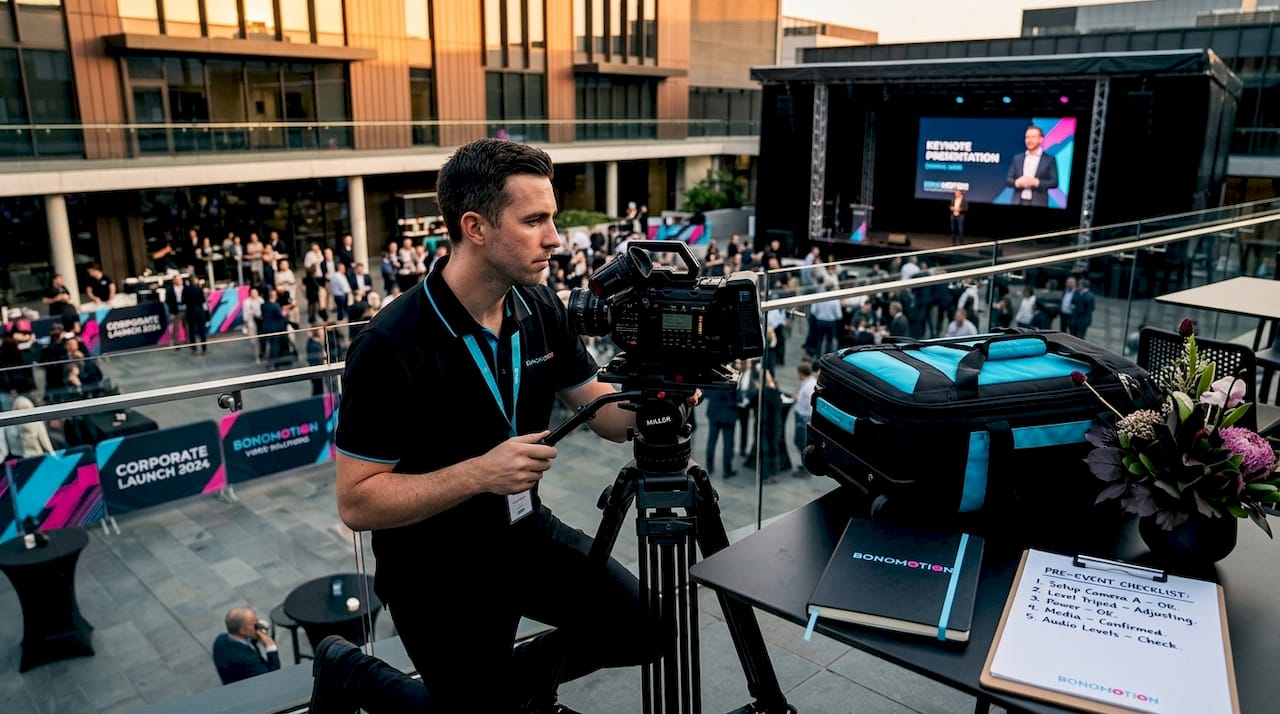
Now that you know what 4K video production technically involves, let’s explore why this matters specifically for your event and corporate marketing videos.
Brand perception is shaped by visual quality more than most marketing teams account for. When a viewer sees crisp, high-resolution footage of your conference keynote or product launch, the production quality signals organizational credibility before a single word registers. 4K videos achieve higher watch time on TV screens compared to lower resolutions, which is directly relevant when your event recap plays on large-format displays at retail locations, offices, or follow-up marketing campaigns.
One of the most practical benefits for corporate marketing teams is post-production flexibility. Shooting native 4K means you can crop, reframe, and punch in on footage without sacrificing resolution in the final edit. Capturing a panel discussion with a wide 4K shot, then cropping into a tight close-up for social media, is a workflow that simply does not work at 1080p without visible quality loss.
The benefits of 4K video production for corporate events include:
- Sharper brand imagery: Logos, text overlays, and stage designs appear crisp and professional on every screen size
- Reframing without quality loss: One camera angle becomes multiple usable shots in the edit suite
- Future-proof content: Professional video content shot in 4K remains relevant as display technology continues to advance
- Higher engagement: Cleaner footage holds attention longer on social channels and branded websites
- Live event support: Remote or hybrid event coverage benefits from the added resolution headroom during fast-paced, high-motion sequences
Pro Tip: Always confirm with your production crew that the camera is set to record native 4K, not upscaled from 1080p. Some lower-cost packages advertise 4K but deliver digitally enlarged HD footage that has none of the actual resolution benefits.
Technical essentials: shooting, editing, and streaming 4K videos
Understanding technical setup and workflow sets the stage for implementing 4K effectively in your event productions.
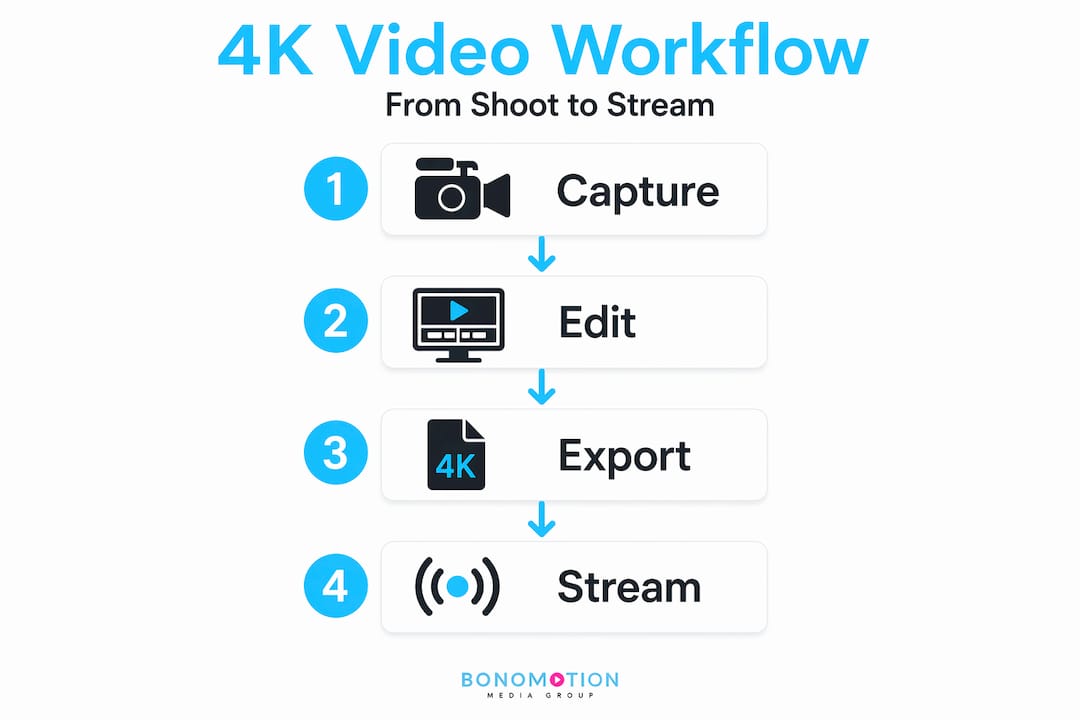
Getting 4K right requires more than a capable camera. The full pipeline, from capture through editing to final delivery, needs hardware and software that can actually handle the data load. Here is what you need in place before your event day:
Hardware requirements for 4K production:
- A camera with native 4K recording capability (not upscaled)
- A UHD-capable monitor for reviewing footage accurately on set
- A high-performance workstation with at least 32GB RAM, a dedicated GPU, and SSD storage for editing
- Adequate storage: 4K footage at high bitrates consumes roughly 4x the storage of comparable 1080p footage
Lighting matters more at 4K, not less. Because 4K captures every detail, good lighting is essential before you even power on the camera. Natural light or LED panels positioned correctly for your event space will do more for your final video quality than any post-processing filter. Shadows, color casts, and uneven exposure are all more visible at 4K, not hidden.
Bitrate and streaming specifications for corporate 4K video:
| Resolution | Frame Rate | Codec | Recommended Bitrate |
|---|---|---|---|
| 3840×2160 (UHD 4K) | 24 fps | H.264 | 35-45 Mbps |
| 3840×2160 (UHD 4K) | 30 fps | H.264 | 16-28 Mbps |
| 3840×2160 (UHD 4K) | 60 fps | HEVC/H.265 | 50-68 Mbps |
| 1920×1080 (HD fallback) | 30 fps | H.264 | 8-12 Mbps |
Editing workflow for 4K at corporate events:
- Create proxy files at 720p or 1080p before editing. Proxy workflows accelerate 4K editing by 3x to 10x on mid-range laptops, which is critical for fast event turnaround
- Work in editing software that supports native 4K timelines (DaVinci Resolve and Adobe Premiere Pro both handle 4K natively)
- Export at the highest quality setting appropriate for the platform, then encode delivery versions at specified bitrates
Pro Tip: For corporate event videography, shooting at 60 fps in 4K gives your editor the option to slow footage down to 24 fps for smooth slow-motion replay, a technique that adds production value to keynote recaps and award ceremony highlights without any additional footage cost.
Comparing 4K video production options and standards for corporate events
With a clear comparison of options, let’s explore practical steps to apply 4K video production seamlessly into your corporate event workflows.
Not all 4K is equal, and understanding the difference between standards and codecs helps you make better decisions when briefing your production team. UHD 4K at 3840×2160 is the safer default for web, streaming, and corporate events. DCI 4K at 4096×2160 is cinema-specific and rarely necessary unless you are producing a broadcast commercial or film-style brand campaign.
Codec comparison for corporate 4K deliverables:
| Codec | Compatibility | Compression Efficiency | Best Use Case |
|---|---|---|---|
| H.264 | Universal | Moderate | Web, social, general corporate |
| HEVC/H.265 | Modern devices | High (half the file size of H.264) | 4K streaming, large event displays |
| AV1 | Growing support | Very high | YouTube, streaming platforms |
When it comes to live event streaming resources and delivery architecture, forcing every viewer into a 4K stream is a mistake. Adaptive streaming ladders that offer 4K, 1080p, 720p, and lower tiers allow your live event stream to stay stable for attendees on variable network connections, from the conference hall’s WiFi to a remote executive watching from an airport lounge.
Key situations where 4K may not be the right choice:
- Your audience is primarily mobile-only on limited data plans
- Your venue’s upload bandwidth cannot sustain the required bitrate without dropping
- Your turnaround deadline does not allow time for a proper 4K editing workflow
- Budget constraints mean compromising lighting or crew quality to afford 4K equipment
Understanding the right video production standard for each deliverable is part of what separates experienced production teams from those who simply chase maximum resolution regardless of context.
Applying 4K video production to your corporate event workflow
Finally, we’ll add our unique perspective on how focusing on quality and reliability in 4K production delivers business value beyond just technical specs.
Knowing how to produce 4K video is one thing; building it into your event workflow is another. Here is a practical sequence that event planners and marketing directors can follow on any scale of production.
Pre-event planning:
- Define your deliverables first. Will final videos be web, social, broadcast, or large-format display? This determines which codec and bitrate targets your team works toward.
- Confirm with your production crew that all cameras record native UHD 4K, and that backup cards and storage are sized for 4K data volumes.
- Scout the venue for lighting conditions. Identify areas where supplemental LED panels will be needed to meet 4K quality standards.
On-site capture:
- Set cameras to the correct frame rate for your content. Panel discussions and keynotes work well at 24-30 fps; live demonstrations and product reveals benefit from 60 fps for smooth motion
- Use an external 4K monitor on set so the director of photography can evaluate actual UHD quality, not compressed camera screen previews
- As videographers confirm, 4K capture is the baseline minimum because deliveries may still be 1080p, but the recorded footage allows cropping and reframing in the edit without quality loss
Post-production and distribution:
- Import all 4K footage and immediately create proxy files to accelerate editing before the offline edit begins
- Color grade to match your brand color palette, maintaining consistency across all deliverables
- Export versions sized for each channel: a 4K master for large displays, 1080p for web and social, and vertical crops for Instagram and LinkedIn Reels
Pro Tip: Plan for corporate event video planning that includes a social-first edit alongside the full-length recap. Cropping from your 4K master into a vertical 9:16 format for short-form content requires zero additional shooting and significantly extends the distribution value of every event you capture.
Also, building a corporate marketing video library from event footage is one of the highest ROI content strategies available to marketing teams. A single multi-day conference shot in 4K can yield a keynote recap, speaker spotlights, sponsor highlight reels, and a brand culture piece, all from footage already captured.
Why focusing on quality and reliability in 4K production wins for brands
Here is the perspective most production guides miss: resolution is a starting point, not a finish line. We have seen corporate events where the production team chased maximum specs, 4K at 60fps with the highest available bitrate, only to have the live stream collapse because the encoder could not sustain it. Insufficient bitrate or encoder headroom produces visible artifacts in motion-heavy scenes, which on a keynote stage with rapid transitions means your CEO’s product announcement looks like it was streamed from a buffering connection.
The brands that consistently produce the strongest event video content are not the ones with the most expensive cameras. They are the ones with tested workflows, experienced producers who anticipate technical constraints, and the wisdom to prioritize stable delivery over peak specs. An adaptive streaming setup that reliably delivers 1080p to every attendee is more valuable to your brand than a 4K stream that drops mid-presentation for 30% of your audience.
This is why selecting the right production partner matters more than the resolution number in a spec sheet. A reliable team brings pretested encoder settings, backup systems for live capture, and a production philosophy built around your business objectives, not just the technical capabilities of the gear. The resolution serves the story, not the other way around.
How Bonomotion elevates your corporate events with expert 4K video production
Understanding 4K video production is the first step. Executing it flawlessly at a corporate conference, product launch, or multi-day summit is where it becomes a competitive advantage for your brand.
At Bonomotion, we have spent over 20 years producing high-impact corporate and event video across Florida and nationwide, with a production philosophy built around results rather than resolution bragging rights. Our teams arrive with pretested 4K workflows, lighting setups designed for your specific venue, and proxy-based editing pipelines that ensure polished delivery on your timeline. Whether you need Hollywood-level corporate video production, commercial production services in Miami, or a full corporate video solution built around your brand strategy, we operate as an extension of your team from the first planning call through final delivery.
Frequently asked questions
What resolution defines 4K video production?
4K production uses UHD resolution of 3840×2160 pixels, delivering over 8 million pixels per frame, which is four times the detail of standard Full HD 1080p video.
Why is native 4K capture important for corporate videos?
Native 4K ensures true sharpness without upscaling, giving editors the ability to crop, reframe, and punch in on footage. Native 4K at 24+ fps allows better post-production flexibility and significantly higher quality final deliverables.
What are the key technical requirements for editing 4K video?
Editing 4K requires a high-end GPU, SSD storage, and at least 32GB RAM. Using proxy files at 720p or 1080p can make editing 3x to 10x faster, even on mid-range laptops.
How does 4K video production enhance viewer engagement at corporate events?
4K’s sharper imagery holds attention longer, particularly on large-format displays. 4K videos at 3840×2160 consistently achieve higher watch times on TV screens compared to lower resolution content.
When should I avoid using 4K for my event videos?
Skip 4K when your audience is on limited bandwidth connections, when your venue cannot support the required upload bitrate, or when stable playback continuity is more important than achieving peak visual resolution for your business objectives.