

An employee training video is a short, focused instructional video designed to teach specific job skills, procedures, or policies through visual demonstration and clear narration. Known formally as corporate training video or video-based learning content, this format has become the dominant delivery method in modern workforce development. Employees are 75% more likely to watch a video than read a document, which translates directly to faster onboarding, stronger compliance rates, and measurable performance gains. For HR managers and business leaders, understanding what an employee training video is and how to deploy it effectively is no longer optional. It is the foundation of a competitive learning and development strategy.
What is an employee training video and why does it matter?
An employee training video is a purpose-built visual learning asset that targets one specific skill, behavior, or knowledge area per module. Unlike a recorded webinar or a promotional brand film, its sole function is to change what an employee knows or does on the job. Platforms like Synthesia, Leadde.ai, and Vidext have made it possible to produce these assets at scale, without a full film crew or a six-figure production budget.
The employee training video purpose is precise: close the gap between what employees currently know and what they need to know to perform. Video-based e-learning improves knowledge retention by up to 65% compared to text-only formats. That retention advantage compounds over time, especially when videos are organized into searchable libraries employees can revisit on demand.

For distributed or global teams, the format also solves a consistency problem that classroom training never could. Every employee in every location watches the same content, delivered the same way, with the same emphasis on the behaviors that matter. That standardization is not a minor convenience. It is a compliance and quality-control mechanism.
What are the types and formats of employee training videos?
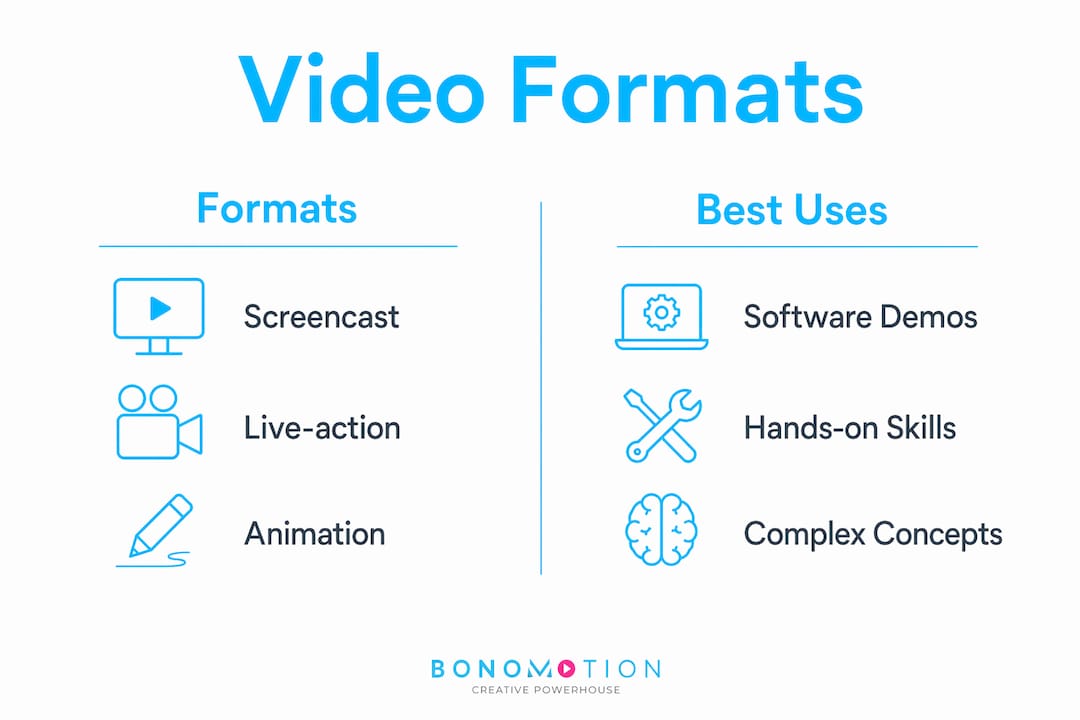
Training videos are not a single format. They are a category with several distinct production styles, each suited to a different learning objective. Choosing the wrong format for the content is one of the most common mistakes HR teams make.
- Screencasts record on-screen software interactions with voiceover narration. They are the most efficient format for software onboarding, system walkthroughs, and IT tutorials. Tools like Loom and Camtasia are widely used for this format.
- Talking-head videos feature a presenter speaking directly to camera. They work well for leadership messages, culture introductions, and policy explanations where human presence builds credibility.
- Animated videos use motion graphics or illustrated characters to explain abstract concepts, compliance rules, or processes that are difficult to film. They are particularly effective for safety training and regulatory content.
- Scenario-based videos place actors or animated characters in realistic workplace situations to model correct and incorrect behavior. This format is the gold standard for soft skills, customer service, and ethical decision-making training.
- How-to or task-focused videos demonstrate a specific workflow step by step. The highest-performing training videos are built around real workflows employees perform daily, which makes this format especially effective for operational roles.
Here is a quick comparison of formats by use case:
| Format | Best for | Typical length |
|---|---|---|
| Screencast | Software tutorials, system demos | 2 to 5 minutes |
| Talking-head | Leadership, culture, policy | 3 to 7 minutes |
| Animated | Compliance, abstract concepts | 2 to 4 minutes |
| Scenario-based | Soft skills, ethics, sales | 4 to 8 minutes |
| How-to / task | Operational workflows | 1 to 4 minutes |
The format decision should follow the learning objective, not the production budget. A well-scripted screencast outperforms a poorly planned animated video every time.
What defines an effective employee training video in 2026?
Effective training videos in 2026 are defined by three non-negotiable standards: brevity, behavioral focus, and measurability. Production quality matters, but it is secondary to whether the video actually changes what an employee does.
Effective training videos focus on a single core concept, run between 3 and 7 minutes, and are scripted to drive measurable behavior changes. Companies that apply this standard report completion rates rising above 80% and turnover reductions of 30 to 50%. Those are not marginal improvements. They represent a fundamental shift in how organizations retain and develop talent.
Modular design is the structural principle that makes this possible. When each video covers one concept, the entire library becomes agile. Modular design combats the forgetting curve by making content easy to revisit and update without rebuilding entire courses. A regulatory change that would previously require a full course revision now requires updating a single two-minute module.
What makes a good training video also comes down to how it is scripted. Outcome-based scripting turns training videos from static presentations into strategic performance tools by defining success as a specific, observable behavior change rather than a view count. Before writing a single line of script, the production team should be able to answer: “What will the employee do differently after watching this?”
Pro Tip: Embed a two-question quiz at the end of every training video. Embedded quizzes and active recall improve long-term retention by 25% to 65%, and the data feeds directly into your LMS reporting.
One critical mistake to avoid: companies that treat training videos like marketing materials consistently fail to produce measurable skill improvement. A training video is not a brand film. It does not need a cinematic opening or a motivational soundtrack. It needs a clear objective, a direct explanation, and a concrete call to action tied to job performance.
What are the benefits of training videos over traditional methods?
The case for video over classroom instruction or printed manuals is no longer theoretical. The data is clear, and the operational advantages are significant for any organization managing more than a handful of employees.
Video-based training enables on-demand, scalable, and consistent knowledge transfer across distributed workforces. A new hire in Miami receives the same onboarding experience as one in Chicago or London, without scheduling a trainer, booking a room, or printing a manual. For organizations with offshore staff retention challenges, this consistency directly reduces the knowledge gaps that drive early turnover.
The benefits extend across several dimensions:
- Engagement and completion. Video drives higher completion rates than text-based courses. Employees prefer quick, focused answers over lengthy modules, and 3-minute workflow videos consistently outperform 45-minute courses in engagement metrics.
- Cost and time efficiency. Training time reductions of 40 to 60% are documented across organizations that switch from instructor-led to video-based delivery. That time saving scales with headcount.
- Global accessibility. Video platforms support multilingual captions and translations, increasing accessibility for global teams without producing separate courses for each language.
- Measurable outcomes. LMS integration with SCORM or LTI standards allows HR teams to track completion rates, quiz scores, and engagement data at the individual and team level. This data enables continuous improvement rather than guesswork.
| Benefit | Traditional training | Video-based training |
|---|---|---|
| Consistency | Variable by trainer | Identical every time |
| Scalability | Limited by scheduling | Unlimited, on demand |
| Cost per learner | High (venue, trainer) | Low after production |
| Measurability | Attendance only | Completion, quiz, engagement |
| Global reach | Requires localization | Captions and translation built in |
The importance of training videos becomes most visible at scale. When a company onboards 200 employees in a quarter, the difference between a repeatable video system and an ad hoc classroom program is measured in weeks of productivity and thousands of dollars in trainer costs.
How can organizations create effective employee training videos?
Creating effective training videos follows a repeatable process. The steps below reflect best practices for video training that HR leaders and L&D teams can apply regardless of budget or team size.
- Define a single, measurable learning outcome. Every video starts with one question: what specific behavior should change? Write this outcome before scripting begins. Measurable learning outcomes should drive the entire production process, defining success by behavior change rather than views.
- Write an outcome-focused script. The script is the most important production element. Keep it conversational, direct, and anchored to the job task. Avoid corporate language that distances the content from real work.
- Choose the right format. Match the video format to the learning objective using the comparison table above. Do not default to talking-head videos for content that would be clearer as a screencast or animation.
- Leverage AI-powered production tools. Platforms like Synthesia and Leadde.ai convert existing documents and scripts into professional, multilingual training videos rapidly. AI-assisted workflows reduce creation time from 6 to 8 hours to under 2 hours per module, removing the production bottleneck that has historically slowed L&D teams.
- Keep modules short and focused. Aim for 3 to 7 minutes per video. If the content runs longer, split it into two modules. Shorter content is easier to update, easier to find, and easier to complete.
- Integrate with your LMS. Upload videos to a learning management system that supports SCORM or LTI tracking. This is how you move from producing content to managing a learning program. Review watch time, re-watch frequency, and quiz scores regularly to identify where employees are losing comprehension.
- Update based on engagement data. Tracking granular engagement metrics such as watch time, re-watch frequency, and quiz scores allows continuous optimization targeting the specific segments causing confusion or drop-off.
Pro Tip: Start with your three highest-turnover job roles or most common compliance failures. Those are the areas where a well-designed training video will produce the fastest, most measurable return on investment.
For teams building a video training library from scratch, the step-by-step guide to creating effective training videos from Bonomotion covers scripting, structure, and production workflow in practical detail.
Key takeaways
Effective employee training videos are short, behavior-focused modules built around measurable outcomes, integrated with an LMS, and updated continuously based on engagement data.
| Point | Details |
|---|---|
| Define the outcome first | Write the measurable behavior change before scripting to keep the video focused and effective. |
| Match format to objective | Screencasts, animations, and scenario-based videos each serve different learning goals. |
| Keep modules under 7 minutes | Short, focused videos drive higher completion rates and are easier to update as content changes. |
| Embed quizzes for retention | Active recall at the end of each module improves long-term retention by 25% to 65%. |
| Track with LMS analytics | SCORM or LTI integration turns completion data into continuous content improvement. |
What I’ve learned after 20 years of producing training videos
Most organizations approach training video production backwards. They start with a camera, a subject-matter expert, and a vague brief. They end up with a 40-minute recording that nobody watches past the first five minutes. I have seen this pattern across startups and Fortune 100 companies alike, and the root cause is almost always the same: the team treated the video as the deliverable instead of the behavior change.
The organizations that get this right start with a very specific, uncomfortable question: “What is the employee doing wrong right now, and what do we need them to do instead?” That question forces clarity that no amount of production polish can substitute for. A two-minute screencast built around that question will outperform a professionally produced 20-minute course that never asked it.
The second thing I have learned is that modular content is not just a production preference. It is a strategic asset. When your training library is built in short, focused modules, you can update a single video when a policy changes without touching the rest of the course. That agility matters enormously in fast-moving industries where compliance requirements shift quarterly.
Finally, do not underestimate the value of professional production for content that will be seen by every employee in your organization. There is a meaningful difference between a video that communicates clearly and one that communicates clearly while also signaling that the organization takes its people’s development seriously. That signal matters for culture, and it matters for retention. The best practices for corporate training videos always include production quality as a factor in learner trust, even if it is not the primary driver of learning outcomes.
— Bernard
Elevate your training program with professional video production
At Bonomotion, we have spent over 20 years helping organizations translate complex knowledge into clear, engaging video content that employees actually watch and retain. Our corporate video production services are built specifically for organizations that need training content to perform, not just look good. From outcome-focused scripting and modular design to AI-assisted production workflows and LMS-ready delivery formats, we work as an extension of your L&D team to produce content that drives measurable behavior change. Whether you are building an onboarding library from scratch or modernizing a legacy training program, Bonomotion brings the production expertise and strategic clarity your workforce development program deserves. Explore our corporate video solutions to see how we can support your next training initiative.
FAQ
What is an employee training video?
An employee training video is a short, focused instructional video designed to teach a specific job skill, procedure, or policy through visual demonstration and narration. It differs from general corporate video in that its sole purpose is to change employee behavior or knowledge in a measurable way.
How long should an employee training video be?
Effective training videos run between 3 and 7 minutes and cover a single core concept. Videos longer than 10 minutes show significantly lower completion rates, and content that exceeds that length is better split into separate modules.
What are the main benefits of training videos over classroom instruction?
Training videos deliver consistent, on-demand learning at a fraction of the cost of instructor-led sessions, with documented training time reductions of 40 to 60%. They also support multilingual delivery and LMS-based tracking that classroom training cannot match.
What makes a good training video?
A good training video starts with a single measurable learning outcome, uses a format matched to the content type, runs under 7 minutes, and includes an embedded quiz or interactive element to reinforce retention. Production quality supports credibility but does not replace clarity of purpose.
How do you measure the effectiveness of employee training videos?
Effectiveness is measured through LMS analytics including completion rates, quiz scores, watch time, and re-watch frequency. SCORM or LTI integration with platforms like Docebo, TalentLMS, or Cornerstone OnDemand enables granular tracking at the individual and team level.