

Most people assume video editing means dropping in a flashy transition or slapping a filter on footage. That assumption leads beginners to spend hours chasing effects while their videos still feel disjointed and hard to watch. What is video editing, really? At its core, it is post-production work: the process of cutting, arranging, and organizing footage alongside sound and dialogue to tell a coherent story. This guide breaks down the fundamentals, the techniques, the tools, and the mindset you need to start editing with purpose.
Table of Contents
- Key Takeaways
- What video editing really involves
- Core video editing techniques for beginners
- Beginner-friendly video editing tools
- Common beginner challenges and how to overcome them
- Video editing in professional production workflows
- My honest take on learning to edit video
- Ready to see professional editing in action?
- FAQ
Key Takeaways
| Point | Details |
|---|---|
| Editing is storytelling | Video editing shapes raw footage into a narrative that engages and holds an audience. |
| Basics come before effects | Mastering trimming, pacing, and audio mixing delivers better results than relying on transitions. |
| Non-destructive workflows protect your footage | Tools like Adobe Premiere Pro let you experiment without altering original media files. |
| Accessible tools lower the barrier | Browser-based and mobile editors make starting out approachable without expensive software. |
| Organization drives efficiency | Pre-edit planning and clip logging dramatically speed up the assembly process. |
What video editing really involves
The formal industry term for this work is post-production editing, and it covers far more than most beginners expect. Video editing engages audiences through visual storytelling, not just decoration. You are selecting which moments matter, deciding how they connect, and building a sequence that moves a viewer from point A to point B emotionally or informationally.
What does video editing involve at a practical level? Think of it as construction work on a timeline. You receive raw footage shot on a camera or phone, and your job is to make sense of it. That means:
- Cutting unnecessary footage so only the strongest moments survive
- Arranging clips in a logical or emotional sequence
- Layering audio, music, and dialogue to support the visuals
- Adding text, graphics, or color correction to polish the final product
- Exporting a finished file optimized for its destination (social media, broadcast, or web)
Editors work across film, television, corporate marketing, and online video. The format changes; the core goal does not. A wedding highlight reel, a product launch video, and a documentary episode all demand the same foundational skill: making footage communicate clearly and compellingly.
“Editing is not about what you put in. It is about what you leave out.” This principle separates good editors from great ones, and it applies whether you are cutting a two-minute brand video or a feature film.
It is also worth separating video editing from video production. Production is the act of filming. Editing is what happens after the camera stops rolling. Both matter, but they are distinct disciplines. Understanding that distinction helps beginners focus their learning without feeling overwhelmed by the full scope of video work.
Core video editing techniques for beginners
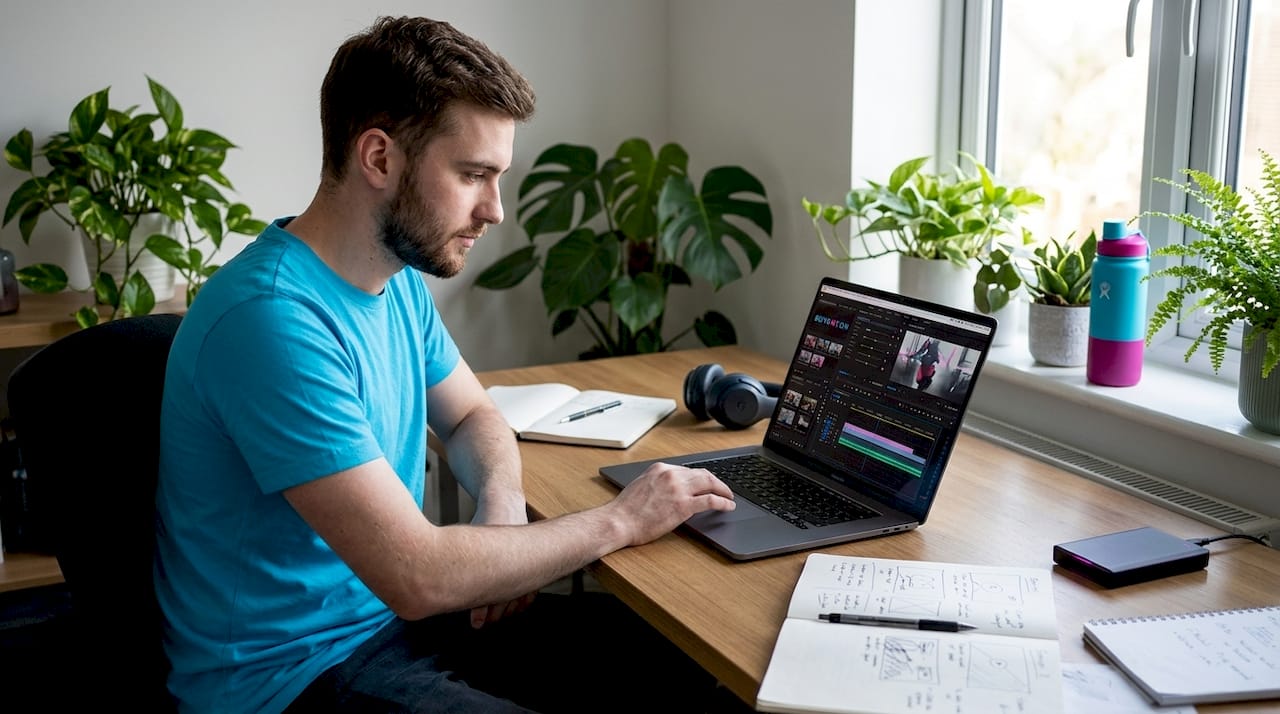
Once you understand the purpose of editing, the practical techniques start to make sense. Editing on a timeline is non-destructive, meaning your trims and cuts are instructions layered on top of your source files, not permanent changes. You can experiment freely without fear.
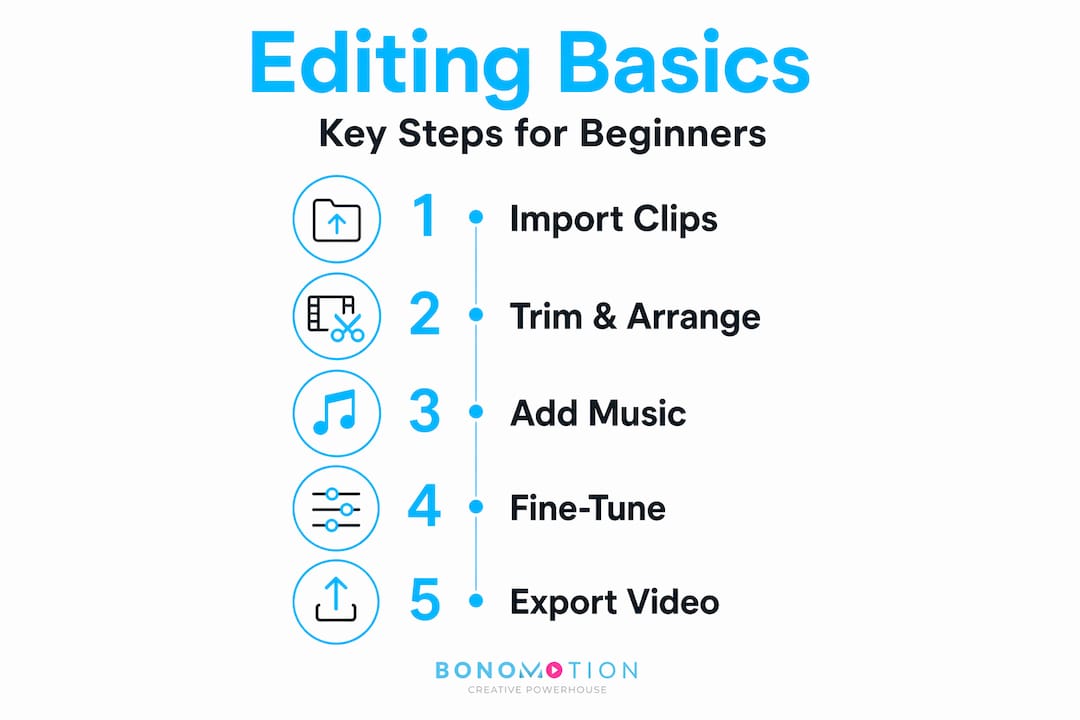
Here is a step-by-step look at the foundational techniques every beginner should practice:
- Import and organize your clips. Before you touch a timeline, label your footage. Create folders by scene, angle, or date. This single habit saves enormous time during assembly.
- Build a rough cut. Drag your strongest clips onto the timeline in sequence. Do not worry about precision yet. Just get the story in the right order.
- Trim for pacing. Use your editor’s trim handles to shorten clips from the start or end. Cut anything that slows the story down. Trimming distractions is more impactful than any effect you could add.
- Use razor cuts for precision. The Razor tool (or equivalent in your software) lets you slice a clip anywhere on the timeline. This is how you remove a stumble in a speech or a shaky camera move mid-shot.
- Add transitions with restraint. A simple cut is almost always cleaner than a dissolve or wipe. Use transitions to signal a meaningful passage of time or a shift in location, not to fill space.
- Layer your audio. Add background music at a lower volume than your dialogue. Audio mixing basics means keeping voices intelligible and music supportive, not competing.
- Export for your platform. Different destinations need different settings. YouTube, Instagram, and a client’s broadcast server all have specific format requirements.
Pro Tip: Set your music track first before fine-tuning your edit. Music establishes pacing and emotional tone, and cutting your video to the rhythm of the track often produces a much more polished final result.
Non-destructive workflows give you the confidence to iterate. Edits are metadata instructions applied to sequences, so you can re-time a clip, try a different cut point, or restore a deleted moment at any stage without damaging your original footage.
Beginner-friendly video editing tools
The barrier to entry for video editing tools has dropped considerably. You do not need a high-end workstation or expensive software to start learning. Here is a look at some accessible options:
| Tool | Best for | Key features | Platform |
|---|---|---|---|
| Adobe Premiere Pro | Serious beginners to professionals | Timeline editing, Razor tool, audio mixing, export presets | Desktop |
| Adobe Express | Casual creators, marketing use | Trim, crop, split, soundtracks, no experience needed | Browser and mobile |
| Apple Photos | iPhone and iPad users | Simple range trimming, revert to original, basic shortening | iOS and macOS |
| DaVinci Resolve | Beginners wanting professional depth | Color grading, audio tools, free version available | Desktop |
A few things stand out about this list. Adobe Express is particularly useful because it runs in a browser, requires no downloads, and syncs projects across devices so you can start on a laptop and continue on your phone. For someone learning how to edit videos without committing to a full software subscription, it removes a lot of friction.
The Apple Photos app is worth highlighting for what it does well and where it stops. It handles basic clip shortening on iPhone and iPad with a straightforward start and stop slider, and you can revert to the original at any time. What it cannot do is assemble multiple clips into a sequence. That limitation signals when you are ready to graduate to more capable software.
- Adobe Premiere Pro remains the industry standard for professional work
- Browser-based tools are ideal for learning the concepts without software overhead
- Mobile apps build good instincts for trimming but have ceilings worth knowing about
Common beginner challenges and how to overcome them
The most consistent mistake beginners make is chasing complexity before mastering simplicity. Adding three transitions per cut, layering five music tracks, and applying every color preset available does not make a video better. It makes it harder to watch.
Transitions and effects cannot fix poor pacing or bad audio. If your clips are poorly organized or your story lacks a clear arc, no visual trick will save the final product. This is where most beginners stall, and understanding it early saves weeks of frustration.
Pro Tip: Before you open your editing software, create a simple paper edit. Write down your clips in the order you want them to appear, with rough timecodes. Pre-edit organization like this speeds up rough cut assembly significantly, especially when you are working with a large amount of footage.
Here are the challenges beginners hit most often, along with honest solutions:
- Overcrowded timelines. Keep your timeline clean. One video track and one or two audio tracks is enough when you are learning. Add complexity only when the story demands it.
- Ignoring audio quality. Viewers will tolerate average video, but they will abandon poor audio within seconds. Fix levels before worrying about color.
- Skipping the rough cut stage. Jumping straight to fine-cutting before you have the full story assembled leads to wasted time polishing moments you will later delete.
- Perfectionism on the first pass. Your first edit will not be your best edit. Commit to iteration. Each revision teaches you more than the first draft ever could.
Experimentation is not a detour. It is the process. Every edit you make builds instincts that no tutorial can fully replicate.
Video editing in professional production workflows
Understanding video editing basics positions you to appreciate how post-production fits into larger commercial and corporate projects. Editing is not an isolated task. It sits at the end of a carefully planned pipeline that includes scripting, shooting, and distribution strategy.
In professional contexts, the workflow looks like this:
| Stage | Activity | Editing role |
|---|---|---|
| Pre-production | Scripting, storyboarding, scheduling | Editor may review scripts to flag coverage needs |
| Production | Filming, capturing audio, B-roll | Editor receives organized, labeled footage |
| Post-production | Assembly, color, audio mix, graphics | Core editing work happens here |
| Distribution | Delivery to platform, client review | Editor exports platform-specific versions |
Professional editors working in commercial video production approach footage differently than beginners. They arrive with a clear brief, defined deliverables, and a tight timeline. They make story decisions quickly because they have done the organizational work upfront. For corporate projects, the edit must also align with brand guidelines, legal approvals, and messaging objectives, adding layers that go well beyond creative instinct. Seeing how corporate video production workflows operate gives beginners a useful frame for where their skills could eventually take them.
My honest take on learning to edit video
I have watched a lot of beginners start their editing journey, and the pattern is almost always the same. They spend the first few weeks obsessed with software features, keyboard shortcuts, and which plugin creates the best cinematic look. Then they hit a wall. Their videos still feel flat, and they cannot figure out why.
What I have learned, watching this happen repeatedly, is that the gap is never technical. It is conceptual. The moment a beginner stops asking “how do I add this effect?” and starts asking “why does this cut feel wrong?”, everything accelerates.
Editing is a craft built on judgment, not tools. The software is just a pencil. You still have to have something to say. My advice: spend your first twenty hours editing footage you care about, something personal, something with a clear beginning and end. Cut it ruthlessly. Get it to half its original length. That exercise teaches you more about pacing and story than any course on effects.
The excitement of editing comes from the moment a sequence clicks into place and suddenly feels alive. That moment is worth the learning curve. It does not take as long as most people fear.
— Bernard
Ready to see professional editing in action?
Understanding what video editing involves is one thing. Seeing those principles applied at a professional level is another entirely.

At Bonomotion, we have spent over 20 years crafting high-impact corporate, commercial, and event videos for startups, growing brands, and Fortune 100 companies. Every project we deliver reflects the same fundamentals covered in this guide: purposeful storytelling, disciplined pacing, and sound that supports rather than distracts. If you are exploring corporate video solutions for your organization, or need a production partner who understands how editing serves your broader marketing goals, our team is ready to help. Explore our commercial production services to see what polished post-production looks like at scale.
FAQ
What is video editing in simple terms?
Video editing is the process of selecting, cutting, and arranging recorded footage and audio to create a finished video. The goal is to tell a clear, engaging story rather than simply present raw clips.
What does video editing involve for a beginner?
For beginners, video editing involves learning to work on a timeline, trim clips for pacing, layer audio, and export the final file. Organizing footage before editing is one of the most impactful habits to develop early.
What are the best video editing tools for beginners?
Adobe Express is a browser-based option that requires no experience, while the Apple Photos app handles basic trimming on iPhone and iPad. Adobe Premiere Pro suits beginners who want to grow into professional-level work.
Do you need expensive software to start editing?
No. Free and browser-based video editing tools for beginners are widely available, and many professional editors started on basic software. The fundamentals of timing, story, and audio apply regardless of which tool you use.
How long does it take to learn video editing basics?
Most people can grasp core editing fundamentals within a few weeks of consistent practice. Mastery takes longer, but producing clean, watchable videos is achievable much sooner than most beginners expect.