

Corporate training videos often fail because companies either cram too much information into one video or produce low-quality content that employees skip. We at Bonomotion Video Agency have seen firsthand how best practices for corporate training videos transform how teams learn and retain information.
The difference between forgettable training and engaging learning comes down to structure, quality, and thoughtful design. This guide walks you through exactly what works.
How to Structure Training Videos That Actually Get Watched
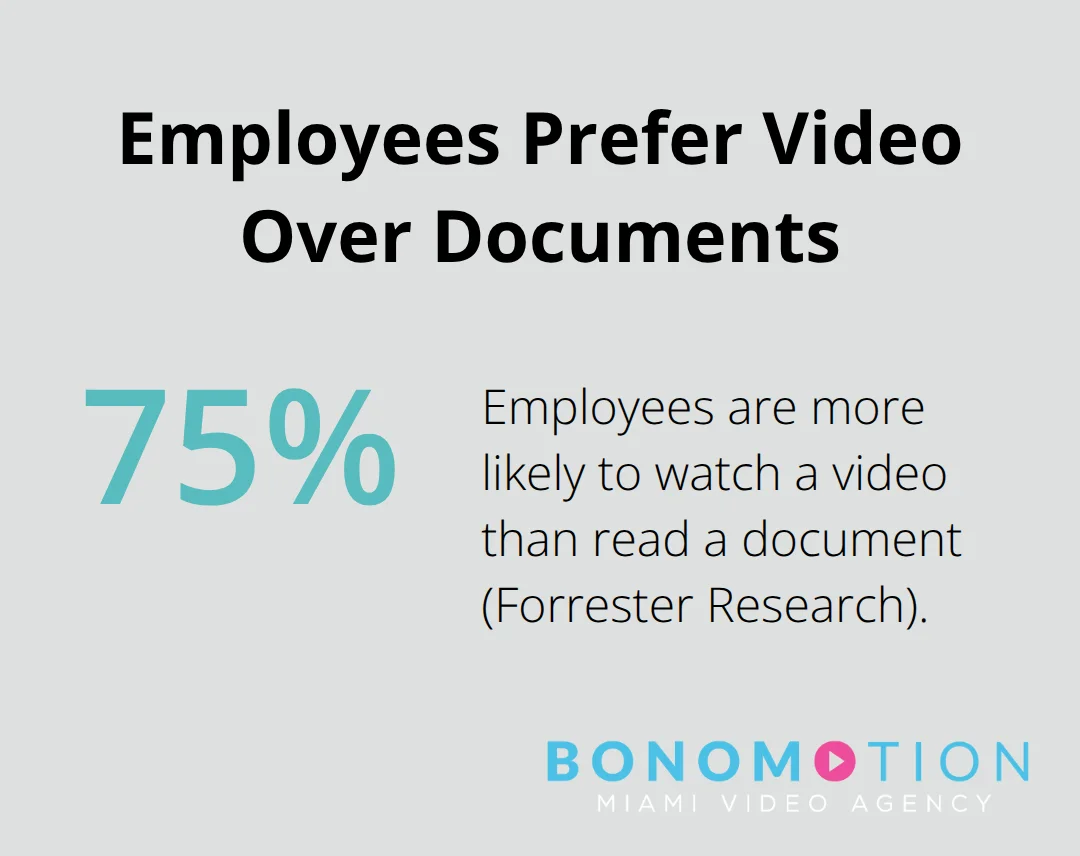
The biggest mistake companies make is treating a training video like a lecture that happens to be recorded. They dump 20 minutes of information into one file and wonder why employees zone out after three minutes. The truth is simple: shorter, focused videos with clear objectives get completed and remembered. Forrester Research found that 75% of employees are more likely to watch a video than read a document, but that advantage disappears fast if the video wastes their time.
Define One Clear Learning Objective
Every training video needs one job to do. Not three. Not five. One. Before you write a single line of script, define exactly what the viewer should be able to do, know, or understand when the video ends. A vague objective like “teach employees about customer service” fails. A specific one like “explain the three-step process for handling refund requests” works. This clarity shapes every decision downstream-what footage you shoot, how long the video needs to be, what assessment questions you ask at the end. The Kirkpatrick Model offers a systematic framework for evaluating training effectiveness across four levels: reaction, learning, behaviour, and results, ensuring the video actually moves the needle on performance.
Break Large Topics into Focused Segments
If your training content covers five different skills or processes, create five separate videos instead of one marathon session. A video about software onboarding shouldn’t also cover company policies, benefits enrollment, and workplace safety. Each topic deserves its own focused piece with its own learning objective. This approach aligns with microlearning principles that have proven effective in corporate settings. Employees watch one segment during a coffee break, complete a quick quiz, and move on. They’re not forced to sit through 30 minutes to find the five minutes relevant to their role. When you structure content this way, you also make updates easier. If your refund process changes, you update one focused video rather than re-shooting an entire training series.
Keep Videos Between 5 and 8 Minutes
The sweet spot for training video length is 5 to 8 minutes. This isn’t arbitrary. Attention spans in professional settings are tight, and research shows completion rates drop sharply after the 10-minute mark. Within that window, you have enough time to hook viewers, explain the concept, show a practical example, and wrap up with a clear takeaway. Longer videos demand careful structure. If you must go longer, break the content into chapters with clear navigation so viewers know what’s coming and can jump to relevant sections. Mobile viewing adds another constraint. Most employees watch training on phones or tablets between tasks, not in a dedicated learning environment. A 5-minute video fits into that reality. An 18-minute video does not.
The structure you build now determines whether employees actually complete your training or abandon it halfway through. With your videos properly organized and timed, the next step is filling them with content that sticks-real scenarios, practical examples, and interactive elements that transform passive watching into active learning.
What Makes Training Videos Actually Stick in People’s Minds
Real scenarios beat abstract explanations every single time. When you show an employee exactly how to handle a difficult customer interaction or process a refund request, they understand the concept immediately and remember it longer. Generic explanations fade fast. A video that shows a customer service rep handling an angry caller, making eye contact, staying calm, and offering a specific solution creates a mental model the viewer can replicate. Panopto research found that 49% of organizations report higher engagement and better attention with video training versus in-person formats, and that advantage grows when the content mirrors actual job situations. The practical approach works because employees see themselves in the scenario.

They think about what they would do differently or what they handled well. This mental engagement transforms passive watching into active problem-solving. Include at least one realistic scenario in every training video, even if it’s just 30 to 60 seconds long. Show the right way to do something, then show what happens when someone cuts corners or misses a step. This contrast makes the lesson stick harder than any lecture could.
Professional Audio and Visuals Signal Content Worth Watching
Poor audio destroys training videos faster than almost anything else. An employee with a scratchy microphone, background noise, or inconsistent volume levels will abandon the video within seconds. Professional audio and visuals signal to viewers that the content deserves their attention. Invest in a quality microphone, treat the recording space to reduce echo, and monitor audio levels during production. On the visual side, shoot in at least 1080p resolution, use consistent lighting, and frame shots so important details remain visible even on mobile screens. Add on-screen text, callouts, and motion graphics to reinforce the spoken message. According to Forrester Research, 75% of employees prefer watching videos to reading documents, but that preference collapses if the video looks unprofessional or sounds muffled. The production quality directly impacts how seriously employees take the training. If you skimp on audio and visuals, you signal that the training content itself is low priority.
Quizzes Reinforce Learning and Reveal Knowledge Gaps
A training video without an assessment is like a test drive without actually starting the engine. Quizzes at the end of videos reinforce learning and reveal what stuck and what didn’t. A short three to five question quiz works well for a 5-minute video. Keep questions focused on the core objective, not trivia. Ask what the viewer should do in a specific situation, not whether they remember a minor detail from minute two. Disprz analytics show that tracking quiz performance by question helps identify which parts of your content confused viewers or missed the mark. If 70% of employees answer a particular question wrong, that section needs to be clearer or better explained in the next version. Interactive elements like scenario-based questions where viewers choose how to respond create deeper engagement than passive watching. A question that asks viewers to select the right next step in a process forces them to apply what they just learned rather than simply absorb information. This active participation closes the gap between watching and doing, setting the stage for how you measure whether your training actually changes employee behavior and performance.
What Mistakes Drain Training Video Effectiveness
The most destructive mistake companies make is treating a training video as a filing cabinet for information. They pack 15 minutes of content into one video because it feels efficient, then watch completion rates collapse. Panopto found that video-based training engagement improves when content respects viewer attention. Overloading videos violates this principle entirely.
Information Overload Kills Completion Rates
When you cram multiple processes, policies, and procedures into one file, viewers cannot distinguish what matters most. They zone out halfway through, miss critical details, and worst of all, fail to apply what they watched. The fix is ruthless editing. If your script includes the words “and then,” “and also,” or “furthermore” repeated multiple times, you have identified content that belongs in separate videos. A five-minute video teaching one process beats a 15-minute video teaching three. Each focused piece respects employee time and increases the odds they actually finish watching and retain the information.
Audio Quality Determines Whether Employees Stay or Leave
Audio quality determines whether employees finish watching or quit in the first 30 seconds. Muffled narration, background noise, buzzing speakers, or inconsistent volume levels signal low production value and low priority. Employees subconsciously think: if the company did not invest in clear audio, why should I invest my time? This assumption kills engagement before the content even starts. Test your audio before recording. Use a quality microphone positioned correctly, record in a quiet space, and monitor levels as you capture content. Poor audio production wastes the effort you put into everything else-script, visuals, and messaging all suffer when viewers cannot hear clearly.
Accessibility and Mobile Optimization Reach Your Entire Workforce
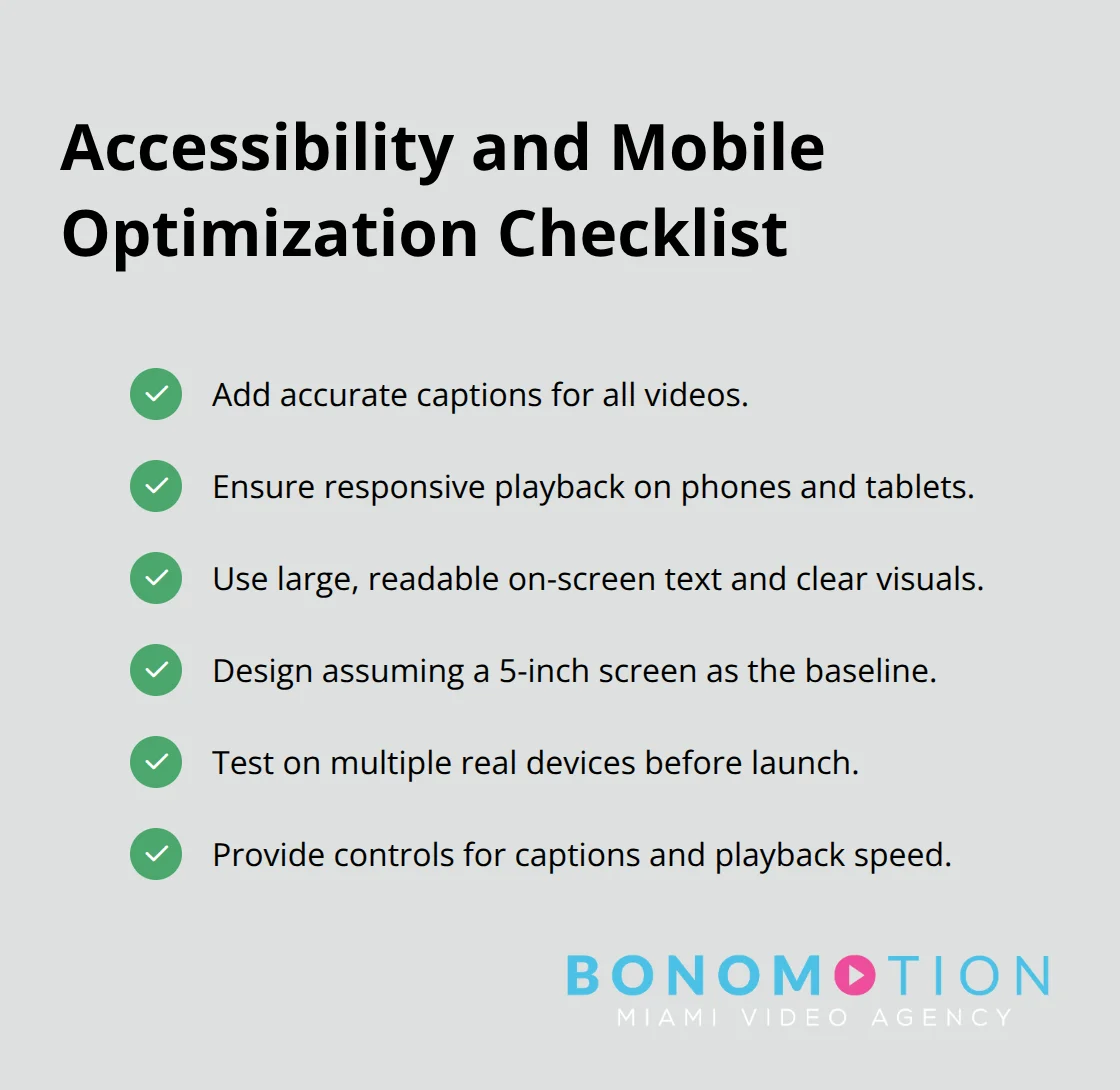
Accessibility standards are not optional extras for large enterprises. They are fundamental to reaching your entire workforce. Employees on noisy warehouse floors, in cars during commutes, or in open offices with background conversations all need captions increase completion rates. Videos with captions reduce learning time and improve accessibility because viewers can follow content regardless of their environment. Mobile optimization matters equally. If your video does not resize properly on phones, text becomes unreadable, and critical details disappear. Design every frame assuming viewers will watch on a 5-inch screen, not a monitor. Test your videos on actual mobile devices before launch to catch problems that desktop viewing misses.
Design Decisions That Undermine Training Impact
These oversights are not minor quality issues-they directly reduce how many employees actually finish training and remember what they learned. A video that looks professional, sounds clear, and works on mobile devices signals that the organization values employee development. Conversely, a video with poor production quality, inaccessible design, and no captions tells employees that training is an afterthought. The technical decisions you make during production either support learning or sabotage it.
Final Thoughts
Effective training videos rest on three core principles: structure your content tightly, invest in professional production quality, and measure what actually works. When you follow best practices for corporate training videos, completion rates climb, retention improves, and employees apply what they learned on the job. The difference between training that sticks and training that gets forgotten happens during production, not after.
Clear audio, sharp visuals, and accessible design signal to employees that the organization values their development. When a video looks polished and sounds crisp, viewers stay engaged and absorb information more effectively. Production quality directly impacts learning outcomes and ROI because poor audio or blurry visuals cause viewers to abandon videos within seconds.
Start implementing these practices immediately by auditing your existing training videos against the standards outlined here. We at Bonomotion Video Agency work with organizations across South Florida and beyond to create training videos that employees actually watch and remember. Contact Bonomotion Video Agency to explore how we can transform your training program into a competitive advantage that drives measurable business results.