

Picture this: your team has spent months planning a flagship product launch at a Miami convention center. The in-room energy is electric, the speakers are sharp, and the branded visuals look polished. But your virtual audience — the 800 registrants watching from laptops in Chicago, São Paulo, and Singapore — can barely hear the audio, the stream buffers every few minutes, and there is no one managing the chat. By the time the keynote ends, 60% of them have already logged off. That scenario plays out at corporate events across South Florida every week, and it represents a significant loss of brand reach, lead generation opportunity, and marketing ROI. Strategic live-streaming is the difference between a one-room event and a global brand moment, and it starts long before you press “go live.”
Table of Contents
- Define objectives and choose your live-streaming platform
- Prepare your essentials: Technical setup and bandwidth requirements
- Structure your run-of-show: Roles, rehearsals, and engagement techniques
- Maximize ROI with post-event strategies and attendee re-engagement
- What most brands get wrong about live-streaming events
- Take your South Florida event livestream to the next level
- Frequently asked questions
Key Takeaways
| Point | Details |
|---|---|
| Start with clear objectives | Defining your event’s goals is vital to selecting the right platform and features. |
| Invest in robust tech setup | High-bandwidth, redundancies, and hardware encoders protect your stream from disruptions. |
| Rehearse, assign roles, engage | A structured run-of-show and a dedicated moderator are crucial to live event success. |
| Leverage on-demand content | Replays and highlights can double your audience and grow your sales pipeline. |
| Focus on experience, not just tech | Audience experience and actionable follow-up matter more than flashy production tools. |
Define objectives and choose your live-streaming platform
Strong live-streaming starts with a clearly defined purpose. Before you select a camera or a platform, your team needs to answer a core question: what does success look like for this event? The core mechanics of corporate live-streaming include defining clear objectives and selecting scalable platforms, and skipping this step is one of the most common and costly mistakes planners make.
Your objectives will shape every technical and creative decision that follows. Are you trying to build brand awareness among a cold audience? Generate qualified leads from existing prospects? Educate your distribution partners? Each goal requires a different approach to platform selection, promotion, and audience engagement design. For example, a brand awareness event benefits from wide-open registration and social sharing features, while a lead generation event calls for a gated registration page and a post-event CRM integration.
Once your goals are locked, evaluate your platform options honestly. The landscape breaks into two distinct categories. Dedicated event platforms like Vimeo, ON24, and Wowza are built for scale and interactivity, making them the right choice for audiences above 500 viewers. Conferencing tools like Zoom and Microsoft Teams work well for smaller, more intimate gatherings where simple interactivity is enough. Knowing which category your event falls into prevents you from over-spending on enterprise tools for a 200-person town hall or under-resourcing a 2,000-person global summit.
Here is a quick comparison of the most common options:
| Platform type | Best for | Key advantage | Key limitation |
|---|---|---|---|
| Dedicated event platform | Large-scale, branded events | Custom branding, advanced analytics | Higher cost, steeper learning curve |
| Video conferencing tool | Small internal meetings | Easy setup, familiar interface | Limited scale, basic engagement tools |
| Hybrid platform | Mixed in-person and virtual | Unified experience for both audiences | Requires more coordination |
| Social media streaming | Wide organic reach | Free, built-in audience | Limited moderation, lower production quality |
Before you sign any contract, build a must-have features checklist. Common non-negotiables include:
- On-demand replay hosting so registrants who missed the live session can still engage
- Real-time moderation tools to manage chat and Q&A without disrupting the flow
- Scalable CDN (content delivery network) support to handle traffic spikes at session start
- CRM or marketing automation integration to capture and qualify leads automatically
- Multi-language caption support for global or bilingual South Florida audiences
These live streaming services tips help you choose a platform that matches your actual audience size and engagement goals, not just the one that looks impressive in a sales demo. Taking time to expand your audience through the right platform choice is an investment that pays dividends in viewership and lead data.
Pro Tip: Always prioritize platforms with built-in moderation tools and on-demand replay hosting. Moderation protects your brand in real time. Replay extends your event’s life and ROI by weeks or months after the live date.
Prepare your essentials: Technical setup and bandwidth requirements
Technical failure is the fastest way to destroy the credibility your brand has built. A buffering stream or dropped audio tells your virtual audience that their experience is an afterthought, and they will act accordingly by leaving. Protecting the viewing experience requires a concrete technical checklist, solid gear, and redundancy built into every critical system.
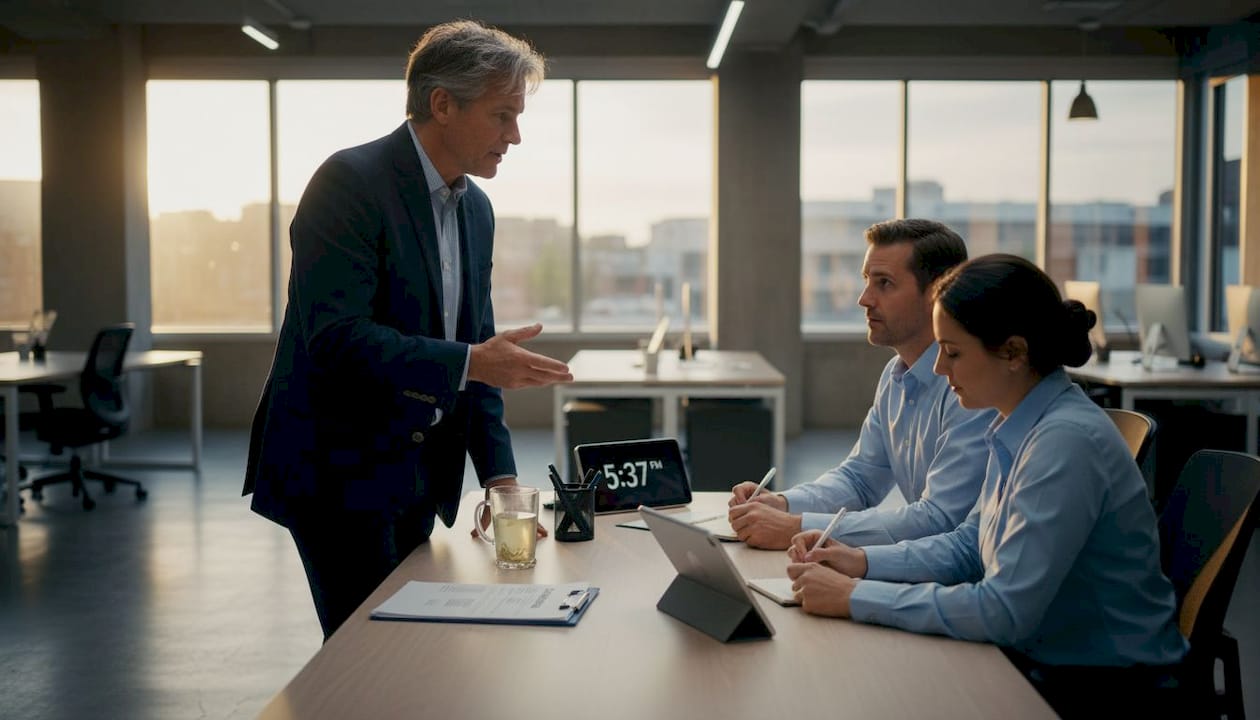
Bandwidth is your foundation. Minimum 10 Mbps upload speed is required for a single-camera 1080p stream, while multi-camera productions demand 25 to 50 Mbps of dedicated upload capacity. These are minimums, not targets. For high-stakes events, aim for at least 1.5 to 2 times the recommended speed to account for network variability and peak-hour congestion.
Here is a practical reference table for planning your bandwidth:
| Stream type | Recommended upload speed | Notes |
|---|---|---|
| Single camera, 720p | 5-8 Mbps | Acceptable for internal events |
| Single camera, 1080p | 10-15 Mbps | Standard for external audiences |
| Multi-camera, 1080p | 25-50 Mbps | Required for professional productions |
| Multi-camera, 4K | 50-100 Mbps | Premium brand events, large screens |
Your gear list should include professional cameras with manual exposure control, hardware encoders (not just software), and a dedicated laptop or workstation for stream management that is separate from presentation slides. Low-latency nuances matter here: WebRTC protocols deliver sub-300 to 500ms latency, which is essential for live Q&A and audience voting, while HLS (HTTP Live Streaming) introduces a 2 to 20 second delay that makes interactive features feel broken. Choose your protocol based on the type of audience experience you are designing.
Redundancy is not optional. Your livestream workflow steps should include a bonded cellular backup connection that activates automatically if your primary internet fails. Dual encoders running in parallel ensure that a single hardware failure does not take your stream offline. For power, a UPS (uninterruptible power supply) on all critical equipment prevents a venue power fluctuation from ending your broadcast.
Common technical mistakes to avoid:
- Relying on venue Wi-Fi as your primary connection without testing its actual upload speed under event conditions
- Using a consumer-grade webcam for a professional corporate production
- Skipping a dedicated internet line and sharing bandwidth with venue guests
- Forgetting to test audio levels with the actual room microphones, not just a laptop mic
- Neglecting to monitor the stream from a viewer’s device throughout the event
Good production planning tips always include a dedicated on-site tech manager whose only job is monitoring the outgoing stream. This person watches a consumer device showing the live output, not the production monitor, because that is what your virtual audience actually sees.
Pro Tip: Never rely solely on venue Wi-Fi. Always bring a dedicated wired ethernet connection and a bonded cellular backup. Venues sell Wi-Fi for convenience, not for production-grade reliability.
Structure your run-of-show: Roles, rehearsals, and engagement techniques
A well-structured run-of-show document is the operational backbone of any successful live-stream. Without it, your team is improvising under pressure, and your virtual audience pays the price. Structured run-of-show planning with assigned roles for the host, tech support team, and moderator, combined with active engagement via polls, Q&A, and chat, is what separates polished productions from chaotic ones.
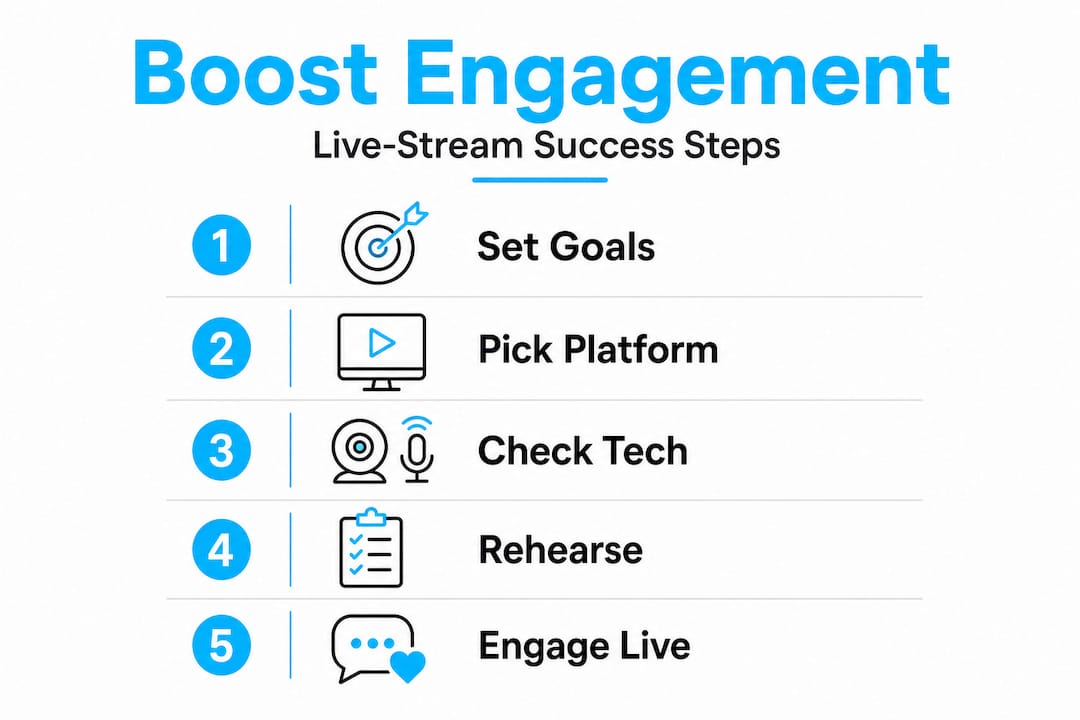
Here is a practical sequence for building your run-of-show:
- Define each segment with exact timing, including transitions, speaker intros, and technical cues
- Assign named owners to every role: one host, one technical director, one chat moderator, one producer
- Create a segment-by-segment cue sheet so the technical director knows exactly when to switch cameras, run graphics, or trigger lower-thirds
- Identify risk points where things could go wrong (speaker transitions, video playback, Q&A handoff) and script contingency language
- Schedule a full dress rehearsal at least 48 hours before the event with every speaker and technical team member present
- Conduct a final tech check two to four hours before the event goes live to verify all connections, audio levels, and stream outputs
The rehearsal step is where most corporate events fail to invest adequately. Avoiding common pitfalls like skipping rehearsal or relying on venue Wi-Fi is critical because moderator-driven flow and KPI-measured engagement can boost brand visibility by 30 to 50%. That is not a small margin. A rehearsal reveals technical problems you did not know existed and gives speakers confidence on camera, which translates directly to better viewer retention.
“Great streaming is built on preparation, not just production values. The brands that consistently outperform their competitors in virtual engagement are the ones that treat the rehearsal as non-negotiable.”
Engagement techniques that actually move the needle during your live event include:
- Timed polls launched at specific moments in the agenda, not just dropped randomly into the chat
- Speaker-led Q&A segments with a moderator filtering questions before they reach the host
- Shout-outs to specific attendees or companies in the chat to create a sense of community
- Live reactions and emoji responses that give passive viewers a low-friction way to participate
- Exclusive content moments (early announcements, giveaways) that reward people for staying live versus watching the replay
These live streaming best practices are proven to maximize engagement and keep your virtual audience invested from the opening segment to the closing call to action. If you want to set up like a pro, the difference is nearly always in the preparation, not the equipment.
Pro Tip: Treat your rehearsal as seriously as the real event. Invite every speaker, run every segment, and test every technical transition. The surprises you catch in rehearsal won’t catch you on air.
Maximize ROI with post-event strategies and attendee re-engagement
Your live event ends. Your marketing opportunity does not. On-demand content accounts for 50% of attendees at most corporate events, and a well-produced replay generates 2.4x more unique viewers than the live session alone. That means your post-event strategy is not an afterthought — it is where a significant portion of your brand exposure actually happens.
The first step is publishing a polished on-demand replay within 24 hours of your event. Speed matters because attendee interest peaks in the 48 hours immediately following the live date. Use this window to push automated follow-up emails to all registrants, whether they attended live or not, with a clear link to the replay and a compelling summary of the key moments they should not miss.
Your post-event strategy should include the following actions:
- Send a segmented email sequence to live attendees, on-demand viewers, and no-shows with tailored messaging for each group
- Publish highlight reels (three to five minutes) on LinkedIn, YouTube, and your website to capture social reach
- Launch a post-event survey within 24 hours to gather qualitative feedback and identify content themes for future events
- Gate the replay page with a light registration form to continue capturing leads from new visitors discovering the content weeks later
- Create short-form clips from the best moments for paid social retargeting campaigns targeting your registered audience segments
Webinars and virtual events can deliver ROI ranging from 200% to 1,200%, with an attended-to-pipeline conversion rate of 11% and average revenue of $612 per attendee in SaaS contexts. Those numbers make a compelling case for treating your post-event replay and follow-up as a serious revenue activity, not just a content archive. You can learn more about sustaining this momentum in the ultimate streaming guide, and apply those insights directly to your post-event engagement process.
Track these post-event KPIs at a minimum: replay completion rate, email click-through rate, lead form submissions from the replay page, and pipeline influenced within 30 and 90 days of the event date.
Pro Tip: Optimize your replay page for SEO by writing a keyword-rich event recap, embedding the video above the fold, and adding a clear lead capture form. This turns your event into a long-term inbound asset that keeps working months after the live date.
What most brands get wrong about live-streaming events
Here is the uncomfortable reality we have observed working with corporate clients across South Florida and beyond for over two decades: the brands with the best equipment are not always the ones with the best results. Time and again, we see organizations invest heavily in camera rigs, lighting setups, and enterprise platform subscriptions, then fail to engage their virtual audience because they treated the stream as a technical task rather than a storytelling challenge.
The most common mistake is resourcing the hardware while under-resourcing the human element. A moderator who is engaged, responsive, and audience-focused is worth more to your brand’s live-stream performance than an extra camera. Yet most event teams assign moderation to a junior team member who is also managing slides, coordinating speakers, and answering internal Slack messages simultaneously. That split attention produces a flat, unresponsive chat experience that signals to attendees that their participation does not matter.
Brands also treat live-streams as one-off tasks rather than integrated marketing assets. A corporate streaming strategy that starts and ends with the live date leaves enormous value on the table. The replay, the social clips, the SEO content, the follow-up email sequence — these are the channels where a well-executed event continues to generate brand awareness and pipeline for months.
High-performing streaming teams operate differently from average ones. They dedicate a producer to every event who owns the entire workflow from pre-production to post-event analytics. They build redundancy into their technical setup before they need it, not after a failure. They measure audience engagement in real time and adjust their moderation approach mid-event based on what the data shows. And they treat the virtual audience as the primary audience, not a secondary one, because that is increasingly where the numbers are.
The lesson is simple but often resisted: strategy and storytelling determine your engagement outcomes. Technology only enables or limits them.
Take your South Florida event livestream to the next level
If these principles feel like a lot to manage while also running a successful event, that is because they are. A professional production partner handles the entire ecosystem so your team can focus on what only you can do: connecting with your audience and delivering your message.
At Bonomotion, we have guided South Florida brands through hundreds of corporate live-stream productions since 2003, from intimate executive roundtables in Brickell to multi-day conferences broadcast globally. Every engagement is led by an experienced producer who manages your technical setup, rehearsal process, on-site execution, and post-production workflow. Our approach to corporate video production ensures your brand looks and sounds exceptional whether your audience is in the room or watching from another continent. Ready to maximize event engagement and turn your next live event into a high-performing brand asset? Explore the full Bonomotion streaming guide to see how we approach every production.
Frequently asked questions
What internet speed do I need for corporate live-streaming?
A minimum of 10 Mbps upload is required for a single-camera 1080p stream, while multi-camera productions need 25 to 50 Mbps of dedicated upload capacity. Always target at least 1.5 times the minimum to handle network variability safely.
How do I increase engagement during a live virtual event?
Use polls, Q&A, and chat features strategically at timed intervals throughout the event, and assign a dedicated moderator whose only job is managing the virtual audience experience.
What’s the best way to ensure my stream doesn’t cut out?
Avoid Wi-Fi reliance by always using a wired ethernet connection as your primary feed and a bonded cellular backup as a failover, so a single connection failure never takes your broadcast offline.
Do on-demand replays really matter for ROI?
Absolutely. On-demand content accounts for 50% of total event attendance, and replays generate 2.4 times more unique viewers than the live session, making them one of the highest-leverage post-event assets you can produce.