

Most corporate teams assume a virtual event means opening Zoom and sharing a presentation. That assumption is exactly what separates forgettable online gatherings from events audiences actually remember. Virtual event production, the professional practice also known as live broadcast event management, is a full-scale operation that combines broadcast-quality audiovisual infrastructure, creative stage design, real-time technical management, and post-event content strategy. This guide breaks down every layer of the process so you can plan, budget, and execute with confidence.
Table of Contents
- Key takeaways
- What virtual event production really means
- The technical infrastructure behind virtual events
- Creative direction and stage design
- The production workflow from pre-event to post-event
- Virtual vs. hybrid vs. in-person production
- My take on what most teams get wrong
- How Bonomotion brings virtual events to life
- FAQ
Key takeaways
| Point | Details |
|---|---|
| More than a video call | Professional virtual event production covers AV setup, speaker management, live monitoring, and analytics from start to finish. |
| Technology is the backbone | Enterprise-grade tools include redundant encoders, bonded cellular backups, and broadcast-quality cameras that basic platforms cannot match. |
| Creative direction matters | Virtual stage design follows physical set principles: scale, lighting logic, and real-time rendering limits that affect live broadcast stability. |
| Operational planning is non-negotiable | Rehearsals, run-of-show documents, and defined team roles prevent the on-screen errors that erode audience trust. |
| Post-event content multiplies ROI | Repurposing live footage into clips, highlight reels, and on-demand sessions extends value long after the broadcast ends. |
What virtual event production really means
Virtual event production is a comprehensive process that spans strategic coordination, technical broadcast setups, and real-time event management. It is not simply logging into a platform and going live. Think of it as producing a television broadcast where the studio happens to exist across multiple locations, time zones, and internet connections simultaneously.
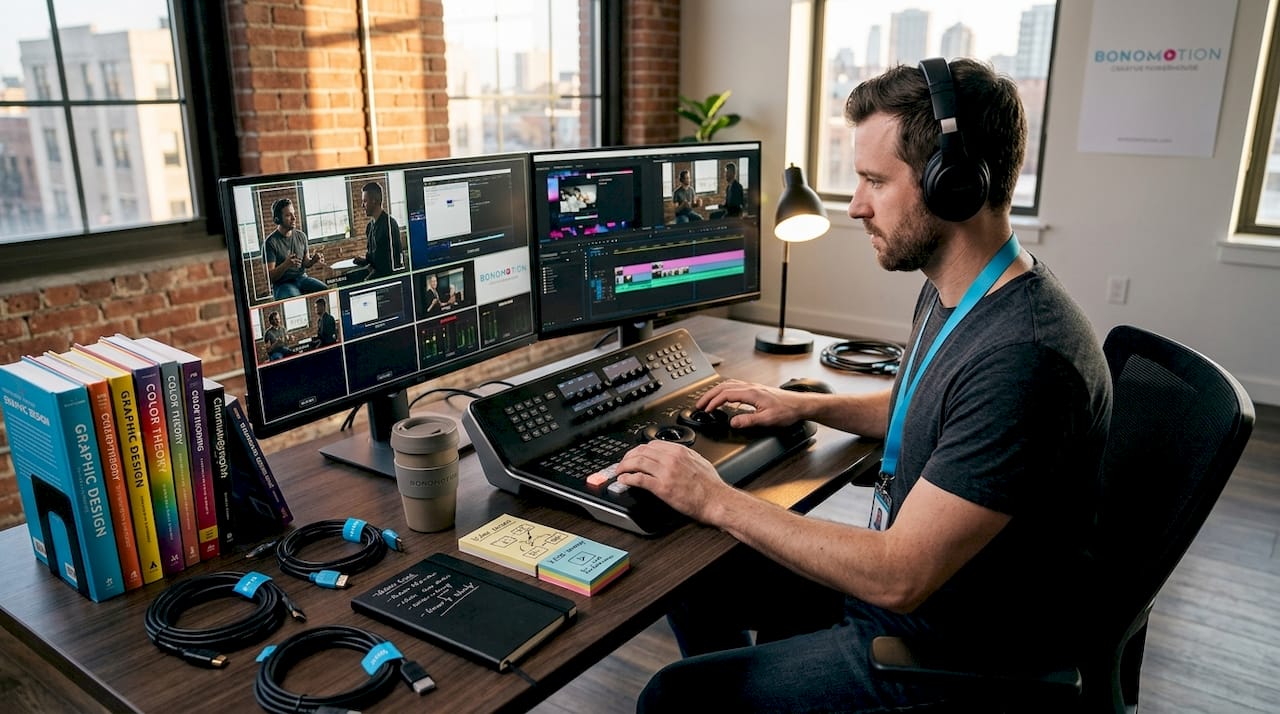
A professional production covers the entire event lifecycle. Pre-production includes goal setting, platform selection, speaker onboarding, and technical rehearsals. The live phase involves camera direction, real-time graphics, audience interaction tools, and moment-to-moment troubleshooting. Post-production converts raw footage into polished, repurposable content. Every phase requires dedicated expertise.
Here is what a professional production team actually manages behind the scenes:
- Technical infrastructure setup: encoding hardware, broadcast-grade cameras, audio feeds, and signal routing
- Speaker and presenter management: pre-event briefings, connection testing, and live prompter support
- Content coordination: slide decks, video playback, lower-third graphics, and branded overlays in sync
- Audience engagement tools: live polls, moderated Q&A, chat management, and real-time reaction systems
- Live monitoring: platform health checks, stream latency reviews, and backup feed readiness
Pro Tip: Schedule a full dress rehearsal at least 48 hours before your event. This single step surfaces 80% of technical issues before they can affect your live audience.
The technical infrastructure behind virtual events
The gap between basic and enterprise-grade production technology is wide, and it shows immediately on screen. Understanding these differences helps you ask the right questions when evaluating virtual event production services.
Platform costs vary widely, from roughly $4 to $6 per user per month at the entry level up to $800 per month or higher for enterprise solutions with dedicated support. What you pay for at the higher tier is not just software features. You are paying for stability, customization, and the technical team that operates the system.
Beyond the platform, broadcast-quality production demands proper hardware. That means professional cameras capable of 1080p or 4K capture, dedicated audio interfaces, hardware encoders that process and compress the video signal before sending it upstream, and external monitoring displays so operators can watch the outgoing stream independently of what presenters see.
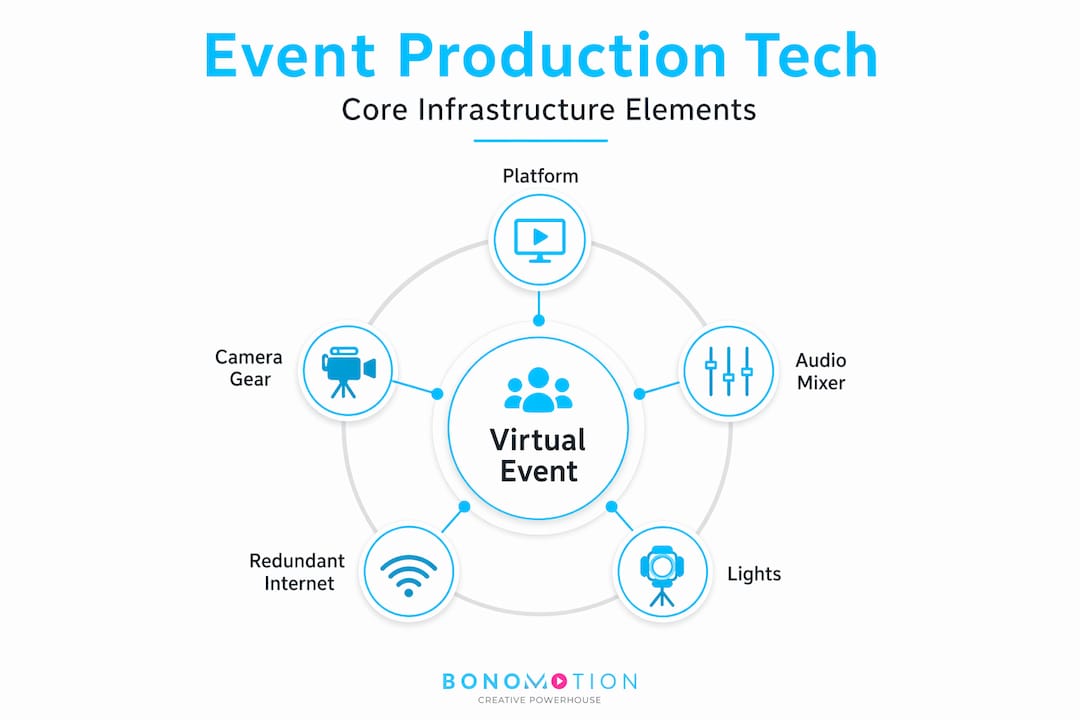
Redundant internet connections using bonded cellular technology combine multiple 4G and 5G signals into a single, stable feed. This safeguards your live broadcast if the venue’s primary internet connection drops unexpectedly. A single-point internet dependency is the most common cause of catastrophic virtual event failures, and it is entirely preventable.
| Feature | Basic setup | Enterprise-grade production |
|---|---|---|
| Video quality | 720p webcam | 1080p/4K broadcast camera |
| Audio | Built-in laptop mic | XLR microphone with audio interface |
| Internet backup | Single connection | Bonded cellular with redundant encoders |
| Graphics | Static slides | Real-time lower thirds and branded overlays |
| Monitoring | None | Dedicated stream health monitoring |
| Platform support | Self-serve | Dedicated technical operator on-site or remote |
Pro Tip: Always request that your production partner demonstrates their redundancy setup before the event. If they cannot explain their backup encoder and cellular bonding configuration, they are not the right partner for a high-stakes broadcast.
Creative direction and stage design
Virtual event scenography is where many corporate teams cut corners and pay for it visibly. A virtual stage is not a background image you drop behind a speaker. Virtual production demands a systemic approach that integrates space, lighting, content, and camera mechanics from the very first planning conversation.
Virtual stages must follow lighting logic, camera perspective, and scale rules drawn from physical set design to avoid a visually incoherent experience. If a speaker is lit differently from their virtual environment, the audience’s eye immediately detects the mismatch, even if they cannot name the reason.
The strategic layer of creative direction goes beyond aesthetics. It shapes how your audience experiences pacing, energy, and brand identity throughout the event:
- Branded environments aligned with your visual identity signal professionalism and reinforce memorability
- Transition design between segments maintains momentum and prevents the dead-air problem that causes drop-off
- Presenter framing and camera angles affect perceived authority and viewer engagement differently depending on session type
- Real-time graphics including animated lower thirds, sponsor logos, and on-screen polls add production value while keeping viewers oriented
- Content flow planning determines where high-energy video plays, where speaker segments run long, and where interactive moments are placed to recapture attention
Treating creative direction as decorative rather than structural is one of the most common and costly mistakes in virtual event management. The visual system and the technical system must be designed together from day one.
The production workflow from pre-event to post-event
Knowing how to produce virtual events requires understanding the operational sequence. This workflow is what separates productions that run like a broadcast from those that visibly stumble in front of hundreds or thousands of viewers.
- Define objectives and audience: Establish what success looks like before selecting any technology. Audience size, interactivity goals, and content type dictate every downstream decision.
- Select platform and production stack: Match the technical complexity of your event to the right tools. A 50-person internal training requires different infrastructure than a 5,000-person external product launch.
- Develop a run-of-show document: This is your broadcast script. It assigns specific times, owners, and technical cues to every moment of the event.
- Onboard speakers and presenters: Full-service production teams handle speaker briefings, connection testing, and slide integration so presenters arrive prepared, not confused.
- Conduct technical rehearsals: Run the full event at least once, ideally twice. Test every transition, every video playback, and every audience interaction tool under live conditions.
- Execute the live event: Assign clear roles: technical director, producer, moderator, and backup operator. Real-time event execution depends on communication between team members throughout the broadcast.
- Capture isolated camera feeds: Record all sources separately during the live event. This enables post-production editing without quality loss.
- Analyze post-event data: Review attendance curves, engagement drop-off points, poll participation rates, and session replays to evaluate performance.
- Repurpose content: Convert recorded sessions into on-demand videos, social clips, and training assets. Maximizing event ROI depends on leveraging post-event footage through repurposed content that extends the event’s lifespan by months.
Pro Tip: Build your post-event content plan before the live event, not after. Knowing which clips you need influences how you direct cameras and structure your run-of-show.
Virtual vs. hybrid vs. in-person production
Understanding the distinctions between production formats helps you apply the right resources to the right event type. Each format has unique technical demands and strategic trade-offs.
Virtual-only events offer scale and accessibility that physical venues cannot match. You can reach a global audience, record every session automatically, and reduce logistical costs. The challenge is that every element of audience experience, from audio quality to visual engagement, depends entirely on your technical execution. There is no room atmosphere to carry a mediocre presenter.
Hybrid events are the most operationally complex format. You are simultaneously managing a live in-room audience and an online audience, each of which needs a tailored experience. The camera directions, audio mixing, and content delivery need to serve both groups without either feeling neglected.
| Factor | Virtual-only | Hybrid | In-person |
|---|---|---|---|
| Audience reach | Global, unlimited scale | Mixed local and remote | Venue-limited |
| Technical complexity | High (broadcast-focused) | Very high (dual audience) | Moderate (AV-focused) |
| Accessibility | Maximum | Partial | Limited by location |
| Production cost | Lower overall | Highest format | Variable by venue |
| Content repurposing | High, all digital | High, with editing | Requires separate recording |
The benefits of virtual event production shine most clearly when accessibility, content repurposing, and audience scale are organizational priorities. When physical presence is central to the experience, such as tactile product demonstrations or executive relationship building, in-person or hybrid formats earn their additional cost.
My take on what most teams get wrong
I’ve worked on enough virtual productions to know the pattern. An organization decides to run a virtual event, selects a platform, books speakers, and assumes the rest will sort itself out. Then the stream drops 20 minutes in. Or the presenter sounds like they’re in a tunnel. Or the audience engagement is flatlined because no one designed an interactive moment into the run-of-show.
The misconception I see most often is that virtual event production is largely decorative. Teams spend weeks on speaker content and about two hours on everything else. Production is the system that delivers that content to your audience. Neglecting it is like writing a great script and then filming it on a broken camera with no sound.
What I’ve learned is that the teams who get the best results treat production as a strategic investment, not a line item to minimize. They choose experienced production partners who bring judgment alongside equipment: people who have seen live problems before and know how to recover without the audience noticing. They plan their post-event content strategy before the cameras roll. And they build their run-of-show document with the same rigor they would apply to a product launch deck.
The virtual events that generate real business outcomes are not the ones with the biggest budgets. They are the ones where someone on the team understood production deeply enough to ask the right questions from day one.
— Bernard
How Bonomotion brings virtual events to life
For over 20 years, Bonomotion has produced high-impact corporate events, livestreams, and broadcast-quality virtual productions for startups, growing brands, and Fortune 100 companies across Florida and nationwide.
When you work with Bonomotion, every project is assigned an experienced producer who coordinates technical setup, creative direction, speaker management, and post-event content delivery as one integrated workflow. Whether you need corporate video production for an executive presentation, a full-scale virtual event production with live audience interaction, or business event video solutions tailored to your brand, the team operates as an extension of your organization, not a vendor you have to manage. Contact Bonomotion to discuss how professional production can transform your next virtual or hybrid event into a broadcast your audience remembers.
FAQ
What is virtual event production in simple terms?
Virtual event production is the full process of planning, technically executing, and managing an online event as a live broadcast, covering AV setup, platform management, speaker coordination, and audience engagement from start to finish.
How is virtual event production different from a webinar?
A webinar is typically a single presenter with basic screen sharing, while professional virtual event production involves broadcast-quality cameras, real-time graphics, multiple presenters, redundant technical infrastructure, and post-event analytics.
What tools are used in virtual event production?
Top virtual event tools include hardware encoders, bonded cellular routers for internet redundancy, broadcast cameras, enterprise event platforms, and real-time graphics systems that together deliver a stable and polished live experience.
How much does virtual event production cost?
Costs vary significantly based on event complexity. Platform pricing alone ranges from $4 to $6 per user at basic tiers up to $800 or more per month for enterprise solutions, with full production services adding to that investment.
Why should you hire a virtual event production company?
A professional production company brings redundant infrastructure, rehearsal management, live technical direction, and post-event content strategy that most internal teams cannot replicate, reducing the risk of costly on-air failures and maximizing audience engagement.