
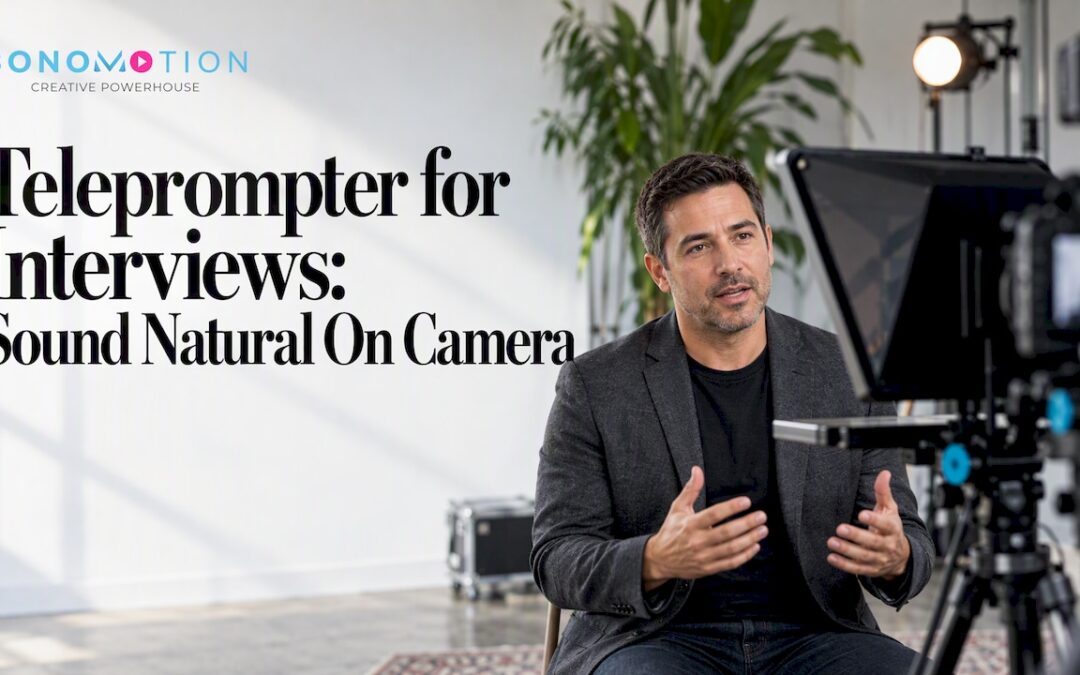
A teleprompter works in an interview when it holds your key messages, not a speech. Use it for cues, proof points and the first sentence of each answer, set it right beside the lens, and rehearse until you are presenting an idea instead of decoding words. Used that way, it keeps executives, customers and spokespeople accurate and calm without making them look like they are reading.
This guide is for marketing teams, event organizers and business owners in Miami, Fort Lauderdale, Coral Gables, Palm Beach and across South Florida who are planning a recorded interview, a testimonial, a leadership message or a live Q&A. It covers when a prompter helps, when it hurts, how to set it up and how to write for it.
TL;DR
- Treat the prompter as a cue card for interviews: short bullet cues and key figures, with full scripts reserved for fixed statements such as a legal line or an announcement.
- Put the text as close to the camera lens as possible, in a narrow column with large type, so your eyes barely move.
- Write for the ear: contractions, short sentences and marked pauses. If it sounds stiff when spoken, rewrite the script, not your delivery.
- Rehearse out loud twice with the real setup. Read one line ahead of your voice and glance away naturally now and then.
- A producer who runs the session makes all of this easier. We guide every Bonomotion interview from planning to delivery.
Table of Contents
- When a Teleprompter Helps an Interview, and When It Gets in the Way
- Cue Cards or Full Script: Choosing the Right Format
- Setting It Up So Your Eyes Stay on the Lens
- Writing for the Ear, Not the Page
- Delivery: How to Read Without Sounding Like You Are Reading
- Remote and Live Interviews
- Our Perspective: Prepare the Person, Not Just the Script
- A Practical Rehearsal Plan
- Booking Interview Video in South Florida
- FAQ
When a Teleprompter Helps an Interview, and When It Gets in the Way
An interview is a conversation, and a conversation is the one format where a full script usually backfires. Viewers can tell when someone is reciting. They cannot always say why, but trust drops. So the first decision is not which prompter to use. It is which parts of your interview deserve one.
A prompter earns its place in these situations:
- Executive messaging. A CEO or founder has to hit three or four points with precise wording, perhaps about a merger, a product launch or a safety message. Accuracy matters more than spontaneity.
- Regulated or sensitive topics. Healthcare, finance, legal and real estate speakers often need specific phrasing. A prompter keeps it consistent across takes.
- Nervous first-timers. A customer or employee who freezes under lights can relax when they know the next point is in front of them.
- Multi-take efficiency. When you are recording several leaders in one day, a prompter reduces retakes and keeps the schedule tight.
- Event interviews. At a conference or a trade show, a speaker who has ten minutes between sessions can glance at three cues instead of memorizing talking points.
It gets in the way when the whole point is authenticity. A customer testimonial that should sound like a real person telling a real story is rarely improved by a script. In those cases, we prefer question-led interviewing, where the interviewer’s questions pull out the story and the subject only sees a short list of facts to confirm, such as a product name, a date or a result.
Cue Cards or Full Script: Choosing the Right Format
The most useful distinction is between cue prompting and script prompting.
Cue prompting shows a few words per idea. You see something like: Why we chose Miami. Result: faster onboarding. Story: the first client call. You still speak in your own words, but you never lose the thread. This is the default for interviews and testimonials.
Script prompting shows every word. It suits a welcome message, a product announcement or a statement that has been approved by legal. Even then, it works best when the speaker has practiced it enough to deliver it as a thought.
Most real projects land in between: a scripted opening and closing, with cues in the middle. Here is how the formats compare.
| Interview type | Best prompter format | Why |
|---|---|---|
| Customer testimonial | Facts only (names, numbers, product terms) | Keeps the story genuine while avoiding errors |
| Executive interview | Cues plus two or three exact sentences | Protects key messages without stiffness |
| Company profile or brand film narration | Full script | The words are fixed and timed to visuals |
| Leadership announcement | Full script | Wording has been approved and must be consistent |
| Conference or panel Q&A | Cue cards or a notes panel | Questions are unpredictable, so flexibility matters |
| Live-streamed interview | Cues on a second screen or a prompter beside the camera | No retakes, so the speaker needs reliable anchors |
Setting It Up So Your Eyes Stay on the Lens
The mistake people notice most is not the script. It is the eyes. If the text sits to the side of the camera, viewers see a speaker whose gaze drifts, and the face looks evasive. A few physical choices fix most of it.
Place the text next to the lens
The closer the words are to the lens, the smaller the eye movement. A professional prompter uses a beam-splitter glass so you read the text while looking straight into the camera. If you are working with a tablet or laptop, put the text window at the top of the screen, directly under the webcam or lens, rather than centered. For on-set interviews, a studio prompter in front of the camera is the cleanest option, and we can plan the equipment around your shoot as part of our studio and equipment rentals.
Narrow the column and enlarge the type
A wide block of text makes your eyes sweep left to right, and the viewer sees it. Set the column to only a few words per line and make the font large enough that you can sit comfortably further back. Distance shrinks the angle your eyes have to travel, which makes the movement far less visible.
Keep the pace yours
Set the scroll speed to match your natural speaking pace, not the pace of a news anchor. For interviews, manual or voice-following control is better than a fixed scroll, because answers vary in length. A producer or operator who scrolls with you can also slow down when you pause, laugh or improvise, and speed up when you find your rhythm.
Light and position the speaker
Glare on the glass, a bright window behind the prompter or a speaker who squints will all show up on camera. Dim the text brightness until it is readable but not harsh, and set the speaker’s chair height so the lens sits at eye level. This is basic set discipline, and it is one reason a crew session produces a more natural result than a phone propped on a shelf.
Writing for the Ear, Not the Page
If a script sounds stiff when read aloud, the writing failed, not the speaker. Most corporate text is written to be read silently: long sentences, formal phrasing, stacked clauses. Spoken language is different.
Try these edits before the shoot:
- Use contractions. Write we’re, it’s and don’t, because that is how you would say it to a colleague.
- Keep sentences short. One idea per sentence. If you run out of breath reading it, split it.
- Mark pauses. Add a slash or a line break where you would naturally breathe or let a point land.
- Spell out awkward numbers and acronyms. Write how you would say them, such as twenty twenty-six or ROI, so you do not stumble.
- Write phonetically where needed. Local names, such as Coral Gables or Brickell, are easy. Product names and executives’ surnames are not, so check them with the speaker.
- Read it aloud to a colleague. If they would never say it across a desk, change it.
For interviews, you can often skip a full script entirely. Instead, write three to five anchor points per answer: the claim, the proof, the example. If your content is built from proof points, you will sound credible and you will not need to memorize anything.
Delivery: How to Read Without Sounding Like You Are Reading
The biggest difference between a confident interviewee and a stiff one is a mental shift. Reading means you are reacting to words as they appear. Presenting means you have absorbed the idea and you are telling it to a person. The prompter simply reminds you what comes next.
A few habits make that shift easier:
- Read one line ahead. Take in the thought, then say it. Your voice will follow your understanding rather than chase the text.
- Look away on purpose. A common rule of thumb among video professionals is to hold the lens for most of the time, roughly four-fifths, and glance away while thinking or emphasizing a point. A little more looking away suits a relaxed, informal conversation.
- Say it to one person. Picture the viewer: a prospect, a partner or a new hire. Speak to them and not to the glass.
- Let the face move. Smile at the start of an answer, raise your eyebrows at the surprising part, and nod when you stress something. A prompter should never freeze the face.
- Improvise a little. If you drift from the text, that is fine. A good operator will follow you, and an editor can use the best of both.
- Pause on purpose. A beat before the key number or conclusion makes it sound considered. Then keep going.
Remote and Live Interviews
Video calls and live streams add pressure, because there is no second take. The principles are the same, with extra care for the technology.
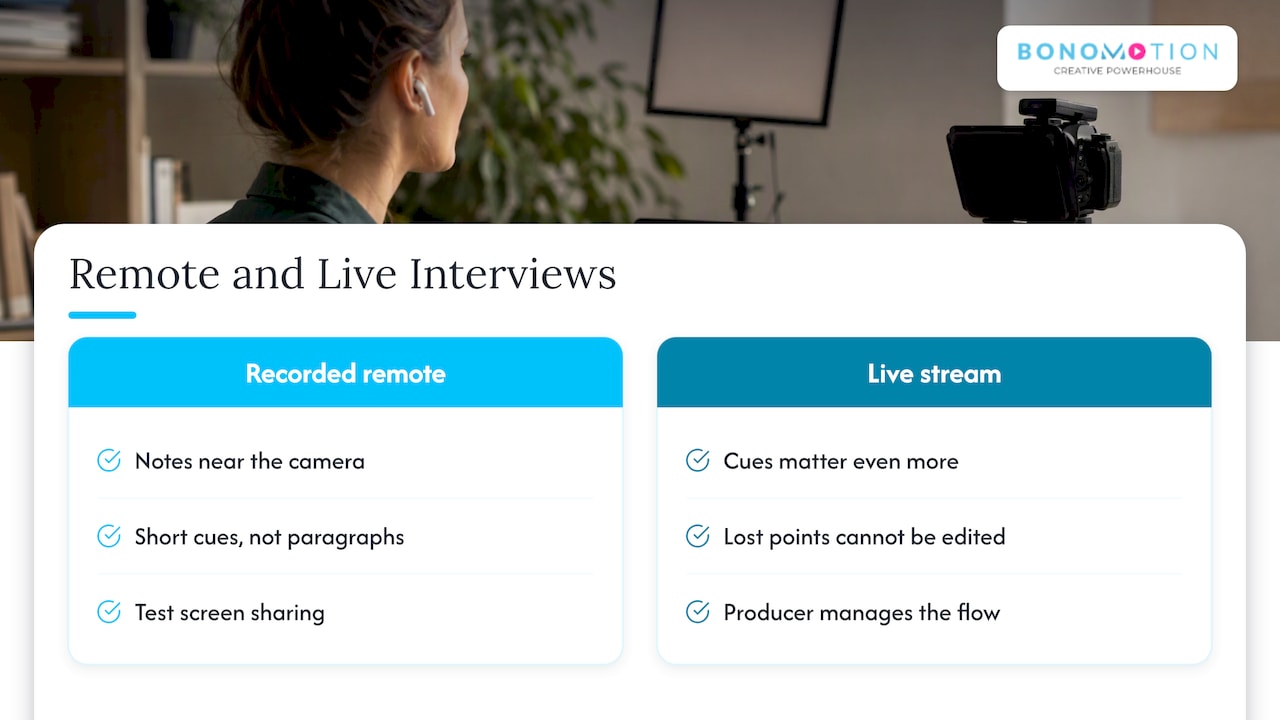
For a recorded remote interview, keep your notes in a small panel at the top of the screen, as near to the camera as the layout allows, and use short cues rather than paragraphs. Do not share your screen unless you mean to, and test it once before the real session.
For a live stream, such as a keynote Q&A, an investor update or a hybrid event, cues matter even more. A speaker who loses a point on air cannot be edited later. We run live streaming in Miami with a producer who manages the flow, so presenters can concentrate on their message instead of the technology. If your event also needs interviews with attendees or sponsors on the floor, pair it with our event videography and photography so the live and recorded content share one look and one schedule.
If you are planning a broader visual strategy around interviews, a good first step is deciding which stories you want to tell and who is the right voice for each. Strong visual storytelling begins with a clear point of view long before the camera rolls, and the interview planning ideas in this brand impact guide can help you shape that thinking.
Our Perspective: Prepare the Person, Not Just the Script
We have produced interviews, testimonials and executive messages since 2003, and one lesson repeats on every set. Teleprompters do not fix nerves, they relocate them. A speaker who is anxious about forgetting a line becomes anxious about losing their place. What actually helps is preparation that is about the person.
That starts with a conversation before the shoot. Our producer asks what you want the viewer to think, feel or do afterward, and builds the questions or the cues from there. We would rather give a customer five honest prompts and a friendly interviewer than a polished paragraph they do not believe. For executives, we often write two or three precise sentences for the moments that matter, then leave the rest open.
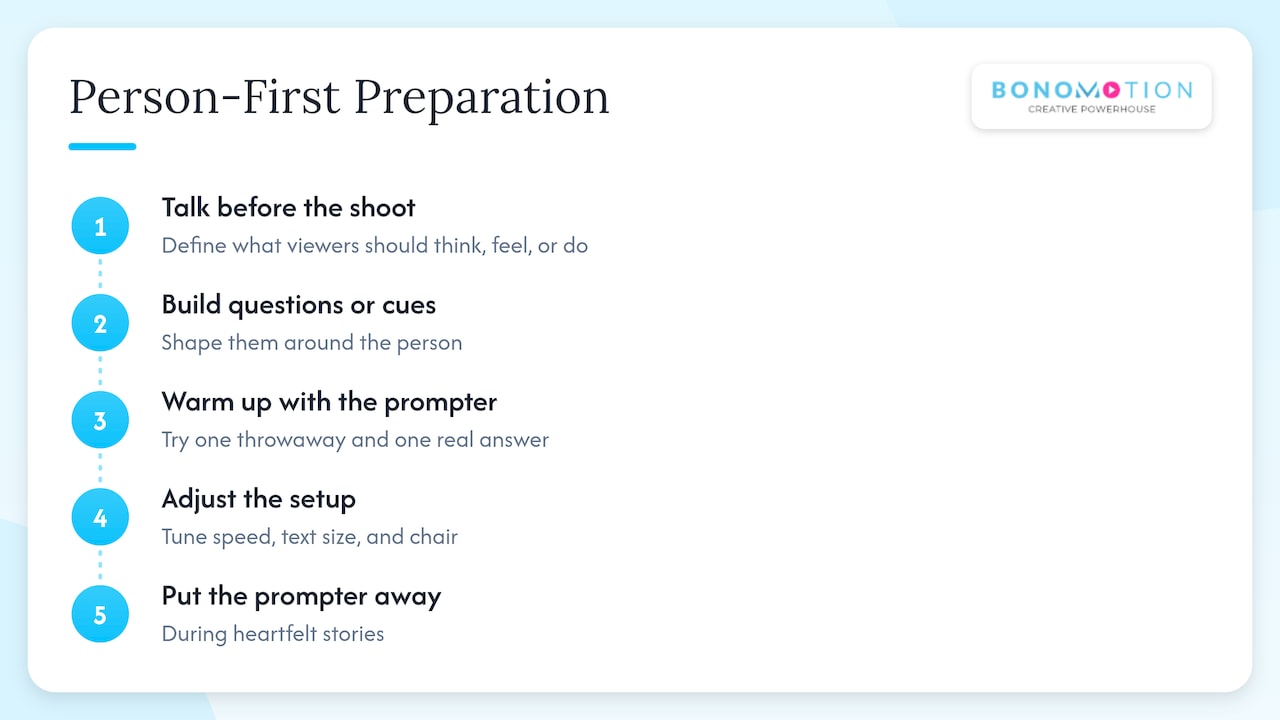
On set, we run a short warm-up with the prompter before recording: one throwaway answer, one real answer, then adjust the speed, the text size and the chair. People relax quickly when they see that the equipment will follow them, not the other way around.
And we decide in advance when to put the prompter away. If someone is telling a story from the heart, we turn it off. The best take is rarely the most perfect one. It is the one where the person sounds like themselves on a very good day.
— Bernard Bonomo
A Practical Rehearsal Plan
If you have a week before your shoot, this schedule keeps the process simple.
- Define the goal. Write one sentence: after watching, the viewer should understand or do what?
- List three to five points per answer. Include one number, one example and one phrase you want to be remembered.
- Write the cues or the short script. Use spoken language, with pauses marked.
- Read aloud twice. First without a prompter, then with the prompter text, and mark every spot where you stumble.
- Rehearse on location if you can. Use the same distance, chair height and lighting as on shoot day.
- Plan the wardrobe and the room. Solid colors and a calm background keep attention on your face.
- Arrive early. Give yourself ten minutes with the operator to set the text size and pace before cameras roll.
For teams recording several people in one day, such as a leadership series or a customer testimonial day, a producer can sequence the order so the more nervous speakers go after a warm-up with a confident colleague. That small choice often improves the whole day.
Booking Interview Video in South Florida
If you are planning a recorded interview, a testimonial series or a leadership message, we handle it from concept to delivery. Our interview and testimonial video production team plans the questions, the set, the lighting and the prompting approach with you, and a dedicated producer guides the project so your team is never left guessing. For brand-wide messaging, our corporate video production service brings interviews together with b-roll, graphics and narration into a finished film. If you would like to see everything we do, browse our full list of services.
Tell us about your interview, your audience and your timeline, and we will propose a plan built around them. We serve Miami, Fort Lauderdale, Coral Gables and Palm Beach, with service throughout Florida and nationwide.
FAQ
Can you read off a script during an interview?
Yes, but it works best when the script is short and written for speech. For a live conversation, a few cue words are safer than full sentences, because full sentences tend to sound recited. For a fixed statement, such as an announcement, a full script is fine if you have rehearsed it aloud.
Should I use a teleprompter for a customer testimonial?
Usually not for the story itself. Testimonials land best when the person speaks in their own words, guided by good questions. We may show a short list of facts, such as the product name or a result, so the details are accurate.
How do I stop my eyes from darting side to side?
Narrow the text column to a few words per line, increase the font size and sit further back from the screen. Place the text right beside the camera lens, or use a prompter that reflects it in front of the lens. Reading one line ahead of your voice also smooths out the movement.
Can a teleprompter follow my voice automatically?
Some software can scroll as you speak and pause when you stop, but results vary with the app and the room. On a professional shoot, an operator who scrolls by hand or follows your pace is often more reliable, especially when answers change. Test any automatic tool in the actual room before the real recording.
Can Bonomotion help with a teleprompter setup for an interview shoot in Miami?
Yes. Tell your producer you want prompting when you plan the interview, and we will build it into the setup, the schedule and the scripting approach. We work with businesses and event organizers across South Florida and nationwide, so you can start with a simple request through our website.