
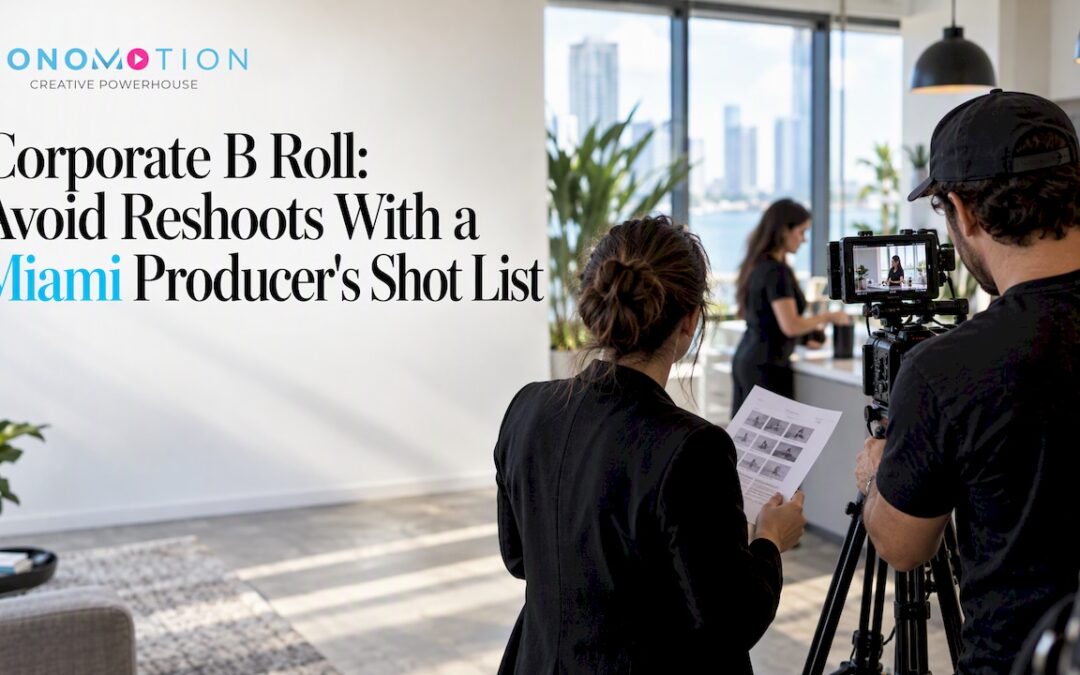
B-roll is the supplemental footage editors cut over your main interview or presentation, and in corporate videos it does the heavy lifting: it adds context, hides jump cuts, and makes every key message visible. Done well, it turns a talking head into a story people finish watching. Below, we cover planning, shooting, sourcing, editing, and delivery.
TL;DR:
- Tie each script message to two or three shots, and capture four to six times the final video’s length in interview and supplemental footage.
- Hold each shot for at least 10 to 15 seconds, and often 20 to 30 seconds when action allows, so editors can shape transitions.
- Film your own people, products, and locations; use stock for generic atmosphere, then check commercial rights, releases, reuse limits, and platform restrictions.
- Get signed releases from identifiable people and permission for private locations; watch for third party logos, artwork, and event music that can block publication.
- Separate stock from original footage, name clips consistently, and include camera settings, frame rate, lens notes, and license records for future edits.
Table of Contents
- What does B-roll do in corporate storytelling?
- Which types of corporate B-roll should you capture or buy?
- How do you plan B-roll with shot lists and a schedule?
- What are the best practical filming tips for B-roll?
- Where should you source B-roll: stock, in-house, or both?
- How do editors use B-roll in post-production?
- How should you organize and deliver B-roll for editors?
- Bonomotion perspective: producer-led planning for reliable B-roll
- What legal issues apply to corporate B-roll?
- Which dos and don’ts keep corporate B-roll effective?
- How should you budget for corporate B-roll?
- Field perspective: top mistakes and a shoot-day checklist
- How can we capture, organize, and deliver production-ready B-roll for you?
- FAQ
- Sources
What does B-roll do in corporate storytelling?
The terms trace back to editing with two separate film reels. The “A” reel held the principal footage, usually the interview or the main action, and the “B” reel held everything that supported it. Today, A-roll is your core: the CEO answering a question, the customer telling their story, the presenter on stage. B-roll is everything an editor cuts to while that audio keeps playing. Modern usage covers inserts, establishing shots, pickup shots, and stock footage.
Think of A-roll as the cake and B-roll as the icing. The cake carries the substance, but the icing is what makes people want a second slice. Practitioners also stress that B-roll punctuates the narrative rather than decorates it. Too much and the video feels like a music video. Too little and it sits static on a face for three minutes.
In corporate formats, B-roll earns its place in several ways:
- Interviews and testimonials: it covers jump cuts when an editor trims a rambling answer, and it shows the product or process a customer describes.
- Product demos: close-ups of hands, screens, and details prove what the narrator claims.
- Events: audience reactions and speaker cutaways capture energy a single camera angle never will.
- Media and PR: broadcasters and journalists increasingly expect companies to supply professional B-roll and interview footage, and quality clips raise the odds of video-rich coverage over text-only mentions.
Editors need variety in shot sizes, enough coverage to control pacing, and clean room tone to smooth audio edits. If your crew delivers all three, the edit goes faster and the result looks more polished.
Pro Tip: Ask your editor before the shoot what they wish they had on the last project. Their answer is your cheapest shot list.
Which types of corporate B-roll should you capture or buy?
Corporate B-roll falls into a handful of reliable categories. Knowing them in advance keeps a shoot focused instead of wandering around the office hoping something looks good.
- Establishing and exterior shots. The building, the skyline, the signage, the lobby. These tell viewers where they are before anyone speaks, and they work well as openers and scene transitions.
- Workplace and team activity. People collaborating at a whiteboard, a technician at a bench, a manager walking a floor. Candid moments humanize a brand far better than posed smiles. Ask your subjects to do their real work, not to pretend.
- Product-in-use and demo close-ups. Hands on a keyboard, a machine running, a package being sealed. Tight detail shots emphasize features and give the editor something specific to cut to when a narrator mentions them.
- Event coverage. Audience reactions, speaker cutaways, name badges, crowd details, signage, and the room filling up. These shots rescue footage when the main camera missed a moment.
- Lifestyle and atmospheric clips. Generic office scenes, cityscapes, and customers in everyday situations. This is the category where stock footage is usually acceptable, because no one needs to see your actual coffee machine.
Shoot your own footage for anything that involves your people, your product, or your location. Reserve stock for atmosphere. Viewers can sense when a “team meeting” is staged by actors, and it undermines the authenticity corporate video is supposed to build.
How do you plan B-roll with shot lists and a schedule?
Planning is where B-roll wins or loses. Start from your key messages, not from a vague wish to “get some cutaways.” For each message in the script, list two or three shots that make it visible. If the message is “our team responds within an hour,” you need shots of people at screens, a phone being answered, and a status board updating. Mapping footage to messages during location scouting keeps the crew from improvising aimlessly and makes sure the footage supports business goals.
Build the plan around these working rules:
- Map before you shoot. One message, two or three supporting shots, written down on the shot list.
- Shoot more than you think you need. A common guideline is to capture four to six times the length of the final video, which gives editors real choices.
- Schedule pickups and room tone. Put both on the call sheet for every location, not as an afterthought when everyone wants to go home.
- Assign ownership. Decide who shoots what, who logs clips, and who owns file naming and metadata.
- Build in a weather and access buffer. Exterior shots and busy offices rarely cooperate on the first try.
A common guideline is to capture four to six times the length of the final video in usable footage across interviews and B-roll combined. That is not 18 minutes of continuous rolling; it is many short, deliberate clips, each one tied to a line in the shot list.
Pro Tip: Mark the must-have shots the video cannot live without. If the day runs short, those get filmed first.
What are the best practical filming tips for B-roll?
Good B-roll is stable, well framed, and long enough to edit. You do not need a cinema rig to get there, but you do need discipline.
- Clip length: aim for at least 10 to 15 seconds per clip, and often 20 to 30 seconds when the action allows. Editors can always shorten a clip; they cannot lengthen one that ended too early.
- Stabilization: use a tripod for static shots, a gimbal for moving shots, and a monopod when you need speed without a full setup. Handheld wobble reads as amateur in a corporate context.
- Lens and framing: vary the framing of each setup. A wide shot gives context, a medium shot shows the activity, and a close shot captures detail. Vary camera angles as well as sizes.
- Lighting: use practical lights already in the room, add soft fill where faces or products need it, and avoid mixing color temperatures, such as daylight from a window with warm tungsten lamps. Mixed sources make grading harder and often cost more in post than they save on set.
- Room tone: record silence at every location, with everyone quiet and equipment running as it will during the interview. Editors use it to smooth cuts and fill gaps.
- Multiple clips per setup: don’t move on after one take. Roll a few variations so the editor has choices.
Movement helps, but only when it is motivated. A slow push toward a speaker or a slide across a product line adds energy. Random panning just adds noise. When in doubt, hold the shot and let the subject move.
Where should you source B-roll: stock, in-house, or both?
Each route has a tradeoff. Shooting in-house gives you control over brand accuracy, people, and location. Stock saves time and can cut costs when you need generic atmosphere, like skylines, offices, or lifestyle scenes. Stock collections built specifically for corporate B-roll exist, offering thousands of clips in 4K and HD, and major libraries carry large searchable catalogs of office and cityscape footage.
Whatever you buy, run a quick licensing check first:
- Commercial use: confirm the license covers corporate and promotional use, not just editorial.
- Releases: check for model and property releases if people or private locations appear.
- Reuse terms: some licenses limit reuse, require credits, or restrict social platforms, so confirm whether you can reuse a clip when the client’s video is updated later.
- Where it will run: broadcast, web, trade show screens, and paid social can fall under different terms.
Plenty of producers also keep a short list of affordable or free stock sources for quick turnarounds. That works for background clips, but the same license questions apply. Free does not mean unrestricted.
How do editors use B-roll in post-production?
Knowing what editors do with footage tells you what to shoot. Two techniques come up constantly. A J-cut lets the audio of the next scene start before the picture changes. An L-cut keeps the previous audio running after the picture moves on. Editors use both to pre-lap visuals before a new answer or sustain them through a shift in thought, which makes transitions feel smooth instead of mechanical.
That is why long clips matter: an L-cut needs extra seconds of B-roll after the audio moves on. Beyond cuts, editors rely on coverage and shot variety to control pacing, hiding jump cuts and giving viewers a visual reset. They also match color between stock and original footage, which is far easier when exposure and white balance are consistent at the source.
When you hand footage over, include what editors ask for:
- Clip duration long enough for pre-lap and tail
- Camera settings, frame rate, and lens notes
- A slate or short metadata note for each setup
- Flags for any clip that contains a logo, a face, or a restricted location
How should you organize and deliver B-roll for editors?
Delivery is where good footage gets lost. A clean handoff means the editor can import everything and start cutting on the first pass. Use these standards:
- Formats and resolution: deliver camera originals or high-quality proxies in a common codec, at the resolution you shot, with a clear note of frame rate. For stock, buy the highest resolution the project may need, ideally 4K if the final could be reframed.
- Folder structure: separate by project, then date, then location, with stock in its own folder, for example Project / Day01_Office / A-Roll, B-Roll, RoomTone.
- Naming convention: use a consistent pattern such as Client_Location_ShotType_Number, so that Acme_Lobby_Wide_003 tells the story before anyone opens the file.
- Documentation: include a short CSV or slate listing camera, lens, frame rate, and notes for every clip, plus the license details for stock.
- Bundling: keep stock and original footage in separate folders, each with its own license paperwork, so reuse questions are easy to answer a year later.
Bonomotion perspective: producer-led planning for reliable B-roll
On our shoots, a dedicated producer guides the project and works with your team to understand your objectives, audience, and timeline. For multi-location or event shoots, a producer coordinates crews so the footage matches in look and quality across days and venues. If you need a controlled environment or specific gear, our studio and equipment rentals are available.
What legal issues apply to corporate B-roll?
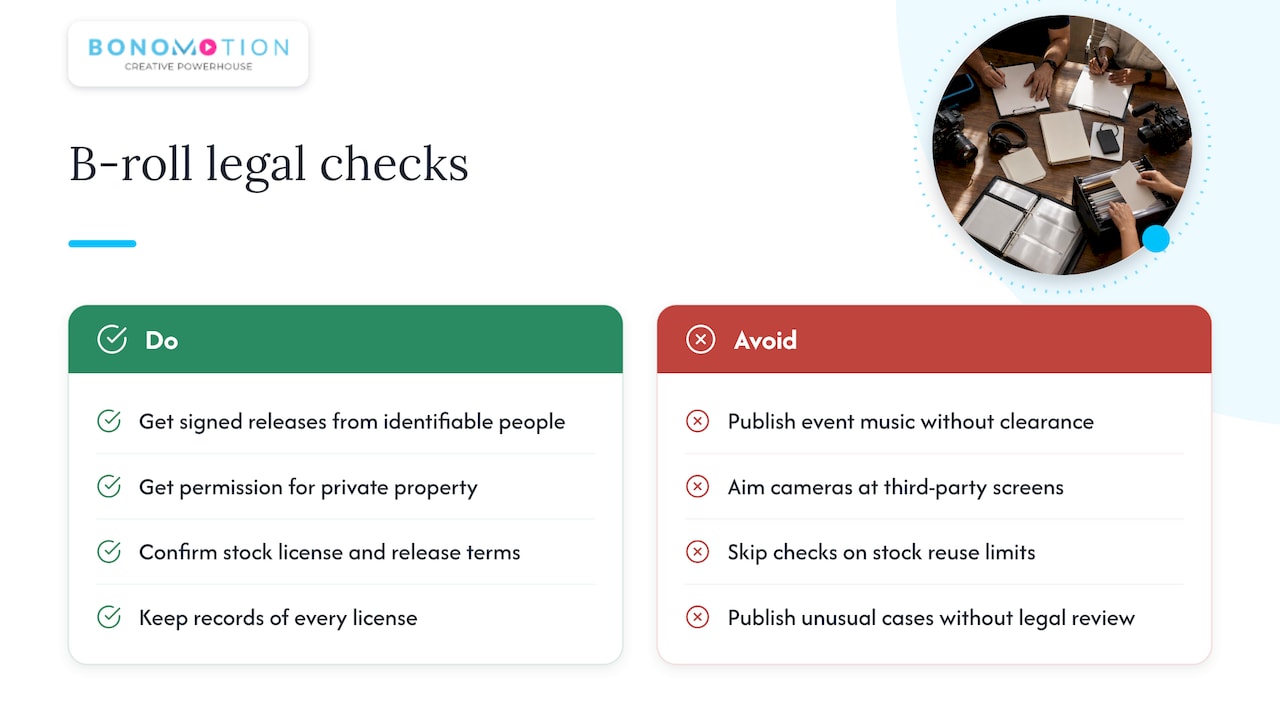
Corporate B-roll is commercial content, which raises the bar. Start with people. If an identifiable employee, customer, or visitor appears, get a signed release, and keep it with the footage. Public places generally allow filming, but private property, such as a client’s office, a hotel, or a venue, requires permission, and some locations require a fee or a permit.
Next, watch what is in the frame. Logos, artwork, and recognizable products belonging to other companies can create trademark or copyright headaches. Music playing in the background of a recorded event is a classic trap: the clip may be fine to shoot but not to publish. Aim cameras away from screens showing third-party content, or plan to blur or replace it.
For stock, the license is your legal protection. Confirm commercial use, check for releases, and note any limits on reuse, platforms, or duration. Keep records of every license, because you may need to prove rights years later if a client is audited or a video is reposted.
Finally, remember that rules vary by situation. For anything involving minors, regulated industries, or unusual locations, ask a qualified attorney before you publish. A short review costs far less than a takedown.
Which dos and don’ts keep corporate B-roll effective?
Good B-roll is invisible: viewers feel the story, not the cutaway. These habits keep it that way.
Do:
- Tie every shot to a message in the script
- Show real people doing real work in your real space
- Keep logos visible but natural, in the environment rather than forced into every frame
- Shoot broadcast-friendly: clean framing, no shaky moves, and minimal on-screen branding so media outlets can use the footage
- Deliver more variety than you think you need
Don’t:
- Overuse B-roll to the point that the video feels like a montage
- Cover an entire interview in cutaways so the speaker disappears
- Over-brand every clip with overlays or watermarks, which makes footage unusable for journalists and partners
- Mix stock and original footage that clash in color, lighting, or style
- Use staged-looking clips when authenticity is the point
One test works well in the edit: mute the audio and watch. If the picture alone still communicates what the video is about, your B-roll is doing its job.
How should you budget for corporate B-roll?
B-roll costs rise and fall with a few clear factors. Crew size and shoot days are the biggest drivers, followed by the number of locations, travel, gear, and permits. Add post-production time, since more footage means more logging, selecting, and color work. Stock purchases are a smaller line item, but license tiers can climb quickly for broad or long-term use.
Allocate resources by value, not by volume. Spend your own shoot time on footage that is unique to the business: your people, your process, your product. Buy stock only for generic atmosphere. A smart split protects the budget without making the video feel generic.
Planning is the cheapest budget tool you have. A tight shot list and a producer who keeps the day on schedule avoid overtime, reshoots, and the “we need one more clip” scramble that inflates invoices. If you plan to reuse footage across a website, social, and sales decks, say so up front, because it affects both shooting and licensing. For pricing on a specific project, we build custom proposals, so request a quote and we will scope it to your goals.
Field perspective: top mistakes and a shoot-day checklist
Most B-roll failures come down to avoidable mistakes. Crews under-shoot, leaving the editor with only a brief stretch of the same wide shot. They skip room tone, so audio edits have audible seams. And they over-brand footage, covering every frame in logos until no one else can use it. Catching these on set takes minutes. Fixing them in post can take days.
Use this checklist before you wrap:
- Every message on the shot list has its two or three supporting shots
- Each setup has wide, medium, and close coverage
- Clips run at least 10 to 15 seconds
- Room tone is recorded at every location
- Clips are logged and named before anyone leaves
If that sounds like a lot to manage alongside the interviews, it is. When time is tight or the stakes are high, hiring a production team is usually the faster path to footage that edits cleanly.
— Bernard Bonomo
How can we capture, organize, and deliver production-ready B-roll for you?
If you want B-roll that edits cleanly the first time, we plan it, shoot it, and hand it off ready to cut. Our services for business video include:
- Corporate video production with a dedicated producer
- Interview and testimonial video with supporting cutaways
- Event videography and photography for conferences and launches
- Live streaming with coverage you can reuse afterward
- Studio and equipment rentals when you want to shoot yourself
Tell us about your project, and we will send a custom quote or schedule your shoot across Miami and South Florida.
FAQ
What is a common use for B-roll footage?
B-roll most often covers jump cuts and supports what a speaker is saying. Editors cut to it during interviews, testimonials, and demos to add context and keep viewers engaged. It also fills gaps when the main camera missed a moment.
How much B-roll should I shoot for a corporate video?
A common guideline is to capture four to six times the length of the final video. The amount of footage depends on the final video’s length and the planned coverage. More variety in shot size and angle matters more than raw volume.
How long should each B-roll clip be?
Aim for at least 10 to 15 seconds per clip, and often 20 to 30 seconds when the action allows. Longer clips give editors room for J-cuts and L-cuts. They can always trim a clip, but they cannot extend one that ended too early.
Can I reuse stock B-roll in future corporate videos?
It depends on the license. Some stock licenses limit reuse, require credits, or restrict platforms, so check the terms before you buy. Keep the license paperwork with the footage in case you need to prove your rights later.
Do I need room tone for B-roll?
Yes, record room tone at each location. Editors use it to smooth audio edits and fill gaps, and it is nearly impossible to fake convincingly later. It is straightforward to capture on set.