

Live event streaming has fundamentally changed what it means to host a corporate event. Where attendance was once limited to whoever could book a flight and clear their calendar, organizations can now broadcast to thousands of remote participants in real time. Global live commerce surpasses $1T by 2026, proving that audiences worldwide are not just watching live content but actively engaging with it. For corporate event planners and marketing managers, this shift represents a major strategic opportunity. This guide covers the technology, workflow, benefits, and best practices you need to make live streaming a core part of your event strategy.
Table of Contents
- What is live event streaming?
- How live event streaming works: Technology and workflow
- Benefits and challenges of live streaming corporate events
- Best practices for successful corporate live event streaming
- Our perspective: What most corporate planners overlook in live event streaming
- Elevate your next event with expert live streaming solutions
- Frequently asked questions
Key Takeaways
| Point | Details |
|---|---|
| Reach wider audiences | Live event streaming allows you to engage people anywhere in real time, far beyond in-person limits. |
| Follow proven workflows | A structured workflow and the right tech stack are critical for producing seamless, interactive streams. |
| Balance benefits and challenges | Streaming brings broad access and data but needs planning to overcome engagement and tech pitfalls. |
| Prioritize best practices | Multiple cameras, strong internet, engagement tools, and rehearsals set apart successful corporate streams. |
| Repurpose for long-term value | Record and use streamed content for future marketing, training, and ROI long after the event ends. |
What is live event streaming?
Before you can leverage live streaming effectively, you need a clear picture of what it actually involves. At its core, live event streaming is the real-time broadcast of video and audio from events over the internet to remote audiences using streaming protocols, encoders, transcoders, CDNs (content delivery networks), and adaptive bitrate players. In plain terms, it means your conference, product launch, or executive town hall can be watched live by someone in another city or country, on any device, with no travel required.
For a deeper look at the live event streaming basics, the technology has matured significantly over the past decade. What once required expensive satellite trucks and broadcast engineers is now achievable with a professional production team and the right software infrastructure.
Businesses are adopting live streaming for three core reasons: reach, data, and cost efficiency. Reach is obvious. A physical venue holds hundreds; a live stream holds thousands. Data is less obvious but equally powerful. Every viewer interaction, from how long they watch to what they click, generates analytics that in-person events simply cannot capture. Cost efficiency follows naturally, since remote attendance eliminates travel, accommodation, and venue overhead for a significant portion of your audience.
The numbers back this up. Virtual events achieve a 71% session completion rate and a 52% average attendance rate, which are strong indicators of genuine audience engagement, not passive viewing.
Common corporate live streaming use cases include:
- Annual general meetings and shareholder calls
- Product launches and brand announcements
- Multi-day conferences and summits
- Internal town halls and executive communications
- Training sessions and certification programs
- Webinars and thought leadership panels
Understanding the corporate event streaming advantages starts with recognizing that live streaming is not a substitute for in-person events. It is an amplifier. It extends your event’s value to audiences who would otherwise never participate.
| Event type | Primary streaming benefit |
|---|---|
| Conference | Global attendance, session recording |
| Town hall | Inclusive internal reach |
| Product launch | Real-time audience reaction and reach |
| Training | Scalable delivery, on-demand replay |
How live event streaming works: Technology and workflow
With the basics established, it is time to lift the curtain on how live event streaming actually functions, for both your tech team and your event audience.
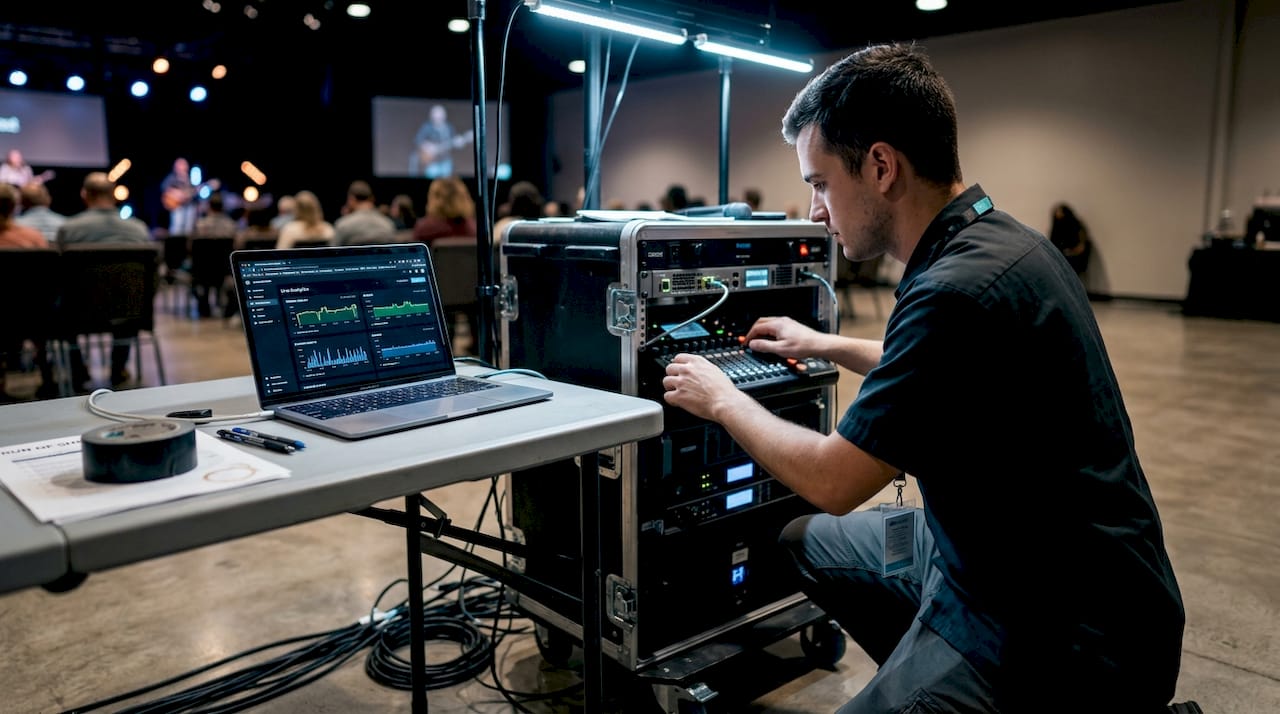
The core live video workflow follows a clear sequence: Capture (camera and microphone) → Encode/Transcode (multiple bitrates) → Ingest (via RTMP, SRT, or WebRTC protocols) → CDN distribution → HTML5 player playback. Each step is a handoff, and a failure at any point affects the viewer experience. Understanding this chain helps you ask the right questions when evaluating vendors or planning your own production.
Here is how each component functions in a corporate context:
- Capture: Professional cameras and microphones record the event in high definition. Multi-camera setups allow for dynamic coverage, switching between speakers, slides, and audience shots.
- Encode/Transcode: An encoder (hardware or software) compresses the raw video into a streamable format. Transcoding creates multiple quality versions so viewers on slower connections still get a watchable stream.
- Ingest: The encoded stream is pushed to a streaming server using a protocol such as RTMP (Real-Time Messaging Protocol) or SRT (Secure Reliable Transport).
- CDN distribution: A CDN (content delivery network) replicates your stream across servers worldwide, reducing latency for viewers in different regions.
- Player playback: Viewers watch through an HTML5 player embedded on your event page, app, or platform.
Protocol selection matters more than most planners realize. Latency varies significantly by protocol: WebRTC delivers under one second, LL-HLS runs two to five seconds, HLS runs eight to thirty seconds, and SRT falls between two and ten seconds. For a live Q&A where audience interaction matters, WebRTC is the right choice. For a broadcast-style keynote, HLS works fine.
Pro Tip: Match your protocol to your use case. If your event includes live polling or real-time Q&A, prioritize low-latency options like WebRTC. If you are broadcasting a one-way keynote to thousands, HLS offers better stability at scale.
When you set up streaming for a large corporate event, redundancy at every layer is non-negotiable. Dual internet connections, backup encoders, and a tested failover plan protect your broadcast from a single point of failure. The event streaming solutions that work best at scale are built around this principle from day one.
Benefits and challenges of live streaming corporate events
With a clear understanding of the tech backbone, it is critical to evaluate what live streaming can actually deliver and where it requires extra planning.
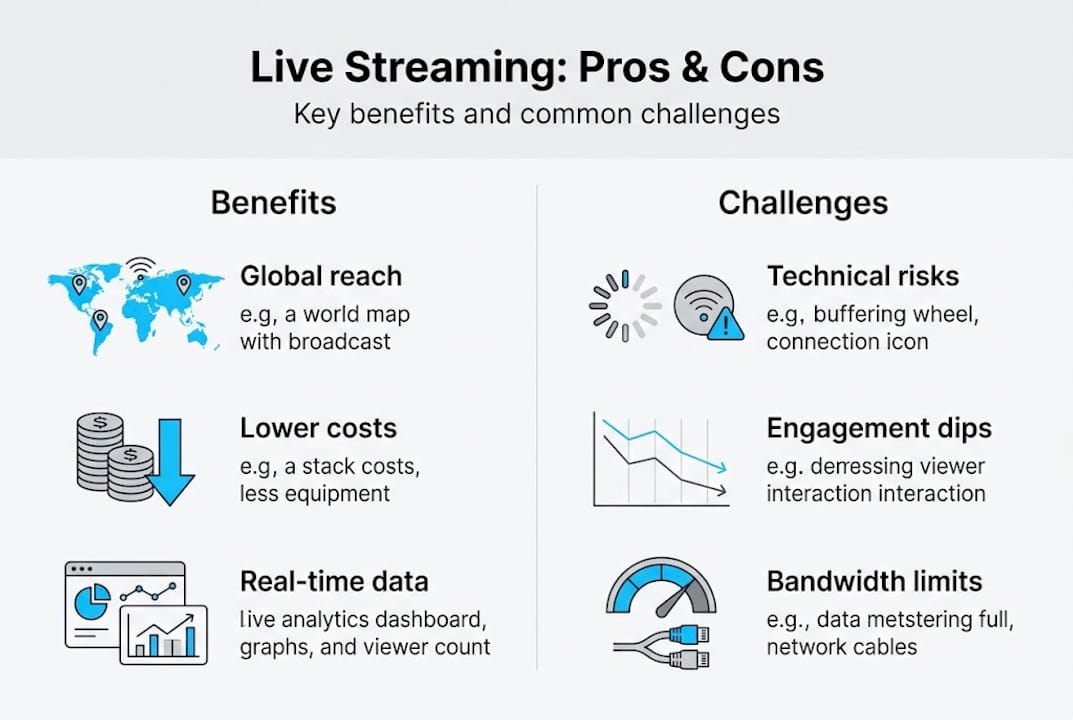
On the benefits side, the case is strong. Streaming expands reach, provides global access, lowers cost, and generates rich data, while also reducing your event’s carbon footprint compared to flying in hundreds of attendees. For marketing managers focused on ROI, the analytics layer alone justifies the investment. You can track viewer drop-off, session replays, engagement with polls, and click-through rates on CTAs embedded in the stream.
Key benefits at a glance:
- Expanded audience reach without venue capacity limits
- Lower per-attendee cost for remote participants
- Real-time data and analytics on viewer behavior
- On-demand replay extends content value beyond the live date
- Brand visibility through shareable, recordable content
- Eco-friendly reduction in travel-related emissions
The challenges are real, though. Networking depth is genuinely harder to replicate virtually. Spontaneous hallway conversations, relationship-building over lunch, and the energy of a shared room are difficult to reproduce through a screen. Audience fatigue is another factor. Back-to-back virtual sessions without intentional breaks lead to drop-off.
“Virtual events offer unmatched scalability and data richness, but the absence of in-person immersion means planners must work harder to create meaningful moments of connection.”
Technical risks deserve honest attention. A buffering stream during a CEO keynote damages credibility in ways that take time to repair. Following live streaming best practices means treating technical reliability as a non-negotiable, not an afterthought.
Pro Tip: Build engagement breaks into your virtual agenda every 45 to 60 minutes. Use polls, live Q&A, or breakout rooms to reset attention and give remote attendees a reason to stay. The corporate live stream benefits multiply when your audience stays engaged from start to finish.
Best practices for successful corporate live event streaming
Knowing the rewards and requirements, here are the proven steps and expert practices for making your corporate event stream a success.
Multiple cameras, clean audio, redundant internet, tech rehearsals, audience engagement tools, and recording for repurposing are the foundation of any successful corporate stream. These are not optional extras. They are the baseline.
- Conduct a full technical rehearsal at least 48 hours before the event. Test every camera angle, audio source, and internet connection under realistic load conditions.
- Invest in professional audio. Viewers tolerate average video quality far better than poor audio. A lavalier microphone on each speaker is a minimum standard.
- Use redundant internet connections. A primary fiber connection plus a bonded cellular backup protects against outages at the venue level.
- Integrate engagement tools. Live polls, chat moderation, and Q&A panels keep remote audiences active, not passive. These tools also generate data you can use post-event.
- Record and repurpose. Every live stream should produce a high-quality recording. Clip it into short-form content, embed it in follow-up emails, and gate it for lead generation.
- Monitor analytics in real time. Track concurrent viewers and drop-off points during the event so your team can adjust pacing or troubleshoot issues immediately.
Prioritizing low-latency protocols, analytics for ROI, and hybrid formats is the strategic layer that separates average streams from high-performing ones. Hybrid events, which combine in-person and virtual attendance, consistently outperform purely virtual formats in engagement metrics.
For event streaming pro tips specific to large-scale productions, the details that matter most are often invisible to the audience: a dedicated stream engineer monitoring the feed, a backup laptop ready to take over encoding, and a moderator managing the chat so speakers are not distracted.
Pro Tip: Treat your post-event content strategy as part of the streaming plan, not an afterthought. The recording, clips, and analytics from your stream are assets that drive corporate streaming engagement long after the event ends.
Our perspective: What most corporate planners overlook in live event streaming
After more than two decades of producing corporate live streams, we have seen a consistent pattern. Organizations invest heavily in the event itself, the venue, the speakers, the agenda, and then treat the streaming component as a last-minute technical checkbox. That is where value gets left on the table.
The biggest ROI from live streaming does not come from the broadcast itself. It comes from what happens after. Analytics integration is critical for pipeline and lead gen ROI, and most planners never connect their streaming data to their CRM or marketing automation platform. That connection is where live events become revenue-generating assets.
We also see organizations underestimate scale. A stream that works perfectly for 200 viewers can buckle under 2,000 without the right CDN infrastructure. Skipping rehearsals and ignoring audience interaction design are the two most common mistakes we encounter.
Our advice: treat every stream as a multi-channel content asset, not a one-time broadcast. The live moment is just the beginning.
Elevate your next event with expert live streaming solutions
If you are ready to maximize the impact of your next event, here is how Bonomotion can help. We have spent over 20 years producing high-stakes corporate events, from executive town halls to multi-day international conferences, and we bring that experience to every live stream we produce.
Our videography production services are built around your specific objectives, audience, and timeline. Whether you need end-to-end corporate live streaming solutions or want to integrate streaming into a broader corporate video services strategy, our producers work as a true extension of your team. Let’s build something that performs well beyond the live date.
Frequently asked questions
What equipment is necessary for high-quality live event streaming?
Live event streaming requires cameras, encoders, and internet for distribution, along with professional microphones and streaming software or platforms to manage the broadcast end to end.
How can hybrid events benefit from live streaming?
Hybrid events maximize reach while retaining the energy of a live audience, allowing organizations to serve both in-person and remote attendees simultaneously and capture richer engagement data from both groups.
How do you ensure reliable internet for live streaming?
Redundant internet connections at 10 to 50 Mbps upload speed, combined with full technical rehearsals and a tested backup plan, are the standard for reliable corporate live streams.
What types of events are best suited for live streaming?
Product launches, webinars, and conferences are prime candidates, along with company announcements, internal training sessions, and executive town halls that need to reach distributed teams or large audiences.