

A sound AI video production workflow keeps the same backbone as any professional shoot: brief, planning, creation, review, finishing and delivery. AI speeds up the repetitive technical work inside those stages. People still own the story, the brand and the final sign-off. If you run marketing, events or communications in South Florida, the goal is not to hand your video to a tool. The goal is a repeatable process that gets better footage and cleaner edits to your audience faster, without losing the trust your brand has built.
This guide walks through each stage, shows where AI earns its place, and flags the checks that keep a polished-looking video from becoming a costly mistake.
TL;DR
- Start with a written brief: audience, objective, deliverables, references, constraints and who approves what.
- Use AI for organizing footage, rough cuts, audio cleanup, subtitles, reformatting and draft outlines. Keep humans on story, pacing, emotion and brand voice.
- Run separate review gates for concept, continuity and final finish, instead of one big meeting at the end.
- Keep a log of prompts, versions and approvals so every AI-assisted asset can be explained and reproduced.
- For flagship corporate, event and commercial work, pair AI-assisted post-production with a producer-led crew.
Table of Contents
- The workflow at a glance
- Stage 1: Write a brief the whole team can use
- Stage 2: Script, storyboard and visual references
- Stage 3: Generation and capture, and who directs what
- Stage 4: Build separate review gates
- Stage 5: Finishing, accessibility and delivery
- Rights, consent and disclosure: what U.S. teams should check
- How AI fits different South Florida projects
- Our perspective
- Put this workflow to work with Bonomotion
- FAQ
The workflow at a glance
Most teams that do this well move through the same eight steps. The names vary from shop to shop, but the order rarely does.
| Stage | What happens | Where AI helps | Who decides |
|---|---|---|---|
| 1. Brief | Audience, goal, deliverables, constraints | Summarizing research and past results | Marketing lead and producer |
| 2. Script and planning | Outline, script, shot list, storyboard | Draft outlines, alternate headlines, reference boards | Producer and writer |
| 3. Production or generation | Camera crew, studio, or AI-generated elements | Generated b-roll, backgrounds, concept visuals | Director |
| 4. Concept review | Does the idea match the brief? | Prepping comparison versions | Client and producer |
| 5. Edit | Assembly, pacing, story | Transcripts, rough cuts, footage tagging | Editor |
| 6. Continuity and finish review | Visual artifacts, audio, color, captions | Noise reduction, subtitle drafts | Editor and producer |
| 7. Rights and compliance | Music, likenesses, disclosures | Flagging items to check | Client and counsel |
| 8. Delivery | Platform versions, archive, logs | Reformatting for each channel | Producer |
Notice that AI never holds the final decision column. That is deliberate, and it is the thread running through the rest of this article.
Stage 1: Write a brief the whole team can use
Every AI workflow that goes wrong tends to go wrong here. A vague brief produces vague output at machine speed, which means you burn through rounds of revisions quickly and still end up in the wrong place.
A useful brief answers six questions:
- Audience: Who is watching, and where? A buyer on LinkedIn needs a different video than a conference attendee scanning an email.
- Objective: What should the viewer do or believe after watching?
- Deliverables: A hero film, cutdowns, vertical versions, captions, still photos?
- References: Two or three videos you admire, and one or two you want to avoid resembling.
- Constraints: Budget band, deadline, brand guidelines, legal limits, locations.
- Approval path: Who signs off at each gate, and how fast they respond.
If you have never written one, our guide on how to brief a video agency for corporate and event success gives you a template to start from. The same document feeds every AI tool later, because the clearer your inputs, the less cleanup you do on the outputs.
Stage 2: Script, storyboard and visual references
This is where AI is most immediately useful for business and event video. Give an assistant your brief, your brand voice notes and any supporting documents, and it can produce a first-pass outline, alternative openings, and a rough scene-by-scene structure in minutes. Some office suites now include video planning tools that generate an outline, scene text and a suggested voiceover from a prompt and your source documents, which you then edit scene by scene.
Treat that output as a first draft from a junior writer: fast, often serviceable, rarely distinctive. Your producer and writer should then:
- Cut anything that sounds like every other company in your category.
- Replace generic claims with specifics: a real customer result, a real location, a real number you can support.
- Check that the script can be filmed or generated within your budget and schedule.
- Build the shot list around what you can actually capture in South Florida: the Brickell skyline, a Coral Gables office, a marina in Fort Lauderdale, a ballroom in Palm Beach.
For visual references, image generators and reference-board tools can help the team agree on look and mood before anyone picks up a camera. This saves real money on alignment, since the cheapest time to change a color palette or lighting style is before the shoot. Once you are ready to lock the plan, a clear video production schedule template keeps the dates and handoffs visible to everyone.
Stage 3: Generation and capture, and who directs what
There are two ways AI shows up at this stage. The first is generated material: backgrounds, concept visuals, animated elements, supplementary b-roll. The second is AI-assisted capture and organization of real footage, such as automatic transcripts, tagging and rough assembly.
A simple rule works well for deciding what to delegate.
Good candidates for AI:
- Organizing and tagging hours of footage
- Rough cuts from transcripts
- Audio cleanup and noise reduction
- Subtitle and caption drafts
- Reformatting a master into square, vertical and widescreen versions
- Draft revisions based on consolidated reviewer comments
Keep with humans:
- The story and what the video is really about
- Pacing and emotional beats
- Cultural context, which matters in a bilingual, international market like Miami
- Real people on camera: executives, customers, speakers
- The final approval
That last list is also why testimonial and interview content is a poor fit for full automation. A real customer speaking about a real result is the thing viewers believe. Our interview and testimonial video production is built around that authenticity, with AI tools used behind the scenes to speed editing rather than to replace the person.
When you do use generated material, prompt like a director. Specify subject, setting, lens feel, lighting, movement and mood, and keep a consistent description of recurring characters or products so that shots cut together. Generate several options per shot and expect to discard most of them.
Stage 4: Build separate review gates
The most common process failure we see is a single end-of-project review where someone is asked to judge concept, continuity and polish in one sitting. Problems with structure and technical defects slip through because nobody is looking for them specifically.
Split the review into three distinct gates, each with its own question and its own owner:
- Concept gate: Does this match the brief, the audience and the brand? Approve before heavy generation or editing begins.
- Continuity gate: Do the shots hold together? Check faces, hands, text on screen, product details, lighting and wardrobe from one shot to the next. Generated clips are most likely to show visual glitches here.
- Finish gate: Captions, audio levels, color, music rights, resolution and platform specs.
Give reviewers a deadline and a single place to leave comments. Consolidating feedback matters because conflicting notes from five people are the quiet cause of most schedule slips. AI can help here too, by summarizing comment threads and proposing a revised cut, but a human editor decides which notes to follow.
For a deeper look at keeping a project on track, see our piece on how to manage a video project like a pro.
Stage 5: Finishing, accessibility and delivery
AI-assisted editing is where the time savings are easiest to measure. Transcript-based editing, automatic silence trimming and subtitle drafts can take hours of manual work off a project. The finishing pass is still a human job, and it should cover:
- Captions: Read every line against the audio. Names of people, companies and Miami neighborhoods are where automatic captions most often stumble.
- Factual accuracy: Every statistic, title and claim on screen is verified against your source.
- Audio: Dialogue clarity, music balance, consistent loudness across the cutdowns.
- Color and look: Generated and filmed material should feel like the same world.
- Technical delivery: Aspect ratios, file sizes and codecs for each channel, whether that is your website, a trade show screen, a social feed or a live broadcast.
Then archive properly. Keep the master, the project files, the caption files and your logs together, named consistently, so that next quarter’s update takes an afternoon instead of a week.
Keep a provenance log
For every AI-assisted asset, record the tool used, the prompt or settings, the date, the person who approved it and where it appears in the final cut. It takes minutes per asset. It protects you if a client, a platform or a lawyer asks where something came from, and it makes brand consistency far easier to maintain across campaigns.
Rights, consent and disclosure: what U.S. teams should check
This is the part of an AI workflow that deserves a conversation with your attorney, not a shortcut. The legal picture for AI-generated media in the United States is still developing, so build checks into your process rather than assuming the rules are settled.
- Ownership and licensing: Read the terms of every tool you use for commercial rights to its output. Confirm that music, stock elements and any reference material are licensed for your intended use.
- Likeness and consent: Never generate or alter the face or voice of a real person, whether an executive, a talent or a customer, without written permission that covers AI use. Get releases from everyone who appears on camera.
- Disclosure: If your video features paid endorsements, sponsorships or other material connections, the audience needs a clear and prominent disclosure. The Federal Trade Commission expects that for advertising generally, and on video it should be visible long enough to be read.
- Platform rules: Some platforms ask creators to label realistic AI-generated content. Check the current rules for each channel before you publish.
- Accuracy: A generated visual that implies something untrue about your product, facility or results is a brand risk even when it looks beautiful.
Add a rights and compliance line to your finish gate so it is never skipped on a tight deadline.
How AI fits different South Florida projects
Not every project calls for the same mix. Here is how we think about it by type.
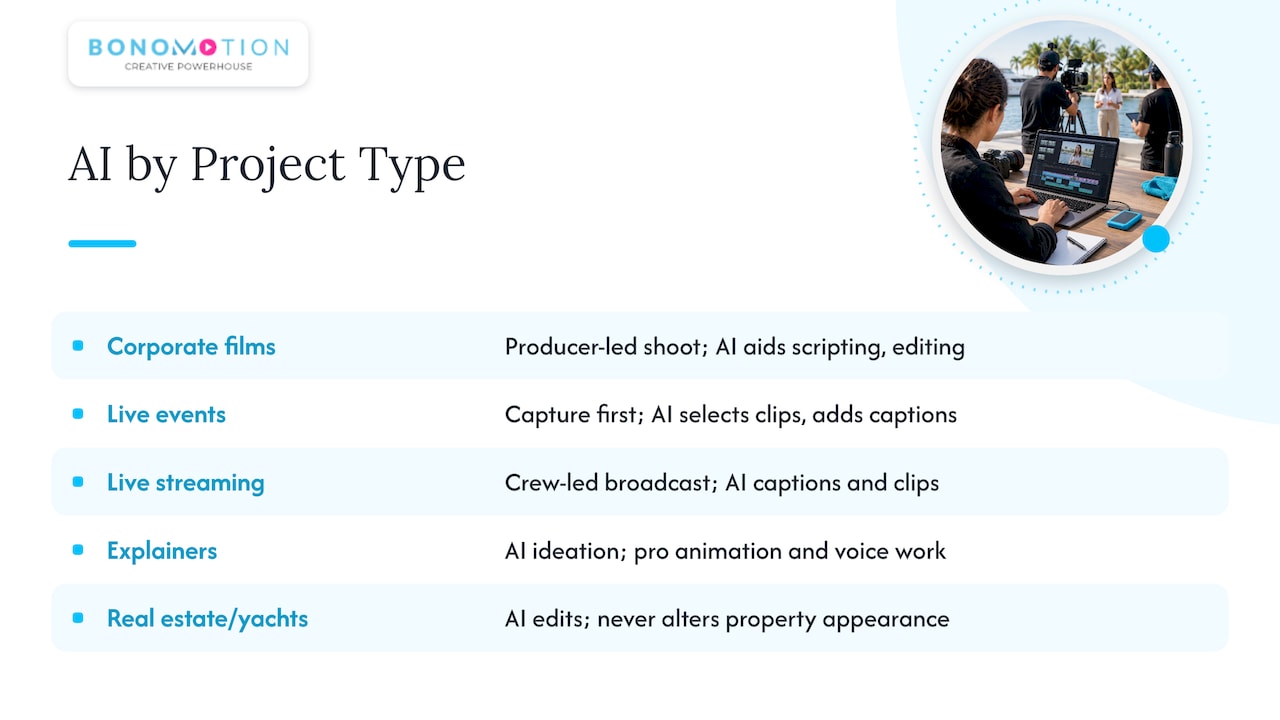
Corporate and commercial films. These carry your brand’s reputation, so real locations, real people and a producer-led shoot remain the foundation. AI supports scripting, editing speed and versioning. Explore our corporate video production and commercial video production services for how that plays out.
Event videography and photography. A live event happens once. You cannot generate a keynote or a gala after the fact, so capture comes first. AI then helps with fast turnarounds: transcripts, highlight selection, captioned social clips for the next morning. See our event videography and photography service and our guide for South Florida planners.
Live streaming. The workflow shifts to rehearsal, redundancy and real-time production. AI can assist with captions and post-event clips, but the broadcast itself depends on an experienced crew. Learn more about our live streaming services.
Explainer and animation. Concept art, storyboards and variations are a natural fit for AI-assisted ideation, followed by professional animation and voice work. Our explainer video production team handles that blend.
Real estate and yacht marketing. The product is a real property or vessel, and buyers expect to see it accurately. AI is best kept to editing, color consistency and reformatting, never to altering what the property looks like.
If you want to see how we approach automation across these formats, read our pieces on AI-assisted video production and AI-powered video production.
Our perspective
We have been producing video in South Florida since 2003, and the pattern has held through every technology shift: the tools change, but audiences still respond to clarity, credibility and craft.
AI is the most significant production tool to arrive in years, and we use it where it makes your project better: faster transcripts, smarter organization, quicker versions, sharper drafts. Those gains give your team more time and budget for what viewers actually remember, which is the story, the people and the polish.
That is why every project we take on is guided by an experienced producer who works as an extension of your team. The producer translates your objectives into a plan, decides where AI helps and where a camera crew is the right answer, and carries the work through every review gate to delivery. Our Motionize service brings AI-powered video into that same producer-led process, so you get speed without giving up control of your brand.
The brands that win with AI video will not be the ones that generate the most. They will be the ones with a clear brief, a disciplined review process and a partner who knows when to put a real camera in front of a real person.
Bernard Bonomo
Put this workflow to work with Bonomotion
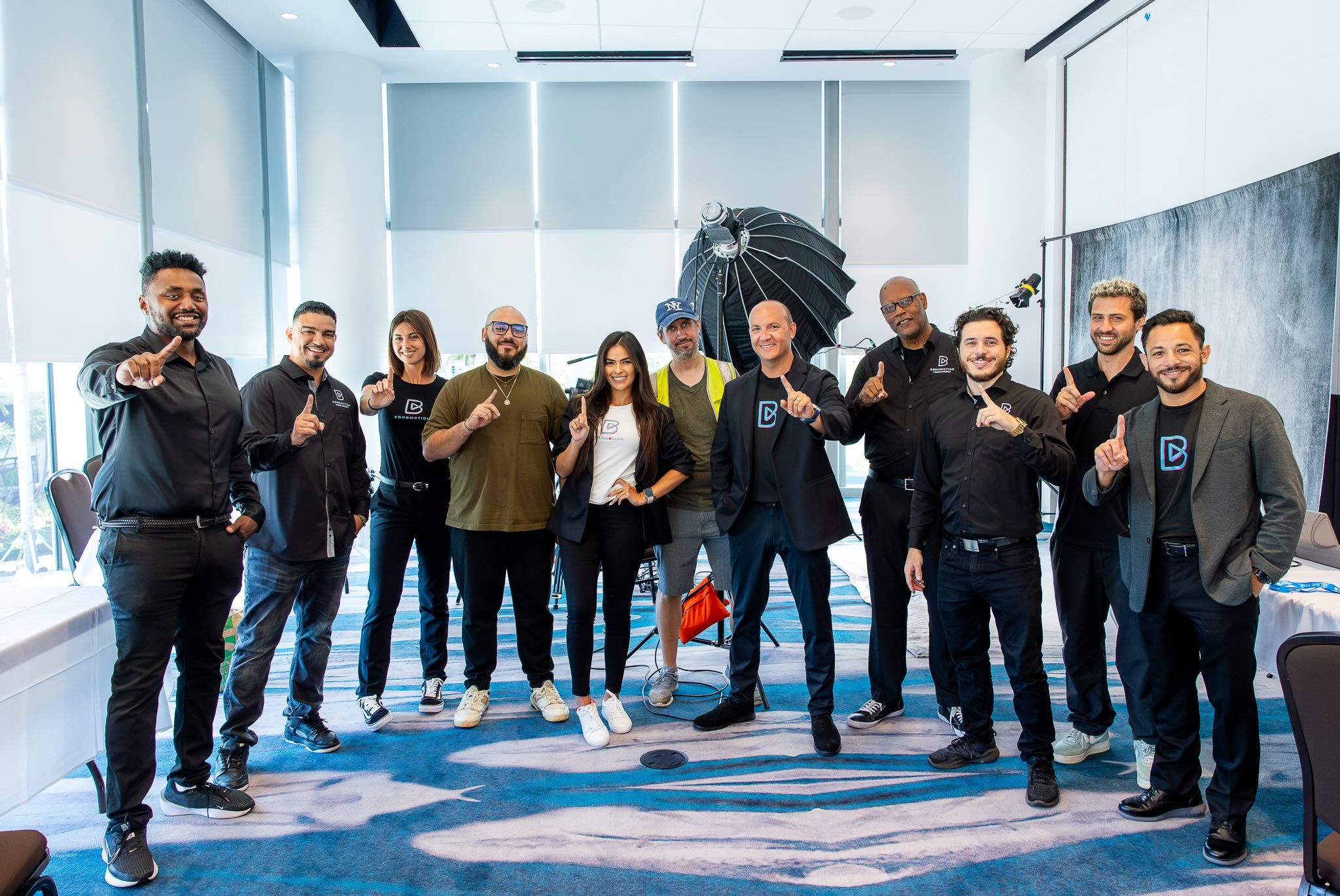
Whether you need a corporate film, event coverage, a livestream or an AI-powered video, we pair a dedicated producer with a crew and a nationwide creator network, based in Miami and serving Fort Lauderdale, Coral Gables, Palm Beach and beyond. Tell us your audience, goal and timeline, and we will propose the right mix of capture, craft and automation for your project. Explore all of our video production services or talk to a producer through Bonomotion.
If you also need a space to shoot, our studio and camera and equipment rentals are available for businesses and event organizers.
FAQ
What is the first step in an AI video production workflow?
The first step is a written brief covering your audience, objective, deliverables, references, constraints and approval path. Every AI tool downstream works better when it starts from clear inputs. A strong brief also prevents the expensive revision loops that come from fast but unfocused generation.
Which parts of video production should I use AI for?
AI works well for repetitive technical tasks: footage organization, transcripts, rough cuts, audio cleanup, subtitle drafts and reformatting for different platforms. Keep people in charge of story, pacing, emotional tone, cultural context and final approval. That split gives you speed without losing the qualities that make a video persuasive.
Can AI replace a video crew for corporate or event videos?
For most business projects, no. Real executives, customers, venues and live events need to be captured by a crew, and viewers respond to authenticity. AI is most valuable around the shoot, in planning, editing and versioning, which is how we use it on our own productions.
What should I check before publishing AI-assisted video in the U.S.?
Confirm commercial usage rights for every tool and asset, get written consent for any real person’s face or voice, and make sure any sponsorship or paid relationship is clearly disclosed on screen. Also review each platform’s current labeling rules for AI-generated content. Have your attorney review anything involving likeness or endorsements.
How long does an AI-assisted video project take?
Timelines depend on scope, number of deliverables and how quickly your team approves each gate. AI can shorten editing and versioning, but filming, reviews and approvals still set the pace. Share your deadline with a producer early so the schedule can be built around it.