
The ADA does not hand businesses a caption checklist, but it does require you to communicate effectively with people who are deaf or hard of hearing, and for video that means accurate, synchronized captions that identify speakers. The cheapest way to get there is to plan for captions before the camera rolls, because clean audio, steady pacing and well-placed graphics make every later caption easier to produce and easier to read. That is how we approach corporate, event and live video for South Florida clients.
TL;DR
- The U.S. Department of Justice (DOJ) says businesses open to the public must provide communication aids, including captions, when needed to communicate effectively online. Its guidance recommends captions that are synchronized, accurate and identify speakers.
- No federal rule sets a numeric accuracy score for private businesses. Industry practice and accessibility guidance point to 99% accuracy and the Web Content Accessibility Guidelines (WCAG) as the benchmark.
- Raw auto-captions are a starting draft. Section508.gov states they must be edited before they meet the minimum standard for pre-recorded video.
- Live events need a separate plan: live captioning for the stream, and a corrected, captioned recording afterward.
- Video that is shot with captions in mind costs less to caption and reads better on screen.
Table of Contents
- What ADA captions for video actually mean
- Which rules apply to which organization
- What a good caption looks like
- Why auto-captions are not enough
- Closed captions or open captions
- Events and livestreams: the part most plans miss
- Shoot for captions: a production checklist
- Before you publish: a five-minute review
- Work with a producer who plans the whole video
- Our perspective
- FAQ
What ADA captions for video actually mean
Captions are text that shows the audio portion of a video so a viewer who cannot hear it can follow the dialogue and the action at the same time. The National Institute on Deafness and Other Communication Disorders explains that captions also tell the viewer who is speaking and describe sound effects that matter to the story. Captions also help people watching without sound, such as a prospect scrolling at the office or a guest in a noisy venue.
The Americans with Disabilities Act (ADA) is the federal civil rights law that bars discrimination based on disability. Its web guidance, published by the DOJ in March 2022, says the law’s requirements apply to the goods, services and activities a business offers online. It recommends that videos have captions that are synchronized with the audio, accurate, and identify who is speaking.
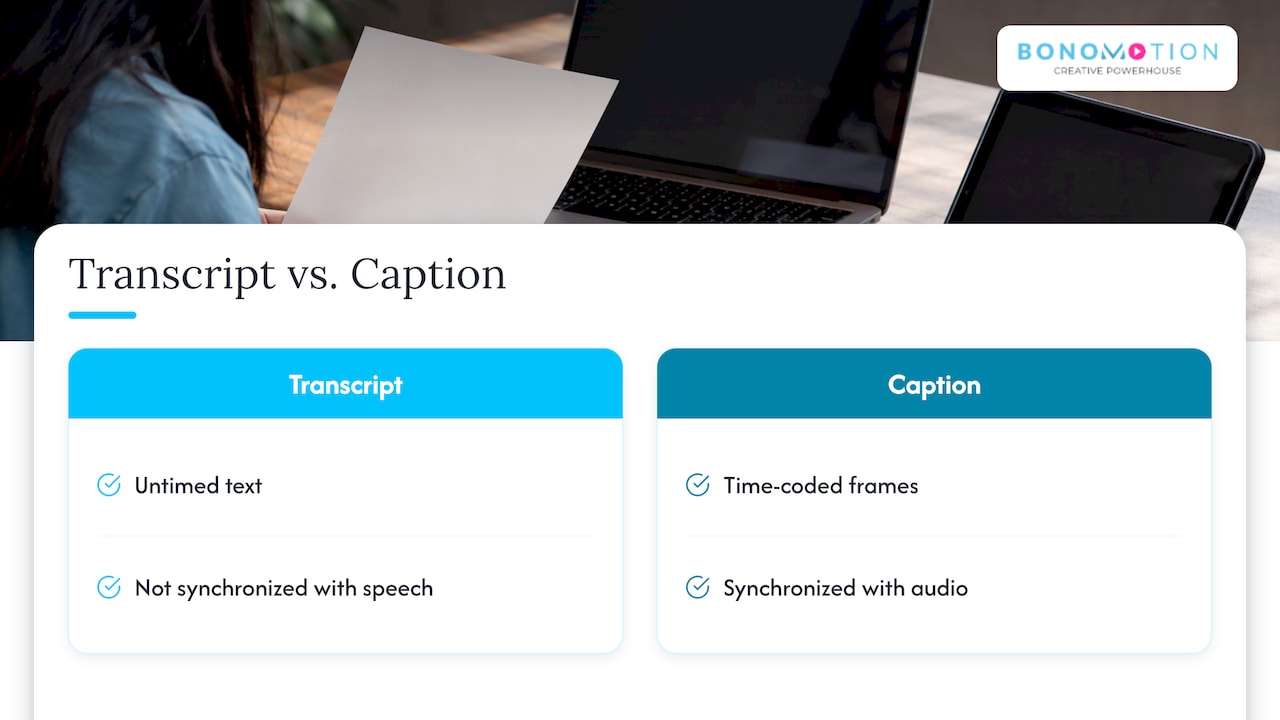
Two points matter for planning. First, “ADA captions” is shorthand. There is no single federal caption standard called by that name, so the practical test is whether a deaf or hard-of-hearing viewer gets the same information as everyone else. Second, a transcript is not a caption. A transcript is untimed text. A caption is that text divided into time-coded frames that appear in step with the speech.
Which rules apply to which organization
Four sets of rules get mixed together. Knowing which one touches you saves a lot of money and worry.
ADA Title III: private businesses and event companies
Title III covers businesses open to the public: hotels, restaurants, retailers, medical offices, venues, event producers and many others. The DOJ has not issued a regulation with detailed web standards for these businesses. Instead, it says they have flexibility in how they comply, and it points to WCAG and Section 508 as helpful benchmarks. Courts have also treated websites and apps as covered by the ADA, which is why accessibility demands and settlements often cite WCAG.
For a marketing team, the safe reading is simple: if a video explains your services, promotes your event or carries information a customer needs, caption it accurately.
ADA Title II: state and local governments
In April 2024 the DOJ published a final rule making WCAG 2.1 Level AA the standard for state and local government websites and mobile apps. Compliance dates fall in 2027 and 2028 depending on the size of the government. If you produce video for a city, county, public school or public university in Florida, this rule is the one that reaches you, and captions for prerecorded and live video are part of WCAG 2.1 AA. Some content, such as archived material and social media posts, has exceptions, so confirm the details with the agency’s accessibility coordinator.
A common mix-up is applying this government rule to private companies. It does not set a deadline for Title III businesses.
Section 508: federal agencies and contractors
Section 508 of the Rehabilitation Act covers federal information and communication technology and the deliverables of federal contracts. It builds on WCAG 2.0 Level AA and adds a requirement for user controls so viewers can turn captions on and off. If your video is a deliverable for a federal agency, your contract may cite it. Section508.gov also publishes plain-language guidance on captions that is worth reading even if your project is not federal.
FCC rules: video that first aired on television
The Federal Communications Commission (FCC) requires internet versions of programming that was shown on U.S. television with captions to carry captions of at least the same quality. Its quality standards are accuracy, synchronicity, completeness and placement. A corporate video made for your own site or social channels does not fall under this rule, but the four standards are a useful definition of a good caption file.
Quick reference
| Your situation | Rule most likely to apply | What to plan |
|---|---|---|
| Company website or product video | ADA Title III, WCAG as benchmark | Accurate, synchronized, speaker-identified captions |
| Event livestream for a public audience | ADA Title III, WCAG live caption criterion | Live captioning plus a corrected recording |
| Video for a city, county or public school | ADA Title II, WCAG 2.1 AA | Captions and audio description for prerecorded video |
| Deliverable under a federal contract | Section 508 | Captions plus player controls to toggle them |
| Clip from captioned TV programming posted online | FCC internet captioning rules | Captions at least as good as the TV version |
What a good caption looks like
Section508.gov gives the clearest practical description. Captions should be synchronized with the audio, include all dialogue (verbatim or in essence) and important sounds, use correct spelling, grammar and punctuation, and stay on screen long enough to read. For display, it recommends no more than two lines of about 45 characters each, centered in the lower third of the frame unless that would cover something important.
Turn that into a checklist for your next project:
- Accuracy. Names of speakers, companies, streets and products are spelled correctly. Industry guidance cited by university accessibility offices sets the quality bar at 99% accuracy.
- Synchronization. Each caption appears when the words are spoken, not a beat before or after.
- Completeness. Captions run from the first second to the last, including the intro music and the closing remarks.
- Placement. Captions never cover a speaker’s lower-third name graphic, a logo, a price or a phone number.
- Speaker identification. When the speaker is off camera or several people talk, the caption says who is speaking.
- Non-speech sound. Applause, a ringing phone or music that sets the mood is described when it matters to understanding.
- Readability. A plain sans-serif font, white text on a dark background, no flashing or scrolling, and enough time to read each line.
Speech faster than about 180 words per minute can be too quick for captions to keep up, according to Section508.gov. That is a production issue, not just a captioning issue, and it is one of the first things a producer can control on set.
Why auto-captions are not enough
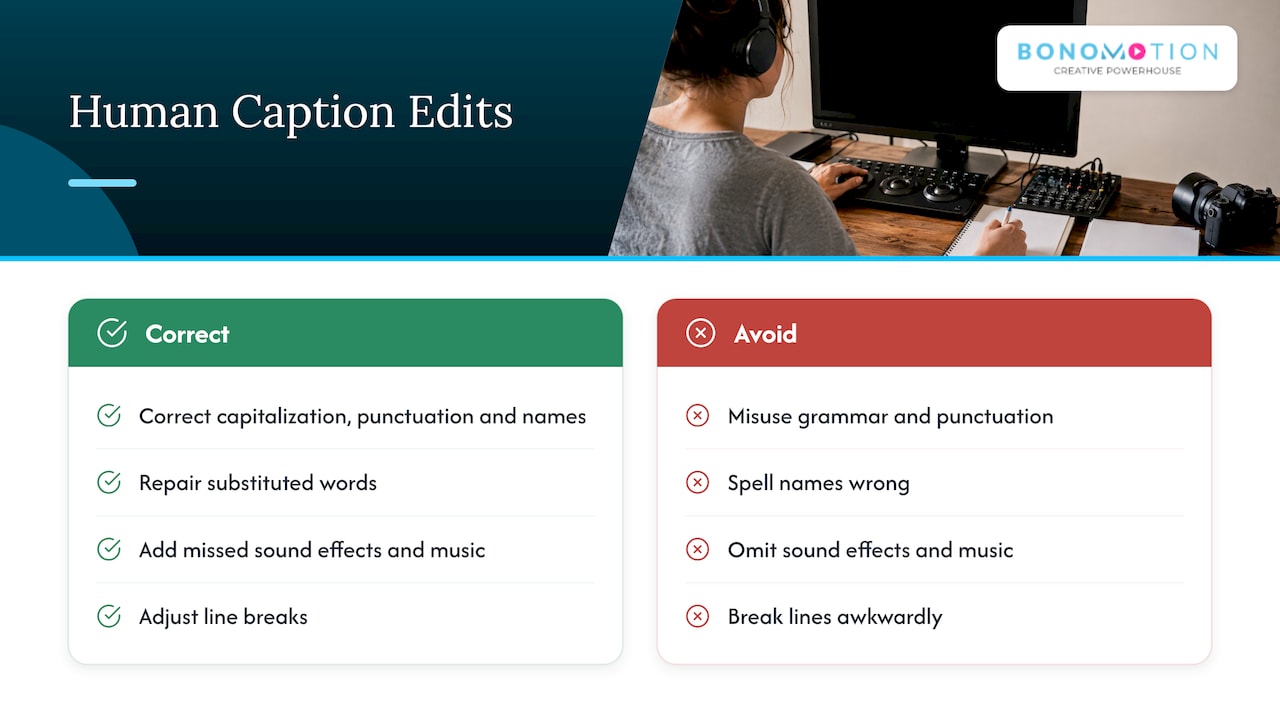
Automatic speech recognition has improved, and it is a useful first pass. But Section508.gov states that current auto-captioning does not meet the minimum standard for pre-recorded media. It tends to misuse grammar and punctuation, spell names wrong and break lines awkwardly. The fix is a human edit: correct capitalization, punctuation and names, repair substituted words, add missed sound effects and music, and adjust line breaks.
South Florida makes this especially visible. Auto-captions routinely stumble on Spanish names, Spanish phrases dropped into English speech, street names such as Brickell or Ponce de Leon, and company jargon. A bilingual panel at a Miami conference is exactly where an unedited caption file turns a clear message into a confusing one. Build a short glossary of names, brands and terms for your editor before you start.
For important live events, university accessibility offices recommend human live captioning, often called CART (communication access real-time translation), over automated captions, because accuracy matters most when there is no chance to correct afterward.
Closed captions or open captions
Closed captions are a separate text track the viewer can switch on or off. Open captions are burned into the picture and always visible. Both count as captions under WCAG, but they behave differently:
- Closed captions let viewers resize text, turn captions off, and let search tools and assistive technology read the text. Use them wherever the platform accepts a caption file, which includes YouTube, Vimeo and most corporate video players and learning systems (usually as SRT or VTT files).
- Open captions are the right answer where the platform has no caption track. University accessibility guidance notes that Instagram posts, Reels and Stories and TikTok only work with burned-in captions, while platforms such as YouTube and LinkedIn Video accept caption files.
The practical rule: deliver a closed caption file for your website and long-form channels, and a burned-in version for the social formats that need it. That is two outputs from one edit, which is another reason to decide on captions before the edit starts, so on-screen graphics leave room for them in every aspect ratio.
Social video is also moving toward explicit requirements. One university accessibility office notes that from April 2027 its social videos must carry accurate captions, a sign that institutions are tightening expectations. Whether or not a rule binds your company, muted autoplay makes captions worth having on every clip.
Events and livestreams: the part most plans miss
Event planners face two separate captioning jobs, and they are priced differently.
Live captioning serves attendees and online viewers in real time. University guidance suggests making it the default for large public events, and for smaller ones, publishing a notice that tells attendees how to request captioning and how to get an accessible recording afterward. Live captioning costs more than captioning a finished video, so one university accessibility office advises asking whether an event needs to stream live at all, and reserving live streaming for sessions with an interactive element.
Post-event captioning serves everyone who watches the recording: sponsors, members who missed the day, prospects. It is where a corrected caption file, speaker names and a transcript are all produced calmly, without a clock running.
A workable plan for a conference or corporate event in Miami, Fort Lauderdale or Palm Beach:
- Decide at the planning stage which sessions stream live and which are recorded only.
- Put an access notice on the registration page explaining how to request captioning or other accommodations.
- Arrange live captioning for the sessions that stream, and tell the production team so the caption feed has a place in the stream layout.
- Record clean audio from each speaker, ideally with separate microphones, so the post-event caption file can identify who said what.
- Publish the recording with an edited caption file, and a transcript where useful.
Our live streaming services and event videography and photography are planned around the producer’s run of show, which is the document that decides where captions, graphics and speaker names go. For a deeper look at the streaming side, see our live event streaming guide.
Shoot for captions: a production checklist
Most caption problems start in production. A producer who knows captions are coming can prevent them.
- Audio first. Close microphones and a quiet room give speech recognition and human captioners clean material. Poor audio is the biggest driver of caption errors and cost.
- Pace and overlap. Coach speakers to talk at a natural pace and avoid talking over each other. This matters in interviews and panels.
- Frame for text. Keep lower-thirds, logos and key visuals out of the area where captions will sit, and keep on-screen text in the top two-thirds of the frame as Section508.gov advises.
- Name list. Hand the editor a list of speakers, titles, brands and unusual terms.
- Describe what is only visual. If the video shows something important that nobody says aloud, such as a chart or a product demo, add it to the narration or provide a description alternative. Government videos under Title II and Section 508 projects may also need audio description for prerecorded video.
- Plan the formats. Decide up front which cuts need closed captions, which need open captions, and which aspect ratios you will publish.
This checklist applies to every format we produce, from corporate video production to interviews and testimonials and explainer videos. Testimonials are a good example: a customer with an accent or a soft voice needs a clean recording and a careful caption edit, and the finished video is only as persuasive as it is understandable.
Before you publish: a five-minute review
Watch the finished video once with the sound off and once with captions on a phone. Check that names are spelled right, that captions never block a graphic, that line breaks fall at natural pauses, and that the caption toggle works in the player you are using. Then check each platform where the video will live, because a caption file that works on your website may not carry over to a social app.
Work with a producer who plans the whole video
Captions are cheaper, faster and better when they are part of the production plan rather than a repair job. Every Bonomotion project is guided by an experienced producer who works with your team to understand your objectives, audience and timeline, and that conversation is the right place to raise your accessibility requirements: which videos need captions, which events stream live, and where the finished video will be published.
If you are planning a corporate video, an event or a livestream in South Florida, tell us what rules apply to you and where the video will run. See our full list of video services or contact Bonomotion to start a project.
Our perspective
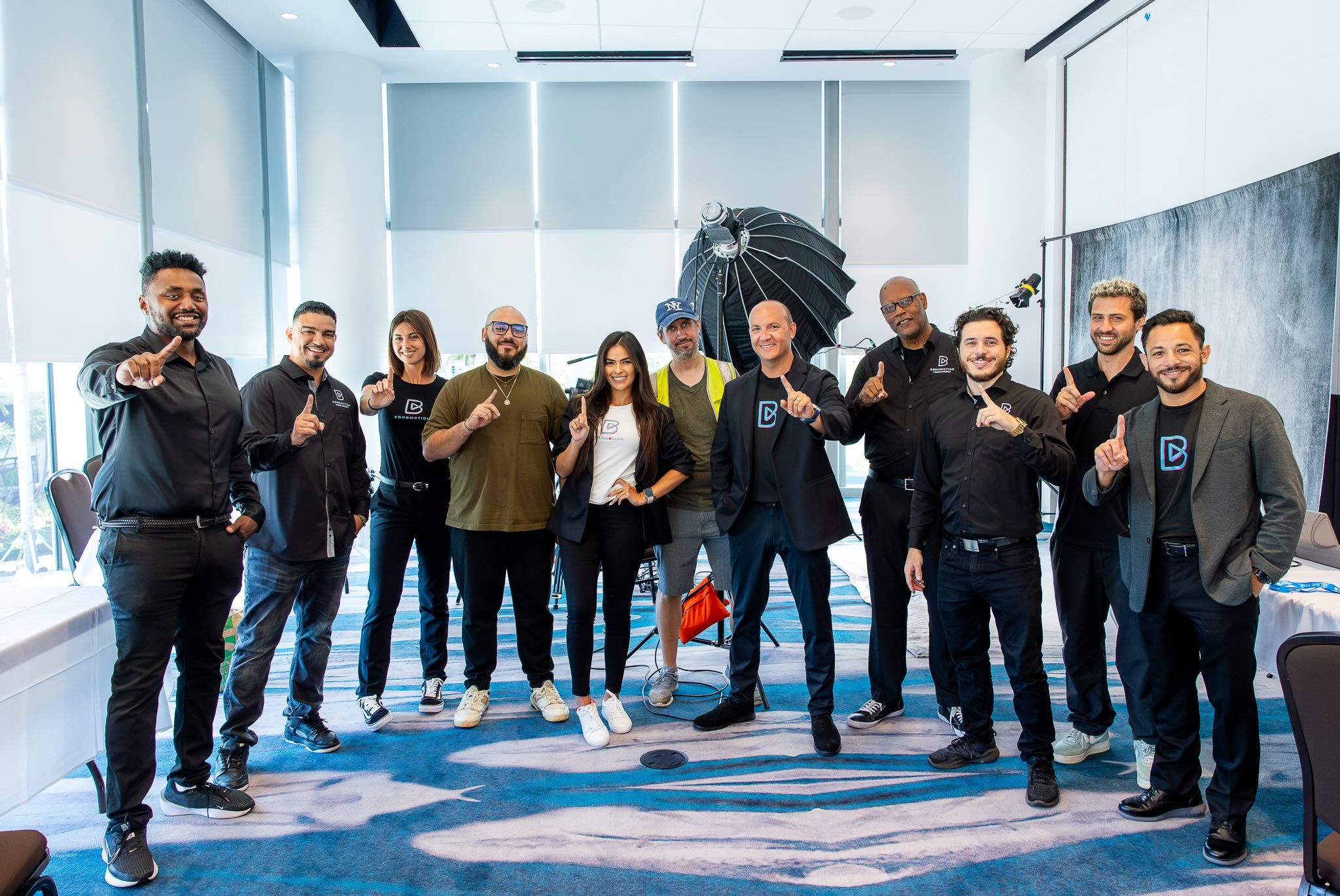
Twenty years of producing video in South Florida have taught us that accessibility is a production decision long before it is a legal one. The projects that go smoothly are the ones where the producer, the client’s marketing team and the event planner talk about the audience on day one: who is watching, on what device, with the sound on or off, and what they need to understand the message.
That is why we work as an extension of your organization, with a dedicated producer on every project. A producer who knows the video will be captioned shoots it differently: cleaner audio, a calmer pace, graphics that leave room for text, speaker names captured in the run of show. None of it is expensive on set. All of it is expensive to fix later.
Captions also make the video work harder. Viewers who watch muted, viewers in a second language and viewers who are deaf or hard of hearing all get the message. For a brand, that is more trust and more reach from the same investment.
Bernard Bonomo
FAQ
Does the ADA require captions on every business video?
The ADA requires effective communication with people who are deaf or hard of hearing, and the DOJ’s web guidance recommends accurate, synchronized captions that identify speakers. There is no regulation listing every video that needs captions, so the safest approach is to caption any video that carries information customers or attendees need. For specific legal questions about your company, ask an attorney who handles ADA matters.
Are YouTube auto-captions enough for ADA compliance?
Auto-captions are a draft, not a finished product. Section508.gov states that current auto-captioning does not meet the minimum standard for pre-recorded media and must be edited for grammar, punctuation, names, missed sounds and line breaks. Review and correct the file before you rely on it.
Do I need captions for a livestreamed event?
Live captioning is recommended for streams aimed at a public audience, and WCAG calls for captions on live audio content at Level AA. Many organizers pair live captioning for the stream with a corrected, captioned recording published afterward. Include an access notice on your registration page so attendees know how to request accommodations.
What is the difference between captions, subtitles and transcripts?
Captions show the dialogue and also important non-speech sounds, such as applause or music, in time with the video. Subtitles usually translate or show only speech, so they may not serve deaf or hard-of-hearing viewers. A transcript is untimed text and does not replace captions.
Should I use open or closed captions on social media?
Use closed captions where the platform accepts a caption file, such as YouTube, and burned-in open captions where it does not, such as Instagram Reels and TikTok. Producing both from the same edit keeps your message consistent across channels.