

Corporate events fail on camera more often than most organizers expect. The keynote speaker looks polished in person, but the video cuts awkwardly between shots. The messaging feels scattered, the transitions are jarring, and audiences tune out before the call to action lands. These problems are almost always preventable, and a well-built script is the single most reliable tool for stopping them before they start. This guide walks you through every stage of event video scripting, from gathering requirements to final rehearsal, so your next event video communicates with clarity, runs on schedule, and leaves a lasting impression on your audience.
Table of Contents
- Why script your event videos?
- Gather your requirements: What you need before scripting
- Step-by-step scripting: Structure, writing, and sync points
- Verification: Reviewing, rehearsing, and troubleshooting your script
- Our experience: What most event scripts get wrong and how to win
- Bring your event vision to life with expert video support
- Frequently asked questions
Key Takeaways
| Point | Details |
|---|---|
| Scripting boosts engagement | Well-crafted scripts clarify your message and keep corporate audiences interested. |
| Preparation saves time and budget | Gathering requirements and planning upfront streamlines production and avoids costly mistakes. |
| Sync points are critical for hybrid events | Building sync points and technical cues into your script ensures hybrid event footage stays aligned and polished. |
| Verification is essential | Reviewing and rehearsing scripts before production is the best way to avoid on-event surprises. |
Why script your event videos?
Many event organizers treat scripting as optional, something reserved for scripted commercials or polished brand films. In reality, the absence of a script is usually what separates forgettable event footage from content that drives real business outcomes. A script is not a creative constraint. It is a production blueprint.
Video scripts clarify the message, save production time and budget, support engagement through structured narrative, and follow proven architectures such as problem-solution, storytelling, or direct informative formats. Each of these benefits compounds. When your message is clear before the camera rolls, the production team spends less time guessing, editors cut faster, and your speakers stay on topic.
Consider the budget impact alone. Unscripted shoots routinely run over schedule because speakers improvise, transitions get missed, and B-roll gaps appear during the edit. Every hour of unplanned production time adds cost. A tightly written script with clear scene transitions and timing notes can reduce your post-production workload by 30% to 40% in our experience.
There are three core architectures that work well for corporate event videos:
- Problem-solution: Open with a pain point your audience recognizes, then build toward your company’s answer. This works well for product launches and executive keynotes.
- Storytelling: Follow a narrative arc with a protagonist, challenge, and resolution. This format builds emotional resonance and is ideal for company anniversaries or brand campaigns.
- Direct informative: Present information cleanly, without narrative arc. This suits training videos, event recaps, and panel summaries where clarity is the priority.
“A script is the single most controllable variable in event video production. Get it right, and everything downstream, from shooting to editing to audience response, becomes easier and more predictable.”
Brand consistency is another critical reason to script. When multiple speakers, segments, and departments appear in a single event video, the messaging can fragment quickly without a unifying document. A script keeps everyone aligned to the same objectives and tone. You can find more foundational guidance in our corporate event videography tips and a broader view of production timelines in our guide to planning event video production.
Gather your requirements: What you need before scripting
Jumping into script writing without the right inputs is one of the most common and expensive mistakes we see. The script can only be as strong as the information feeding it. Before you open a document, you need to assemble four categories of inputs: objectives, logistics, branding, and structural decisions.
Video scripts for events clarify the message, save time and budget, and ensure structured engagement, which means your pre-scripting work directly determines your return on investment. Use the table below to organize what you need.
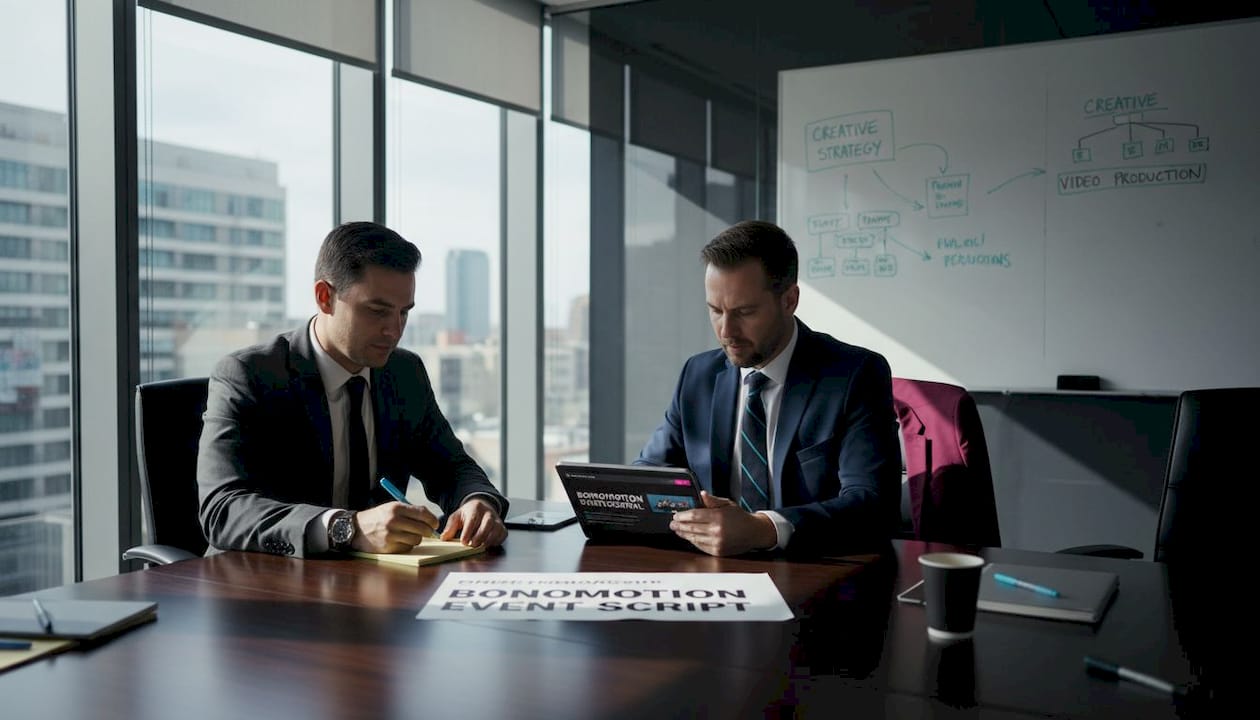
| Category | What to gather | Why it matters |
|---|---|---|
| Objectives | Core message, target audience, desired action | Defines tone, structure, and ending |
| Logistics | Run-of-show, speaker list, segment timing | Prevents pacing errors and missed cues |
| Branding | Brand voice guide, approved language, visual standards | Ensures consistency across segments |
| Technical | Camera setup, streaming platform, A/V requirements | Aligns script cues with production realities |
Once you have these inputs organized, you can make two foundational decisions: script style (formal, conversational, or hybrid) and script architecture (problem-solution, storytelling, or direct informative). Making these choices before writing saves significant revision time.
Here is a practical pre-scripting checklist:
- Confirmed event objectives and key messages
- Final speaker roster with bios and talking points
- Approved brand language and terminology
- Complete run-of-show with segment durations
- Technical brief from your A/V and video team
- Stakeholder sign-off on script structure before drafting
Pro Tip: Schedule a 30-minute alignment call with your production team, lead speaker, and a marketing stakeholder before scripting begins. Misaligned assumptions caught at this stage cost you nothing. Caught during production, they cost you real money and time.
Review our event video planning tips for a deeper look at pre-production workflows, and explore the full process in our corporate script writing steps guide.
Step-by-step scripting: Structure, writing, and sync points
With your requirements in hand, you can build a script that serves both your message and your technical team. The structure of a corporate event video script is predictable by design. Predictability is what allows directors, editors, and speakers to execute without friction.
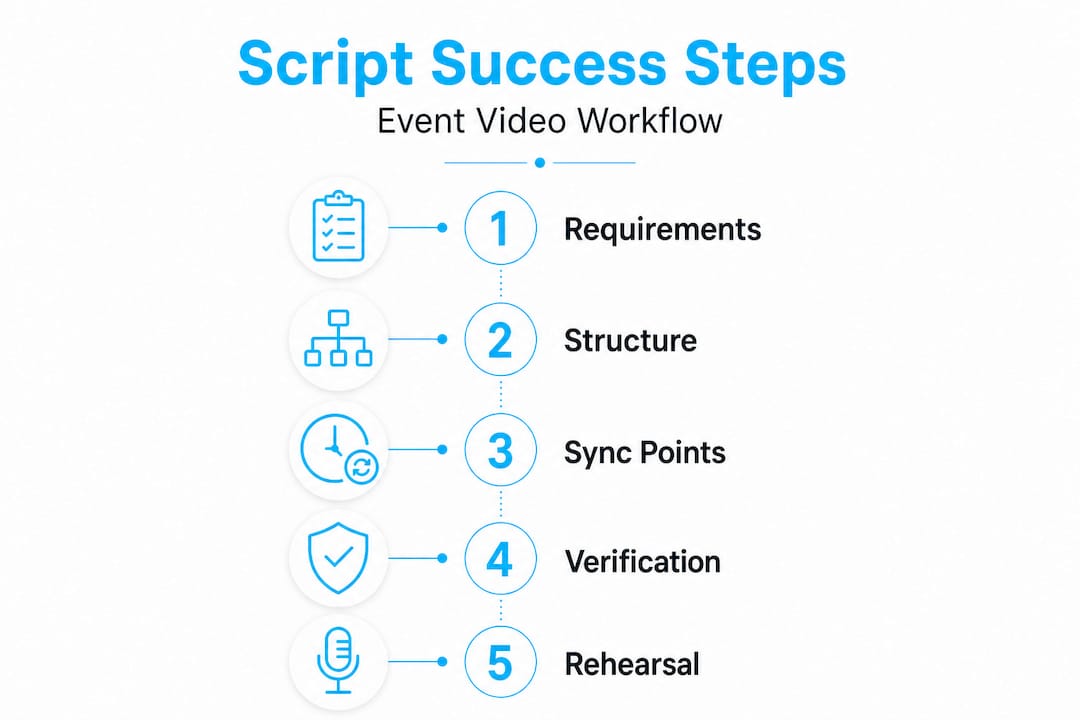
Follow this sequence when drafting:
- Write the intro. The first 15 to 30 seconds must establish context, tone, and viewer benefit. State who this content is for and what they will gain. Avoid lengthy title cards or music-only openings that delay the message.
- Build the core narrative. Develop the central message using your chosen architecture. Break the core into three to five clear beats, each with a visual cue or speaker transition noted in the margin.
- Script transitions explicitly. Do not assume editors or directors will figure out transitions on their own. Every major shift, such as moving from a keynote clip to a panel discussion, needs a written transition cue that includes timing and a brief visual note.
- Include technical cues inline. Timecodes, camera switch notes, lower-third text, and graphic overlay timing belong in the script, not in a separate document. Keeping everything in one place prevents version-control errors during production.
- Write the outro with a clear action. Every event video should end with a specific next step. That might be a website URL, a product demo request, or a post-event survey. The outro is not a summary. It is a conversion moment.
For hybrid events, the scripting discipline becomes even more critical. Hybrid event scripting must include designated sync points and protocol-aware technical alignment so that remote and on-site segments match correctly during both production and editing. A sync point is a deliberate moment in the script where in-room footage and streaming footage are matched to a common timecode or visual cue. Without these anchors, your editor will spend hours trying to reconcile footage from two different environments.
| Script architecture | Best use case | Key strength |
|---|---|---|
| Problem-solution | Product launches, keynotes | Drives urgency and solution adoption |
| Storytelling | Brand films, milestone events | Builds emotional connection |
| Direct informative | Recaps, training, panel summaries | Maximum clarity and efficiency |
Pro Tip: For hybrid productions, assign a dedicated script supervisor who tracks timecodes on both the room feed and the streaming feed in real time. Even a two-second drift between feeds can create major editing headaches if not logged during the shoot.
Explore how we approach hybrid event production strategies and learn more about the broader value of professional video production benefits for corporate events.
Verification: Reviewing, rehearsing, and troubleshooting your script
A drafted script is not a finished script. The verification phase is where most productions either lock in quality or let avoidable errors slip through to the shoot day. This phase has three distinct stages: structured review, full rehearsal, and active troubleshooting.
Scripts support engagement through structured narrative and enhance professionalism, but only when the verification process is rigorous. A script that reads well on the page may sound unnatural out loud or run three minutes over your segment allocation. Both problems are fixable before production, and both become expensive on shoot day.
Your review process should cover these checkpoints:
- Message accuracy: Does every segment reflect the approved messaging from your pre-scripting brief? Check for brand language compliance and factual accuracy.
- Timing: Read the script aloud at natural pace and time each segment. Add a 10% buffer for live delivery variance. Most readers underestimate how long natural speech takes.
- Narrative flow: Does the script build logically? Identify any moments where the audience might lose the thread. Transitions between segments are the highest-risk points.
- Technical alignment: Confirm every production cue in the script against your A/V brief and run-of-show. A lower-third that references a speaker’s wrong title will not be caught during a content review alone.
- Jargon audit: Read through the script from the audience’s perspective. Industry-specific acronyms and internal terms that make perfect sense to your team may alienate a broader attendee base or confuse first-time event viewers.
“The single most valuable thing you can do before your event shoots is to run a full rehearsal with real people, real timing, and real transitions. Nothing else replicates the experience of live delivery.”
Rehearsal is not optional for corporate event scripts. Bring your speakers, your director, and your A/V team together for at least one full run-through. Simulate every cue, including camera switches, graphic reveals, and the handoff moments between speakers. This is when you discover that your CEO naturally speaks 20% faster under pressure, or that the transition from the live panel to the pre-recorded segment needs an additional two seconds of buffer.
Last-minute script changes are one of the most common causes of production errors. Set a firm script lock deadline, typically 48 hours before the shoot, and require a full review sign-off for any changes made after that point. No exceptions. A single unchecked change to a timecode or speaker cue can cascade through the entire production workflow.
Read more about capturing high-stakes moments in our guide to documenting conference key moments, and explore the downstream value in our breakdown of event video engagement benefits.
Our experience: What most event scripts get wrong and how to win
After producing corporate event videos across more than two decades and for clients ranging from funded startups to Fortune 100 companies, we have seen the same script failure patterns repeat with remarkable consistency. The issues are rarely about creativity. They are almost always structural.
The most common problem is generic scripting. Organizers write scripts that could apply to any company at any event. There is no specific audience insight, no language tailored to the attendees’ level of familiarity with the topic, and no emotional anchor that gives the viewer a reason to stay engaged. Generic scripts produce generic results.
The second most common failure is treating the script as a solo document. The best event scripts we have ever worked with were built collaboratively, reviewed by producers, speakers, marketing leads, and technical directors before a single camera was positioned. A script that only goes through one person’s hands before the shoot is a risk that rarely pays off.
What distinguishes an excellent event script from an adequate one is the presence of technical and emotional cues side by side. Great scripts note not just what a speaker should say, but how the camera should move, when a graphic should appear, and what emotional response the segment is designed to produce. This level of specificity is what allows production teams to execute with confidence rather than improvising on the day.
Flexible timing blocks are another hallmark of professional scripting. Rather than writing a rigid 12-minute script, experienced producers build in clearly marked expansion and compression points so that live events, which never run exactly to schedule, can be accommodated without disrupting the flow. That kind of structural intelligence comes from working across dozens of event formats.
We have seen the payoff when these principles are applied correctly. Audiences stay more engaged, post-event survey scores improve, and the content has a longer useful life for distribution and repurposing. To understand how professional scripting integrates with full-scale production, read more about how we elevate your event scripting from concept through delivery.
Bring your event vision to life with expert video support
Applying the scripting principles in this guide will sharpen your event videos immediately, but the most consistent results come when scripting is embedded inside a full production workflow managed by an experienced team.
At Bonomotion, we have guided corporate event video production since 2003, working with teams across industries to script, shoot, and deliver content that performs. Our producers work directly with your team to align messaging, manage technical requirements, and coordinate every production cue before shoot day. Whether you need corporate video production solutions for a major conference or ongoing business video solutions for your brand’s event calendar, we function as a true extension of your organization. Connect with our Miami corporate videographer team to discuss your next event and start building the script that your audience deserves.
Frequently asked questions
What is the most important part of an event video script?
The most important part is ensuring the script clearly communicates your message and aligns all technical cues with the event’s flow so both the audience and production team stay synchronized throughout.
How do you handle remote and in-person segments in a hybrid event script?
Build explicit sync points into your script and define clear technical alignment protocols so that editors can match remote and on-site footage accurately during post-production.
What are common mistakes in event video scripting?
Skipping a defined structure, skipping rehearsal, and failing to align the script with the A/V team’s technical requirements are the three most damaging mistakes in corporate event scripting.
How detailed should my script be for a corporate conference?
Your script should cover every speaker transition, timing cue, lower-third instruction, graphic reveal, and contingency note for both live and pre-recorded segments, leaving nothing to interpretation on shoot day.
Can I use the same script structure for all types of events?
While core scripting principles apply broadly, you should tailor your chosen architecture, whether problem-solution, storytelling, or direct informative, to the specific objectives, audience, and format of each individual event.